Fluffy — AD CS ESC16 & Shadow Credentials
OS
Windows
Difficulty
Easy
Category
AD
Released
2025.05.24
Uploaded a malicious .library-ms (CVE-2025-24071) to a writable IT share to coerce p.agila's NTLMv2 hash, abused GenericWrite via shadow credentials for service-account NT hashes, then exploited AD CS ESC16 with Certipy to impersonate the administrator.
Want to try this box yourself?
Spoiler-free mode is on by default — every solution stays hidden behind a reveal. Peek the hints, attempt each step, then unlock the answer when you're stuck. Turn it off to read every solution inline.
We start the Fluffy box with credentials for the following account: j.fleischman / J0elTHEM4n1990!
Nmap
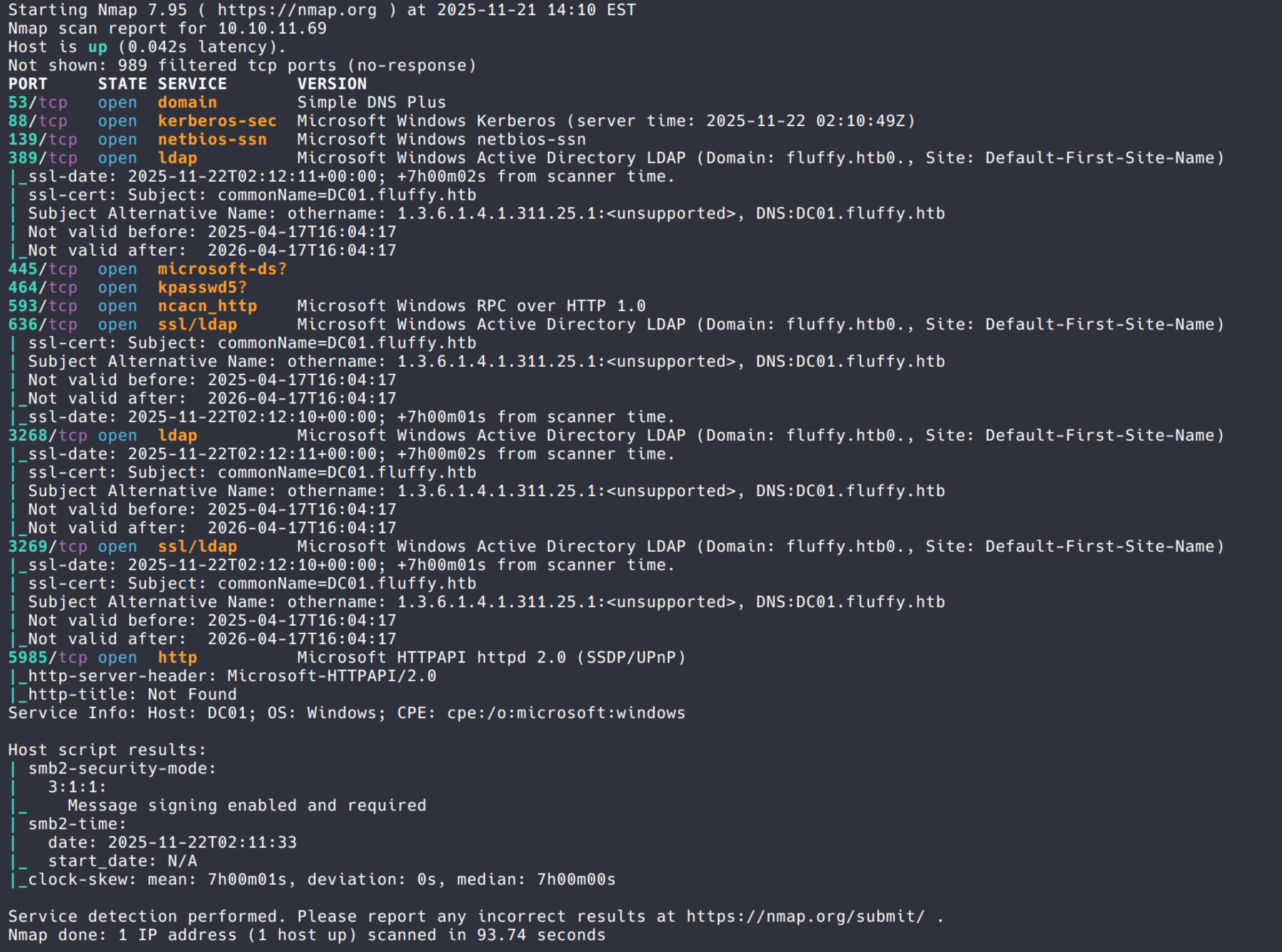
Starting Nmap 7.95 ( https://nmap.org ) at 2025-11-21 14:10 EST
Nmap scan report for 10.10.11.69
Host is up (0.042s latency).
Not shown: 989 filtered tcp ports (no-response)
PORT     STATE SERVICE       VERSION
53/tcp   open  domain        Simple DNS Plus
88/tcp   open  kerberos-sec  Microsoft Windows Kerberos (server time: 2025-11-22 02:10:49Z)
139/tcp  open  netbios-ssn   Microsoft Windows netbios-ssn
389/tcp  open  ldap          Microsoft Windows Active Directory LDAP (Domain: fluffy.htb0., Site: Default-First-Site-Name)
|_ssl-date: 2025-11-22T02:12:11+00:00; +7h00m02s from scanner time.
| ssl-cert: Subject: commonName=DC01.fluffy.htb
| Subject Alternative Name: othername: 1.3.6.1.4.1.311.25.1:<unsupported>, DNS:DC01.fluffy.htb
| Not valid before: 2025-04-17T16:04:17
|_Not valid after:  2026-04-17T16:04:17
445/tcp  open  microsoft-ds?
464/tcp  open  kpasswd5?
593/tcp  open  ncacn_http    Microsoft Windows RPC over HTTP 1.0
636/tcp  open  ssl/ldap      Microsoft Windows Active Directory LDAP (Domain: fluffy.htb0., Site: Default-First-Site-Name)
| ssl-cert: Subject: commonName=DC01.fluffy.htb
| Subject Alternative Name: othername: 1.3.6.1.4.1.311.25.1:<unsupported>, DNS:DC01.fluffy.htb
| Not valid before: 2025-04-17T16:04:17
|_Not valid after:  2026-04-17T16:04:17
|_ssl-date: 2025-11-22T02:12:10+00:00; +7h00m01s from scanner time.
3268/tcp open  ldap          Microsoft Windows Active Directory LDAP (Domain: fluffy.htb0., Site: Default-First-Site-Name)
|_ssl-date: 2025-11-22T02:12:11+00:00; +7h00m02s from scanner time.
| ssl-cert: Subject: commonName=DC01.fluffy.htb
| Subject Alternative Name: othername: 1.3.6.1.4.1.311.25.1:<unsupported>, DNS:DC01.fluffy.htb
| Not valid before: 2025-04-17T16:04:17
|_Not valid after:  2026-04-17T16:04:17
3269/tcp open  ssl/ldap      Microsoft Windows Active Directory LDAP (Domain: fluffy.htb0., Site: Default-First-Site-Name)
|_ssl-date: 2025-11-22T02:12:10+00:00; +7h00m01s from scanner time.
| ssl-cert: Subject: commonName=DC01.fluffy.htb
| Subject Alternative Name: othername: 1.3.6.1.4.1.311.25.1:<unsupported>, DNS:DC01.fluffy.htb
| Not valid before: 2025-04-17T16:04:17
|_Not valid after:  2026-04-17T16:04:17
5985/tcp open  http          Microsoft HTTPAPI httpd 2.0 (SSDP/UPnP)
|_http-server-header: Microsoft-HTTPAPI/2.0
|_http-title: Not Found
Service Info: Host: DC01; OS: Windows; CPE: cpe:/o:microsoft:windows

Host script results:
| smb2-security-mode:
|   3:1:1:
|_    Message signing enabled and required
| smb2-time:
|   date: 2025-11-22T02:11:33
|_  start_date: N/A
|_clock-skew: mean: 7h00m01s, deviation: 0s, median: 7h00m00s

Service detection performed. Please report any incorrect results at https://nmap.org/submit/ .
Nmap done: 1 IP address (1 host up) scanned in 93.74 seconds
Enumerating SMB
Using Provided Creds
The credentials are valid for SMB.

Enumerating Users
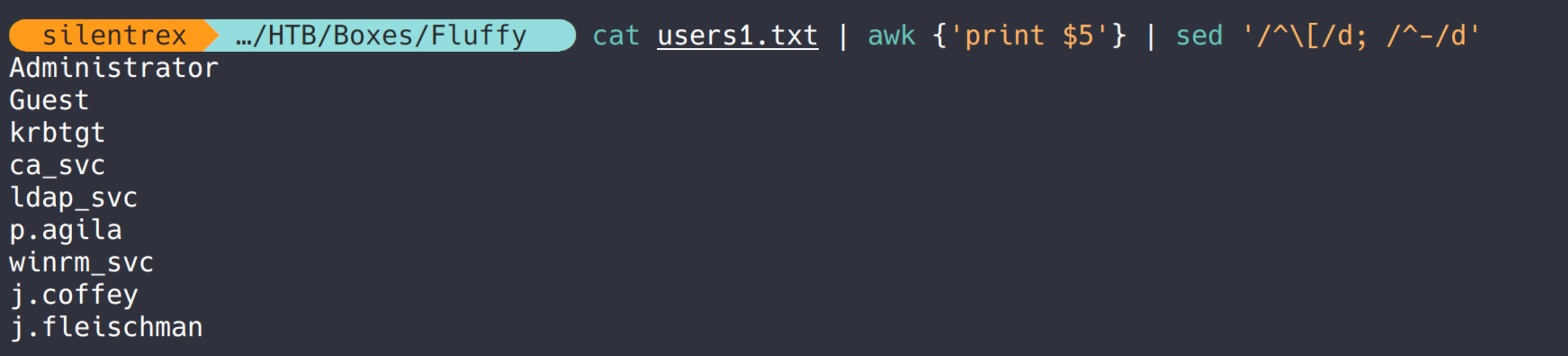
We use this command to get a list of users:
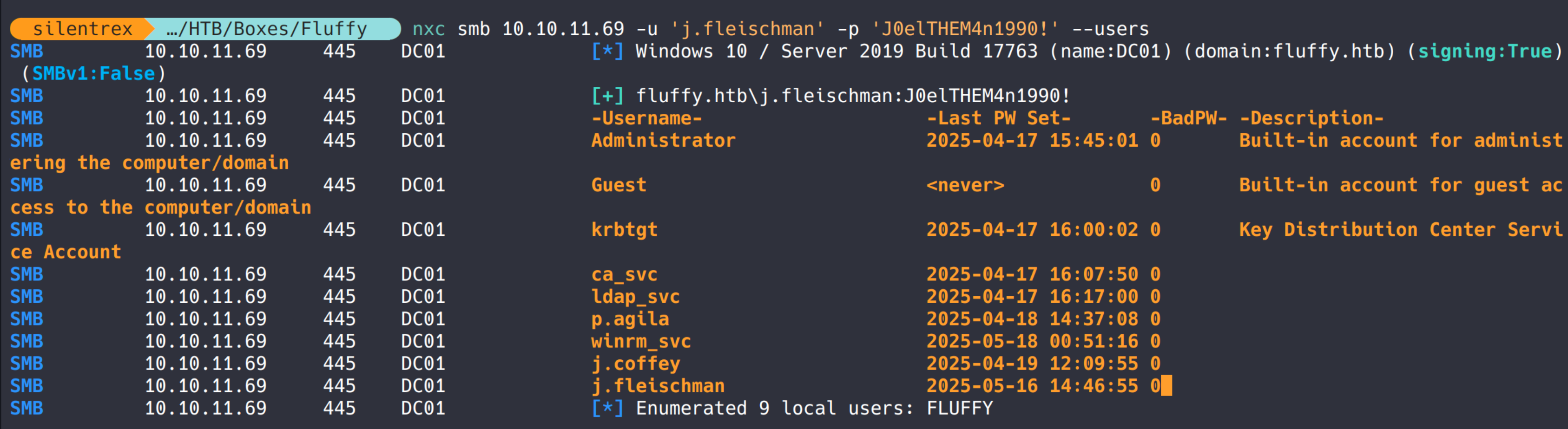
We clean up the list so we can use it with NetExec.
Password Spraying
Spraying passwords using the following commands shows that the password is not reused anywhere else.

Enumerating Shares
Enumerating shares using the following command:
We have read/write access to the IT share.
We use smbclient to look at the IT share:
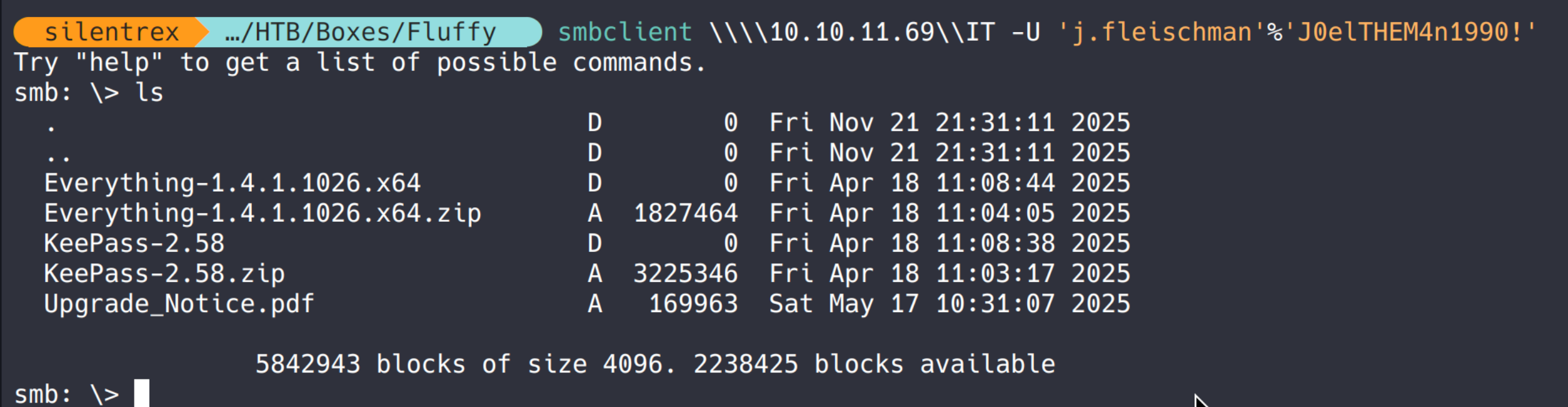
The upgrade_notice.pdf file looks interesting.
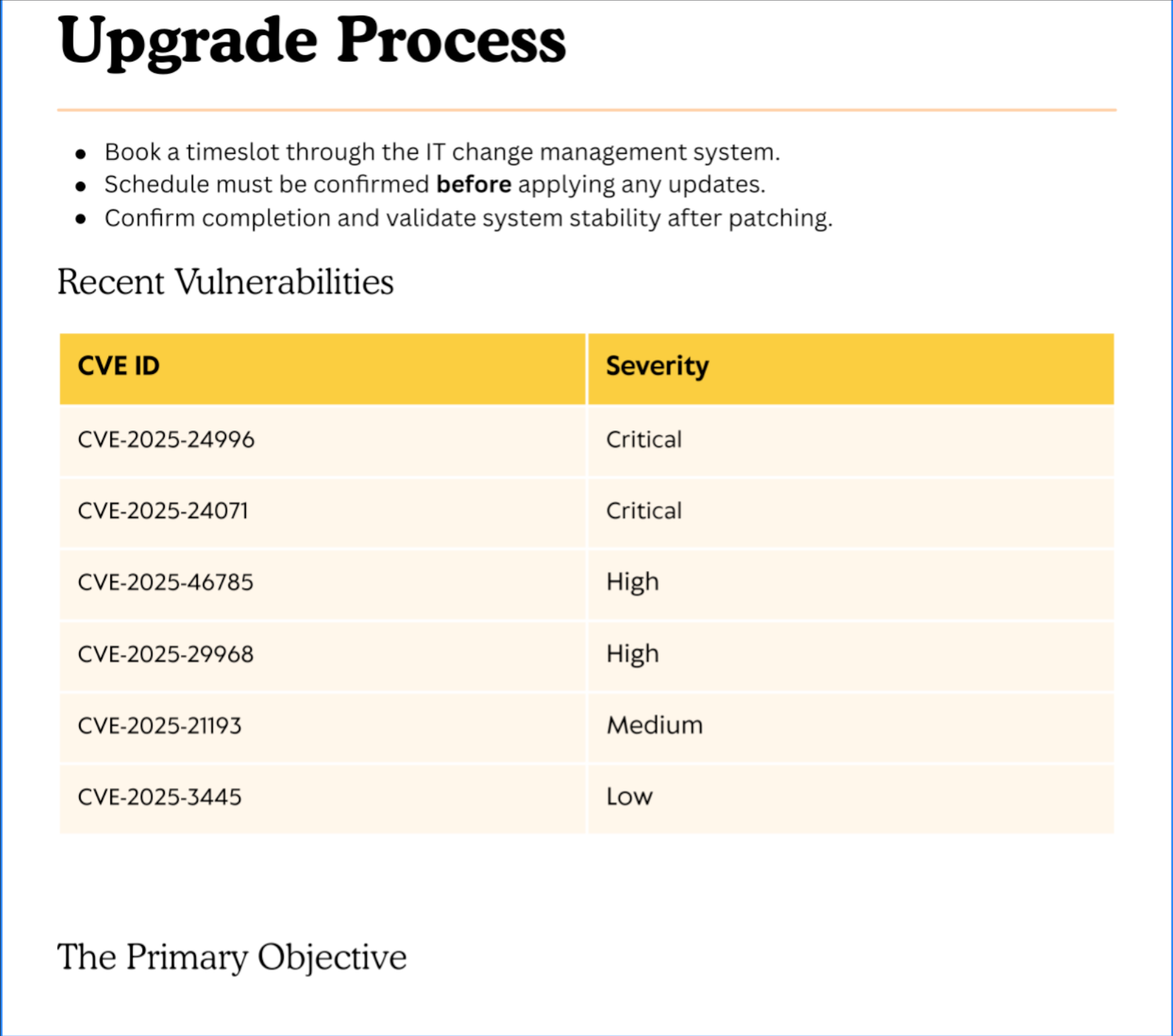
In the PDF file, we find a list of CVEs.
CVE-2025-24071 looks interesting since it is a critical severity vulnerability that discloses users' NTLM hashes.
Searching online, we find this PoC for the CVE.
Using the CVE, we generate a malicious .zip file:
Then we upload the exploit.zip file to the writable share:
Then we set up Responder to intercept the authentication request:
And we get an NTLMv2 hash for the user p.agila:
[+] Listening for events...

[SMB] NTLMv2-SSP Client   : 10.10.11.69
[SMB] NTLMv2-SSP Username : FLUFFY\p.agila
[SMB] NTLMv2-SSP Hash     : p.agila::FLUFFY:831727fdef315014:92D3DBBC2A77CA4C11360A5A04D645BF:010100000000000080130123F65ADC01766A26B699E937740000000002000800460039004A00550001001E00570049004E002D005800500055005800540054003500540045004500590004003400570049004E002D00580050005500580054005400350054004500450059002E00460039004A0055002E004C004F00430041004C0003001400460039004A0055002E004C004F00430041004C0005001400460039004A0055002E004C004F00430041004C000700080080130123F65ADC0106000400020000000800300030000000000000000100000000200000860CB1AA2D663B6D1065BC32CD18900067FB130D1D275383A6326AC7F7FBD0D60A001000000000000000000000000000000000000900200063006900660073002F00310030002E00310030002E00310036002E00330038000000000000000000
[*] Skipping previously captured hash for FLUFFY\p.agila
[*] Skipping previously captured hash for FLUFFY\p.agila
[*] Skipping previously captured hash for FLUFFY\p.agila
[*] Skipping previously captured hash for FLUFFY\p.agila
[*] Skipping previously captured hash for FLUFFY\p.agila
[*] Skipping previously captured hash for FLUFFY\p.agila
[+] Exiting...
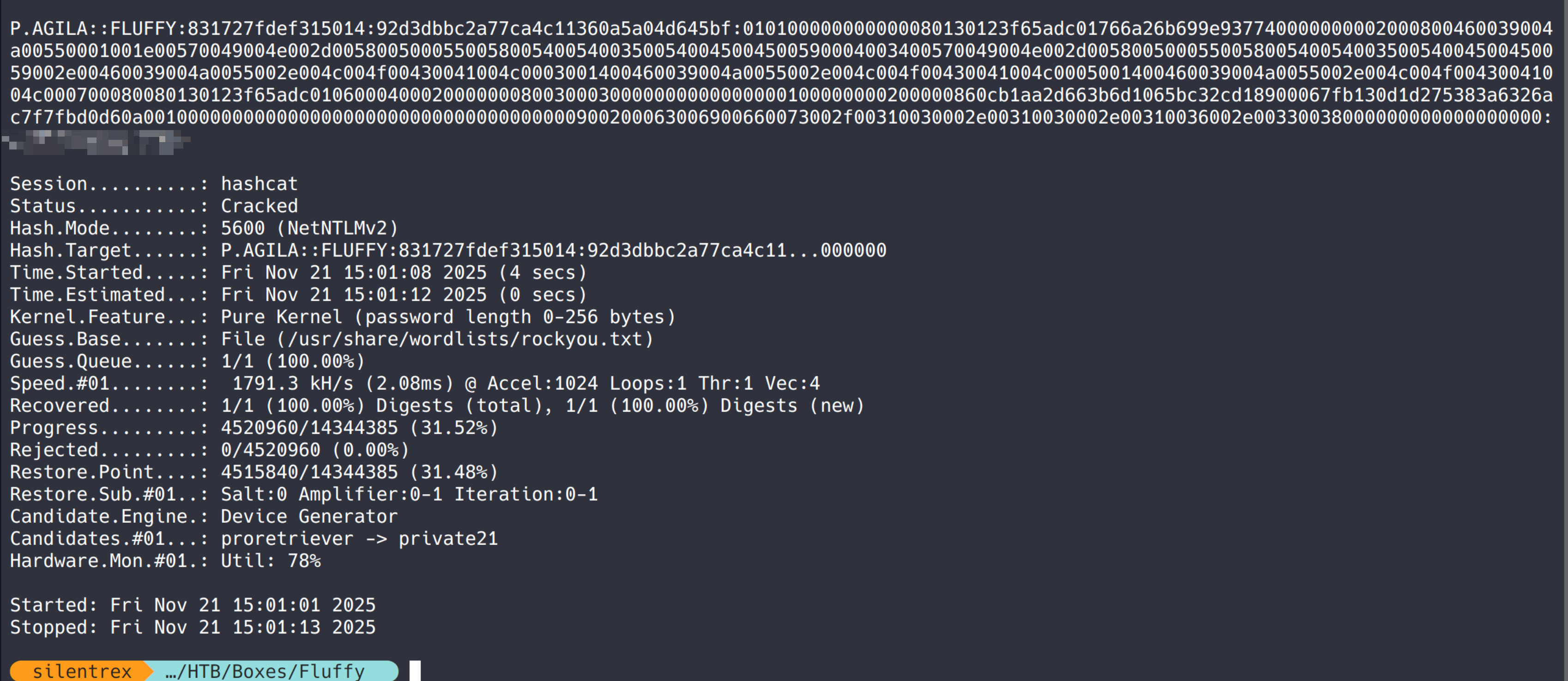
Now we can save this hash and pass it to hashcat.
Cracking Hash
Using the following command, we can crack the hash:
Using p.agila creds
Validating Creds

Enumerating Shares
Using the command to enumerate shares reveals that we have access to no new shares.
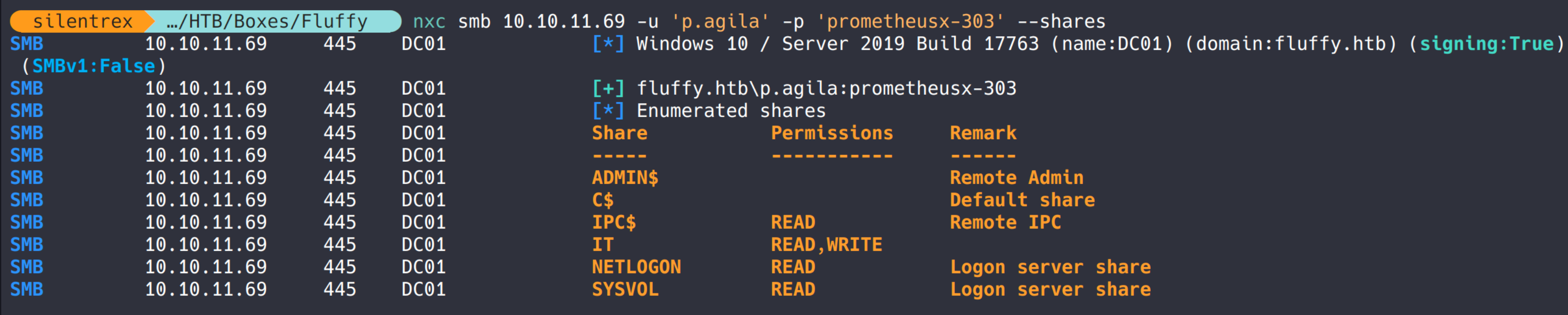
Since nothing new is found, we will run a BloodHound scan.
Running BloodHound
We can use the following command to run a BloodHound scan:
Start BloodHound and upload the zip file.
We add p.agila to owned.
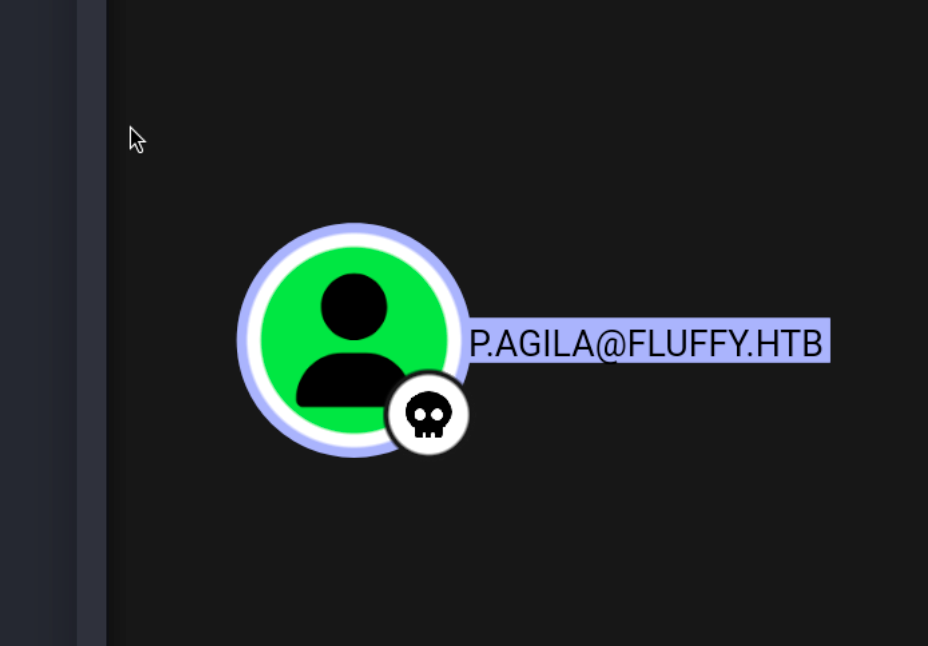
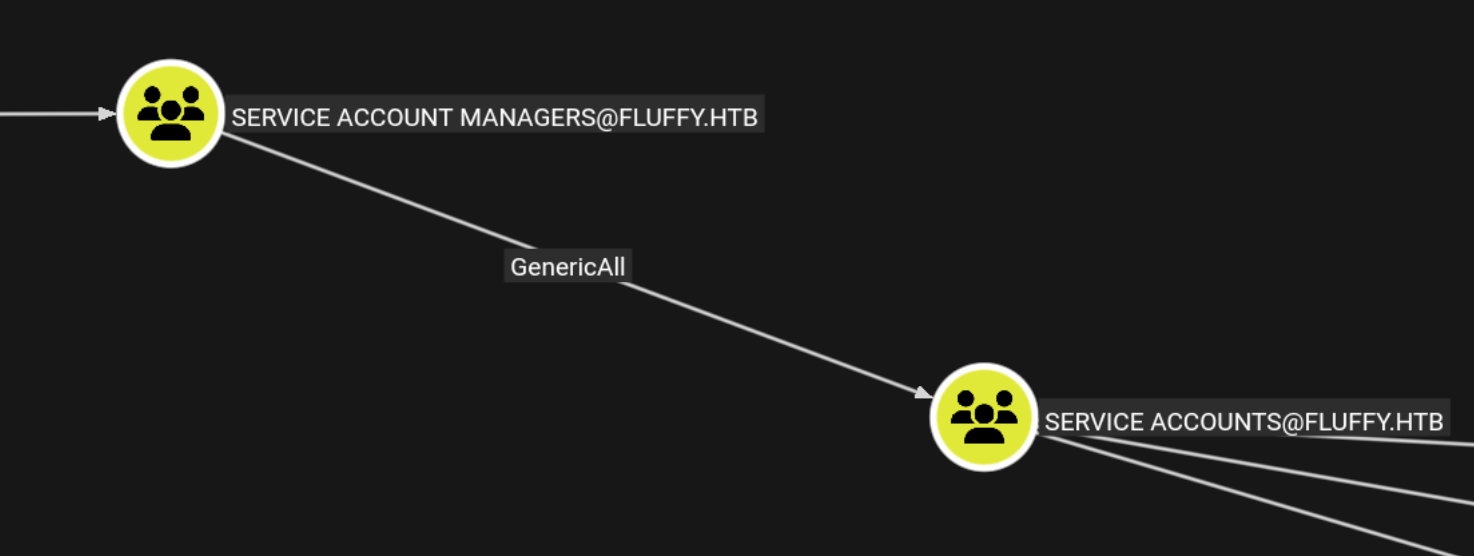
Using the Shortest Paths from Owned Objects, we see that p.agila is a member of Service Account Managers.

Service Account Managers has GenericAll permissions on Service Accounts.
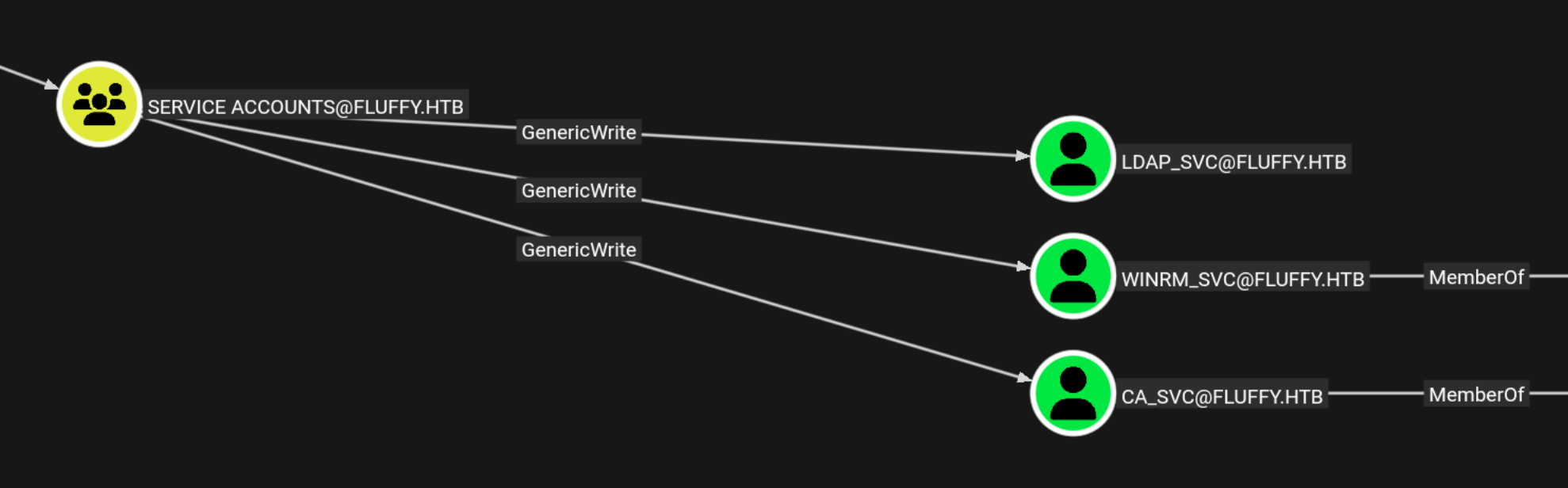
And Service Accounts has GenericWrite on two svc accounts.
Using the Bloodhound Scan
GenericAll
GenericAll permissions allow an account to add a user to a group.
We use BloodyAD to add p.agila to Service Accounts:
The general BloodyAD command from Hacker Recipes is:
bloodyAD --host "$DC_IP" -d "$DOMAIN" -u "$USER" -p "$PASSWORD" add groupMember "$TargetGroup" "$TargetUser"
The command in this case:
It works.

GenericWrite
Using the GenericWrite permissions, we can do a Kerberoast attack.
Running the impacket-GetUserSPNs command, we get an error that the clock skew is too great:
We fix the clock skew:
But it still does not work.
After some research, we find that GenericWrite allows us to do a targeted Kerberoast attack.
We use the nxc command for that:
Using the above command, we get the hash for the three svc accounts.
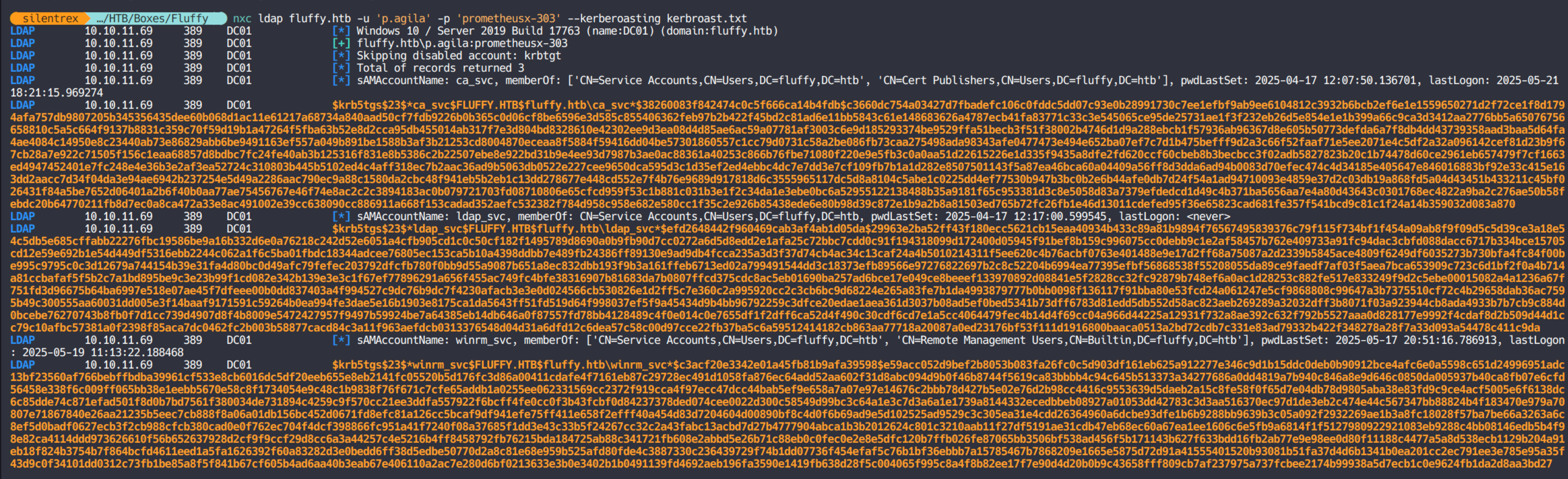
Passing the hashes to hashcat, we need to give hashcat the type of hash:
hashcat was not able to crack these hashes.
GenericWrite essentially allows us to add permissions or change things for a user, such as the password of the user account.
So we will have to use shadow credentials with certipy.
Using GenericWrite to get shadowcreds
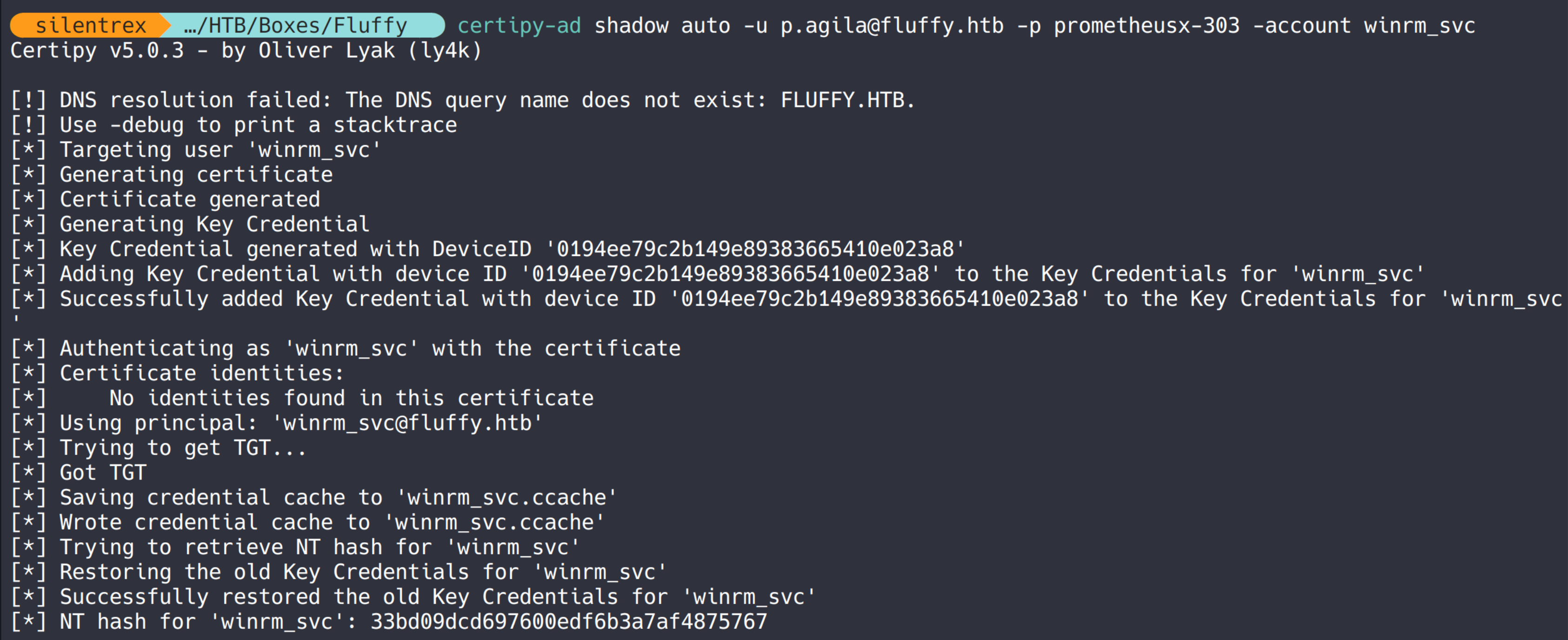
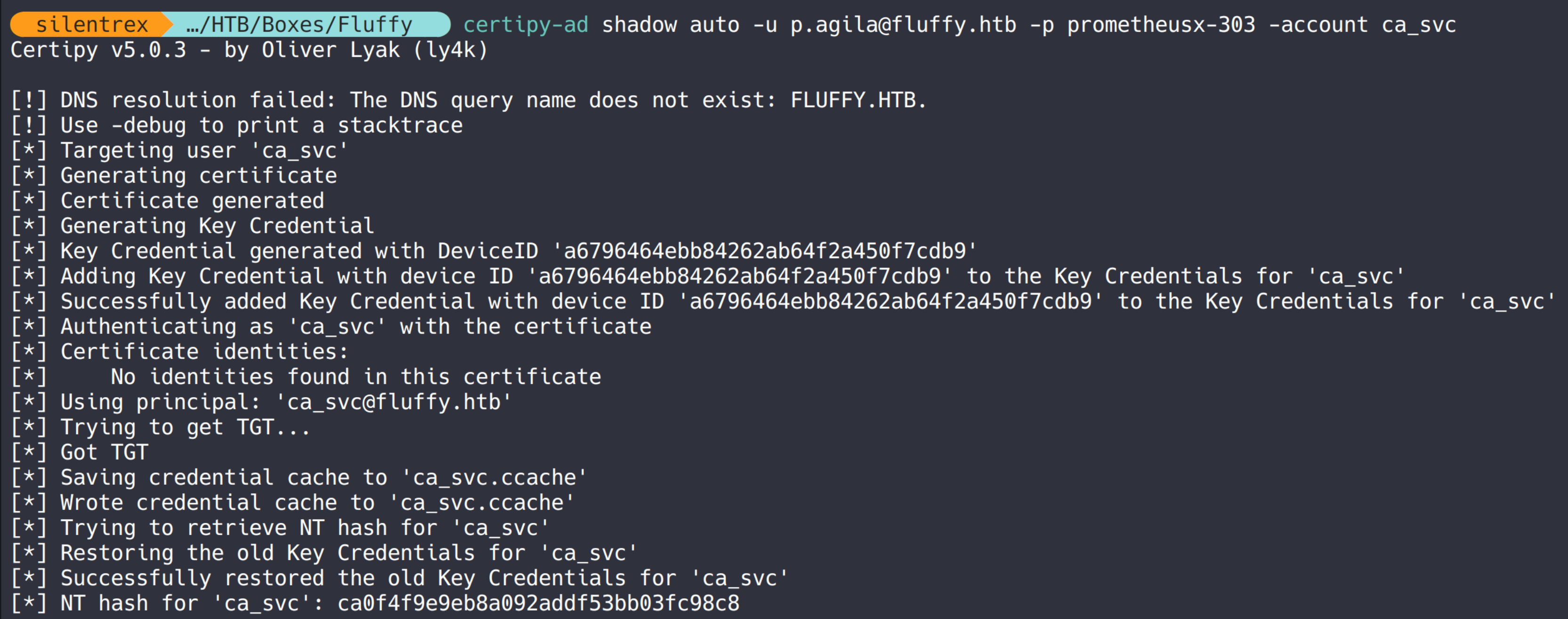
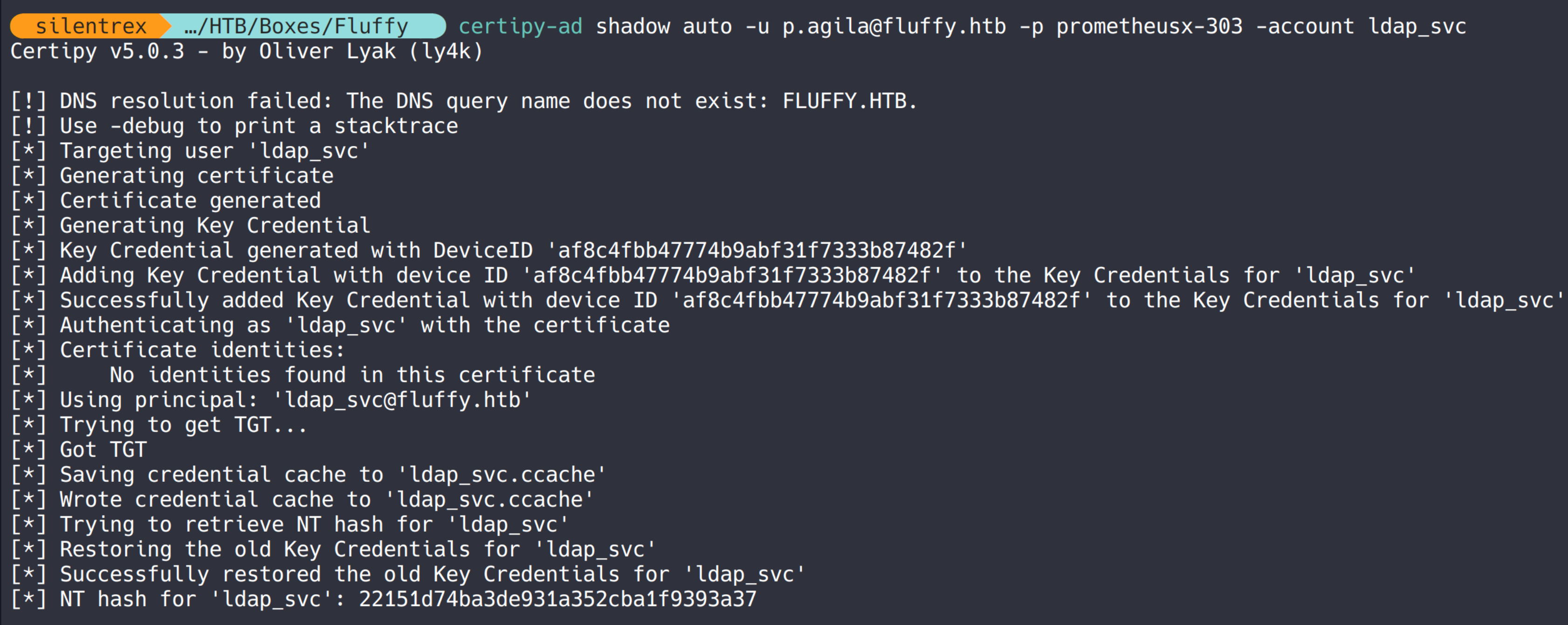
Using the following command, we were able to get an NT hash for the svc accounts:
Hash for Winrm_svc
Hash for ca_svc
Hash ldap_svc
Initial Foothold
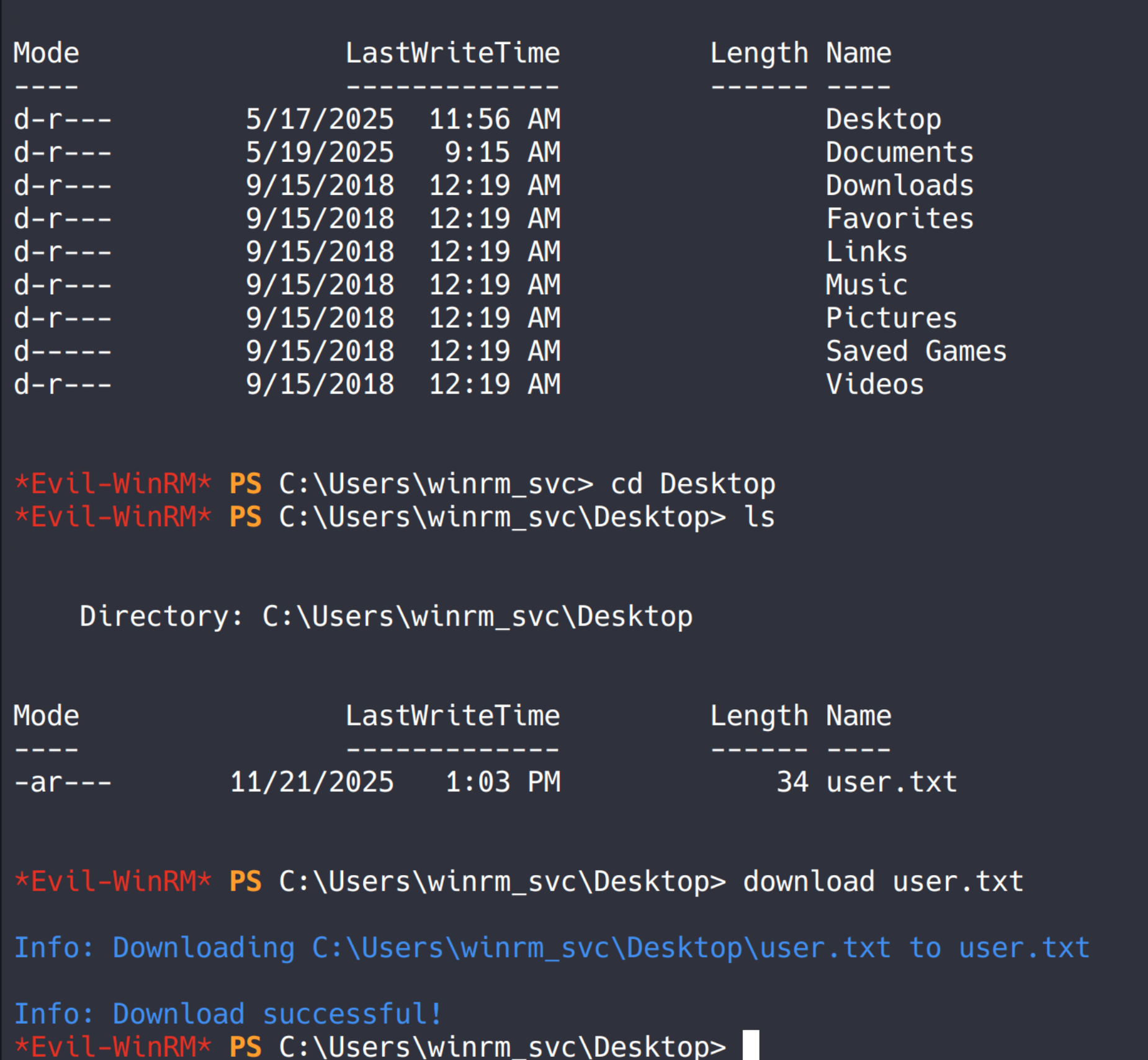
Using the NT hash we got for the accounts, we can get a shell using the winrm_svc account since it is a part of the Remote Management Users group.
To get a shell, we use evil-winrm.

The user flag can be found on the Desktop.
Administrator Shell
The key to a root shell on this machine is the ca_svc account.
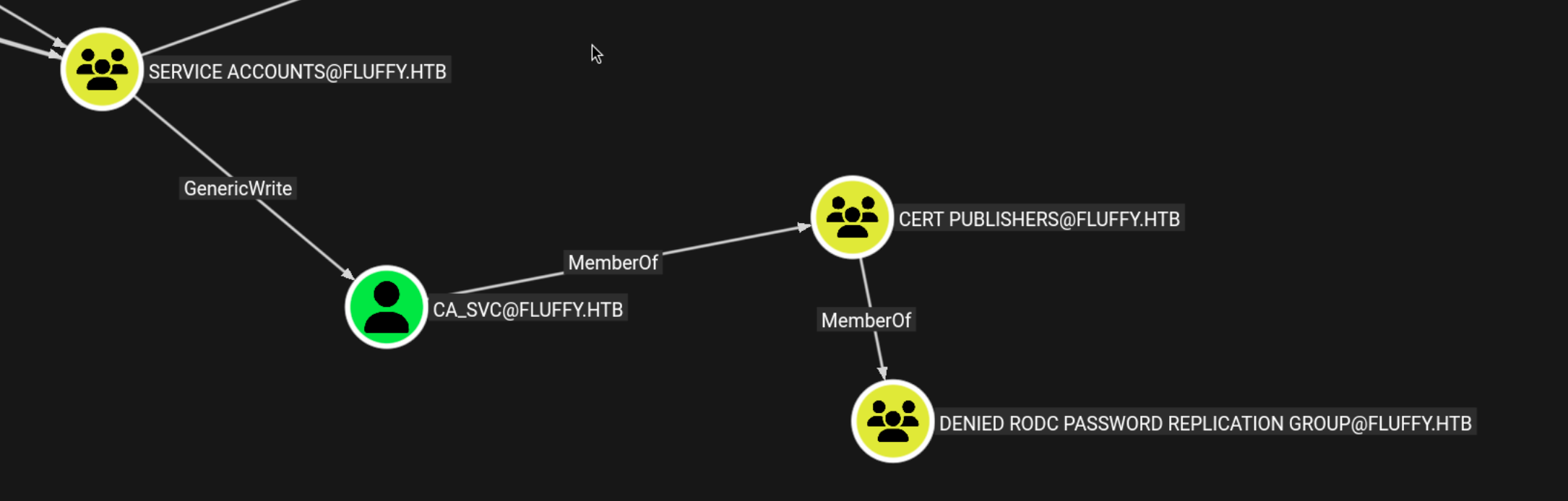
Members of Service Accounts have GenericWrite over ca_svc, which is a member of Cert Publishers, which is a member of the Denied RODC Password Replication Group.
The Denied RODC Password Replication Group is a well-known group that prevents passwords of its members from being cached on Read-Only Domain Controllers (RODCs). This membership does not reveal an exploitation path, but it does show that this is a valuable group.
ADCS
ADCS can bypass normal privilege boundaries
Even if a user cannot:
- reset passwords
- write attributes
- add group members
- get delegated rights
they might still be able to request a certificate that acts as a domain user, including Domain Admin.
Certificates issued by ADCS can be used to:
- authenticate to Kerberos
- request a TGT via PKINIT
- impersonate higher-privileged users
So ADCS often exposes hidden privilege escalation vectors.
We will use certipy to enumerate ADCS.
Using the output of the above command, we find that it is vulnerable to ESC16.
The certipy wiki has good documentation on ESC16.
The documentation has an exploitation path, so we will use that.
Since we have access to many svc accounts, we can use any of them to enumerate further, but we will use winrm_svc.
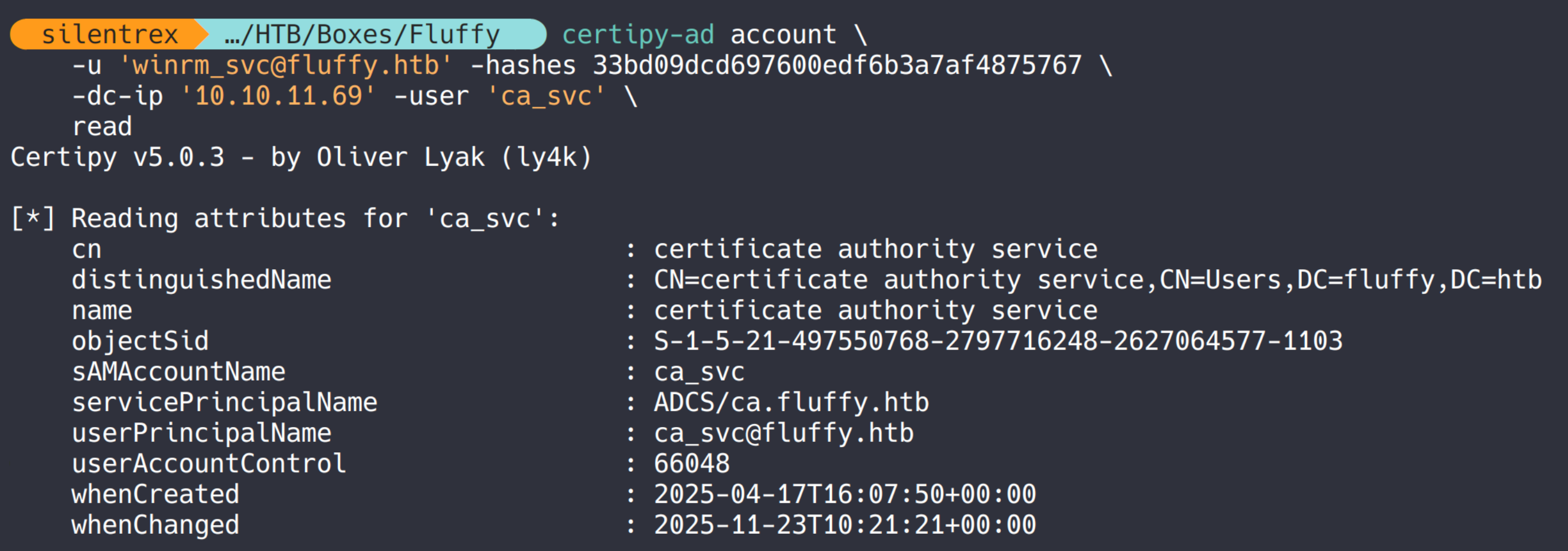
We will now update the userPrincipalName to administrator as per the wiki:

We will now request a certificate as per the wiki:
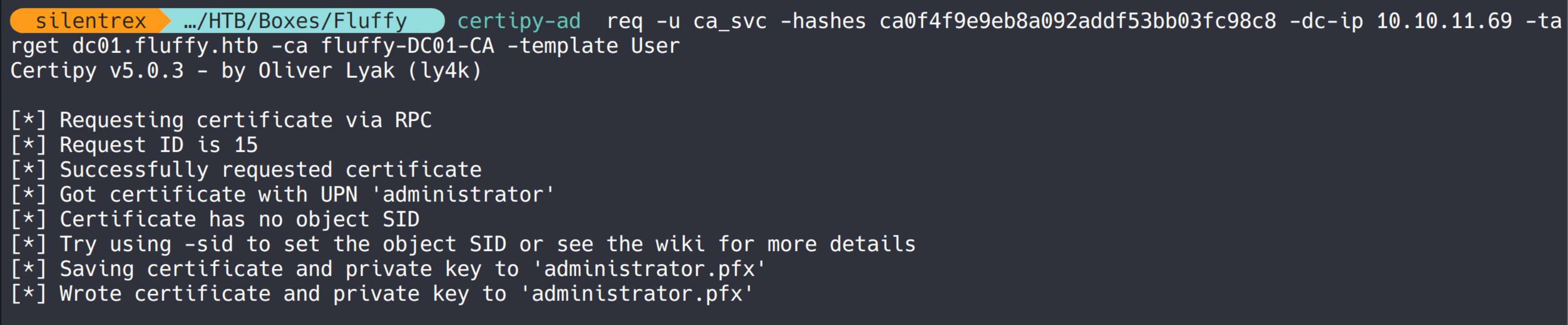
We switch the UPN back to what it was before we changed it so we can authenticate:

We will now authenticate using the certificate.
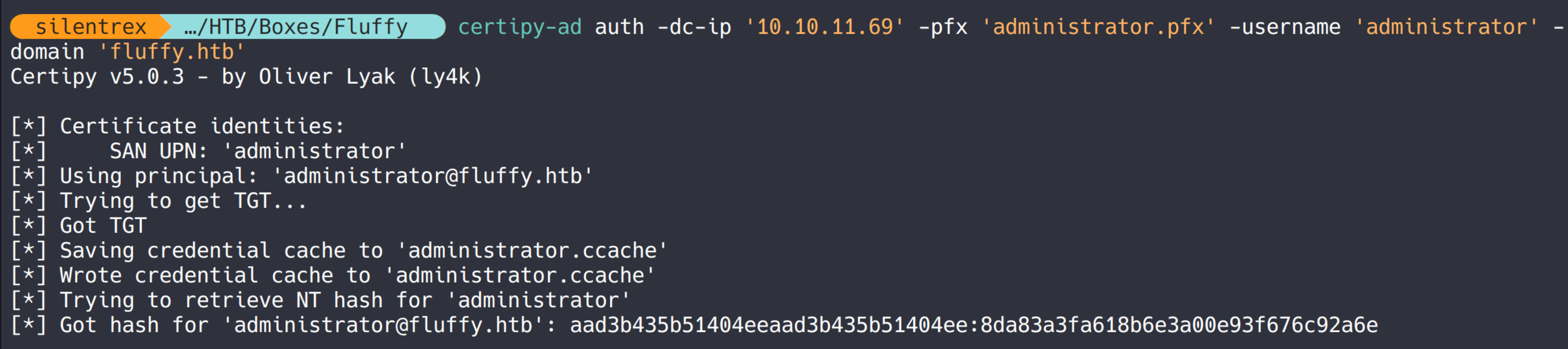
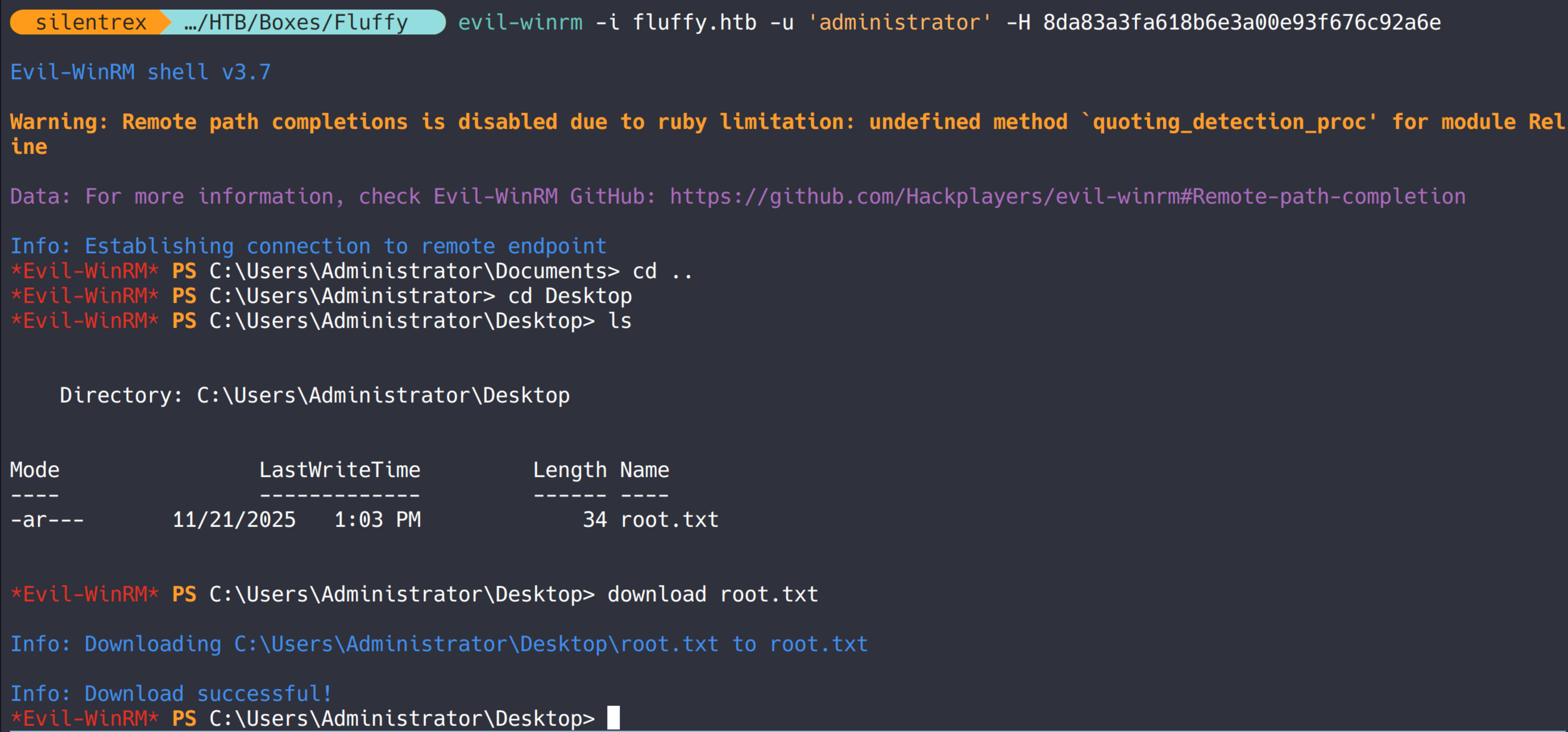
We can use the above NTLM hash to get a shell as Admin and get the root flag: