TwoMillion — Invite API Abuse to OverlayFS LPE
OS
Linux
Difficulty
Easy
Category
WEB
Released
2023.06.07
Reverse-engineered an obfuscated invite-code API to register, escalated to admin via an is_admin mass-assignment, gained RCE through command injection in admin VPN generation, then rooted via the OverlayFS/FUSE kernel bug CVE-2023-0386.
Want to try this box yourself?
Spoiler-free mode is on by default — every solution stays hidden behind a reveal. Peek the hints, attempt each step, then unlock the answer when you're stuck. Turn it off to read every solution inline.
Nmap
Enumeration
FFUF
Invite subdirectory
Looking at all of these, the invite is the most interesting.
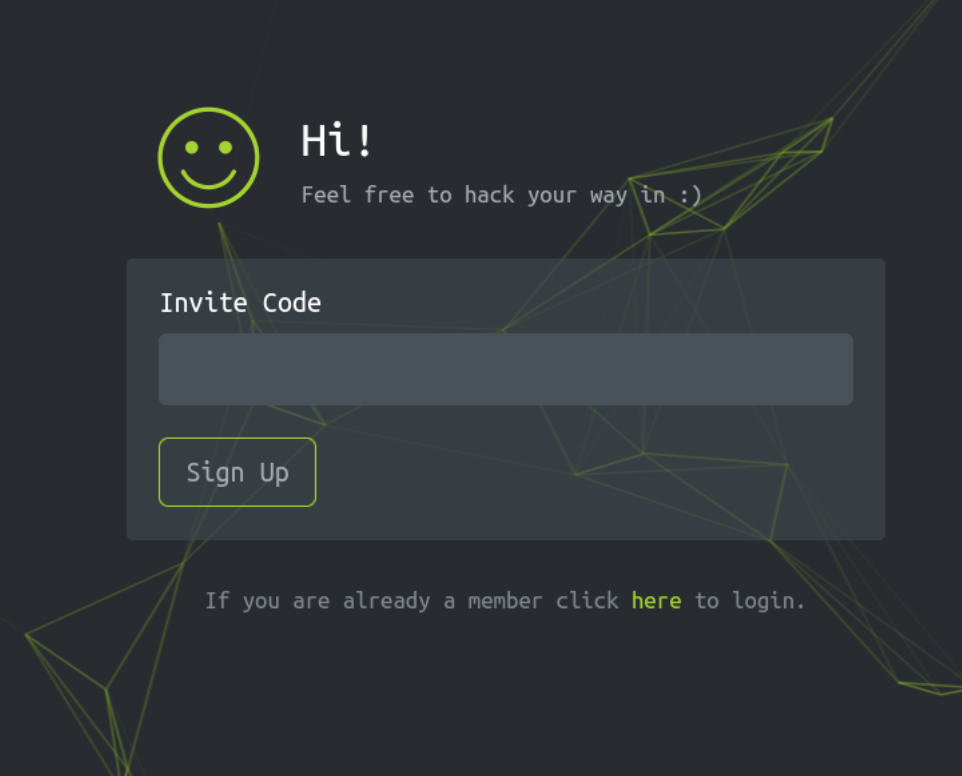
The source code shows the following:
<!-- scripts -->
    <script src="/js/htb-frontend.min.js"></script>
    <script defer src="/js/inviteapi.min.js"></script>
    <script defer>
        $(document).ready(function() {
            $('#verifyForm').submit(function(e) {
                e.preventDefault();

                var code = $('#code').val();
                var formData = { "code": code };

                $.ajax({
                    type: "POST",
                    dataType: "json",
                    data: formData,
                    url: '/api/v1/invite/verify',
                    success: function(response) {
                        if (response[0] === 200 && response.success === 1 && response.data.message === "Invite code is valid!") {
                            // Store the invite code in localStorage
                            localStorage.setItem('inviteCode', code);

                            window.location.href = '/register';
                        } else {
                            alert("Invalid invite code. Please try again.");
                        }
                    },
                    error: function(response) {
                        alert("An error occurred. Please try again.");
                    }
                });
            });
        });
    </script>
</body>
</html>
The /js/inviteapi.min.js file looks interesting.
Looking at it, we find some unusual code:
eval(function(p,a,c,k,e,d){e=function(c){return c.toString(36)};if(!''.replace(/^/,String)){while(c--){d[c.toString(a)]=k[c]||c.toString(a)}k=[function(e){return d[e]}];e=function(){return'\\w+'};c=1};while(c--){if(k[c]){p=p.replace(new RegExp('\\b'+e(c)+'\\b','g'),k[c])}}return p}('1 i(4){h 8={"4":4};$.9({a:"7",5:"6",g:8,b:\'/d/e/n\',c:1(0){3.2(0)},f:1(0){3.2(0)}})}1 j(){$.9({a:"7",5:"6",b:\'/d/e/k/l/m\',c:1(0){3.2(0)},f:1(0){3.2(0)}})}',24,24,'response|function|log|console|code|dataType|json|POST|formData|ajax|type|url|success|api/v1|invite|error|data|var|verifyInviteCode|makeInviteCode|how|to|generate|verify'.split('|'),0,{}))
This is obfuscated JavaScript, which we decrypt:
function verifyInviteCode(code) {
    var formData = {"code": code};
    $.ajax({
        type: "POST",
        dataType: "json",
        data: formData,
        url: '/api/v1/invite/verify',
        success: function(response) {
            console.log(response)
        },
        error: function(response) {
            console.log(response)
        }
    });
}

function makeInviteCode() {
    $.ajax({
        type: "POST",
        dataType: "json",
        url: '/api/v1/invite/how/to/generate',
        success: function(response) {
            console.log(response)
        },
        error: function(response) {
            console.log(response)
        }
    });
}
The makeInviteCode() function looks interesting.
Let's send a POST request to /api/v1/invite/how/to/generate.
We get a new hint:
It gives us some data and also mentions that it is encrypted in ROT13.
Let's decrypt the data using CyberChef.
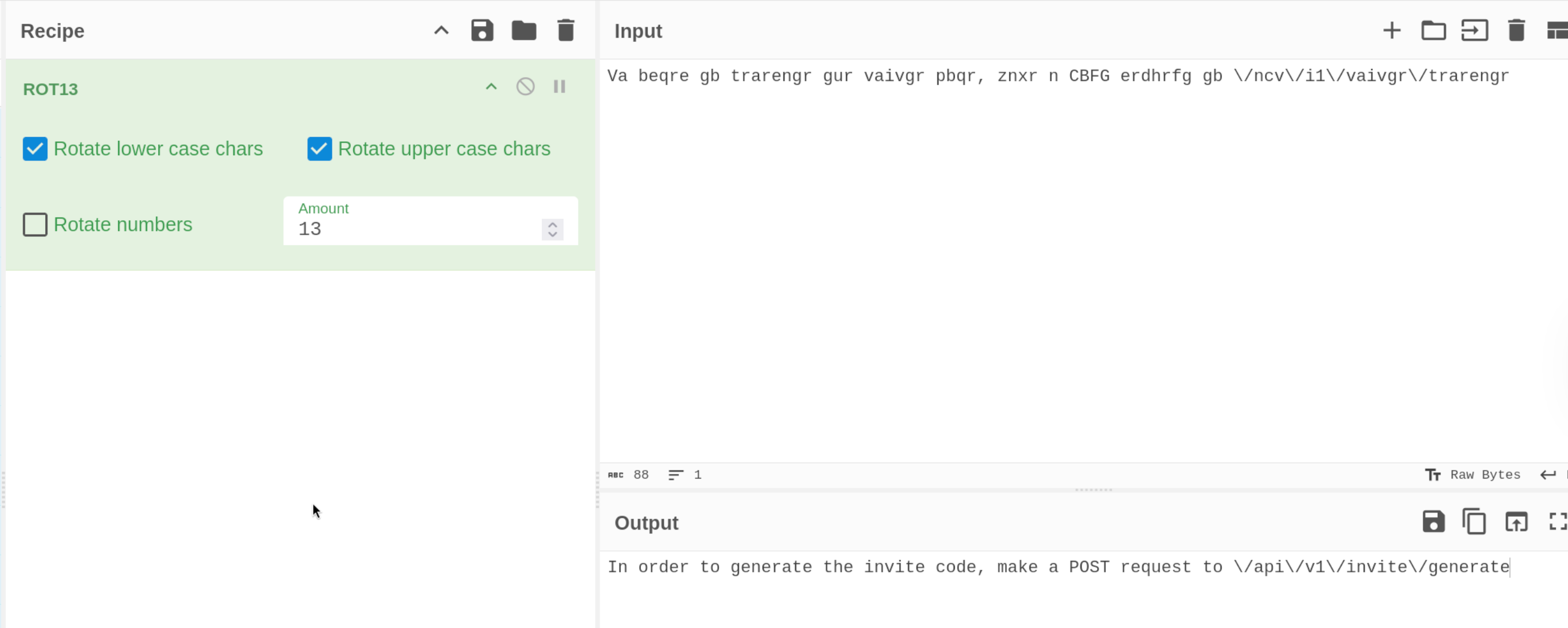
With the new hint, let's send a POST to /api/v1/invite/generate.
We get an invite code:
Using the code, we get an error.
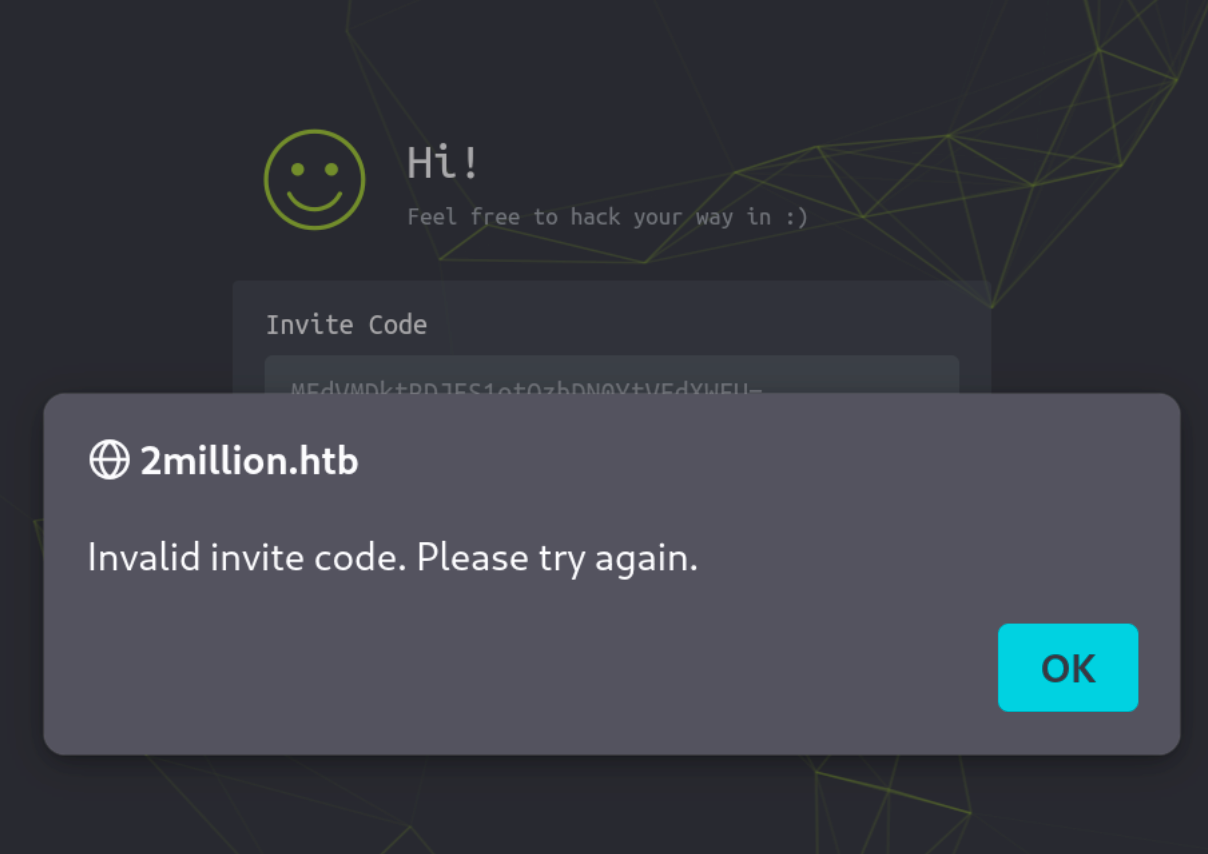
CyberChef auto-decrypts the code, which was originally Base64.
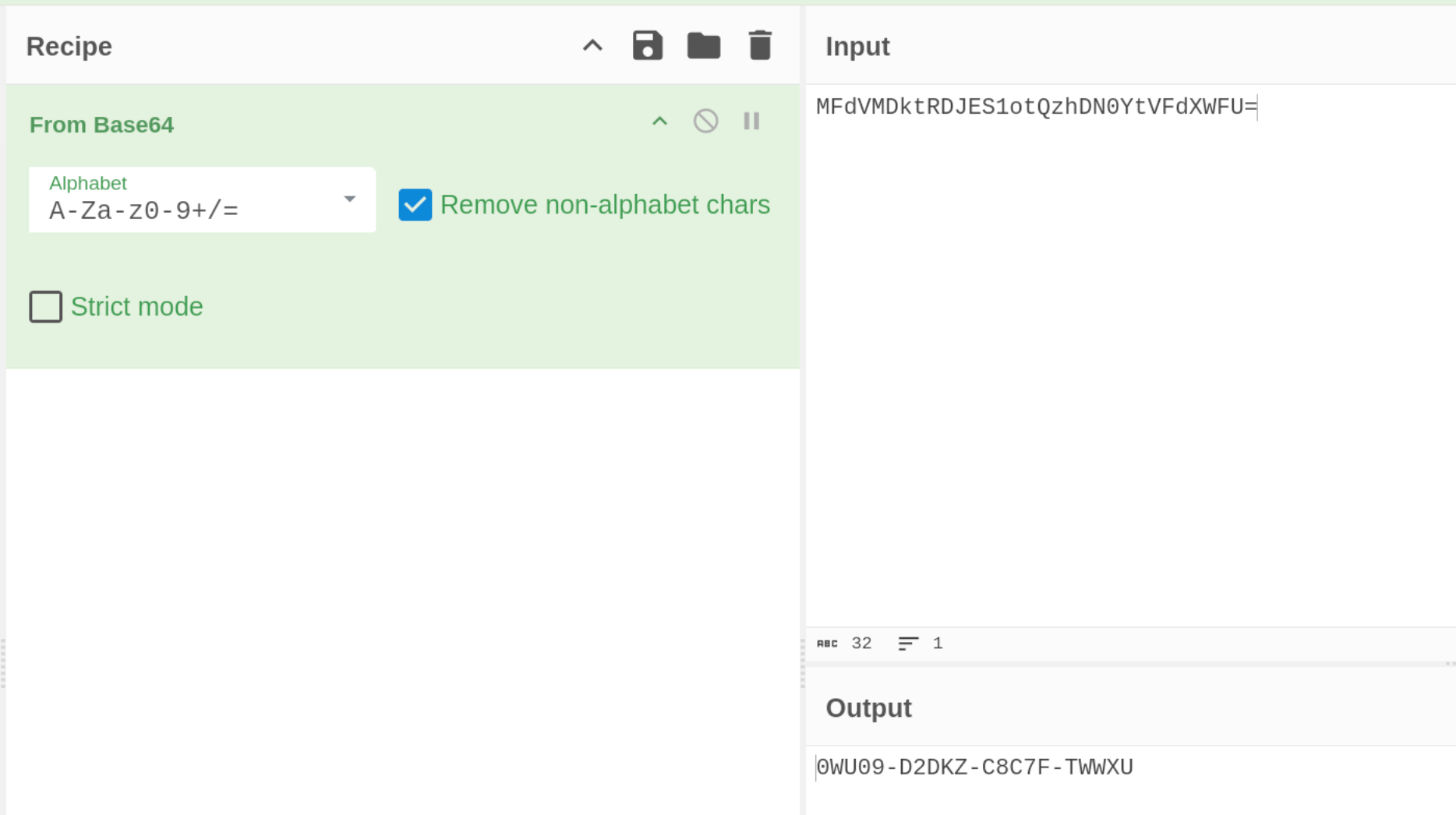
0WU09-D2DKZ-C8C7F-TWWXU
Using the above code, we are redirected to the registration page.
Initial Foothold
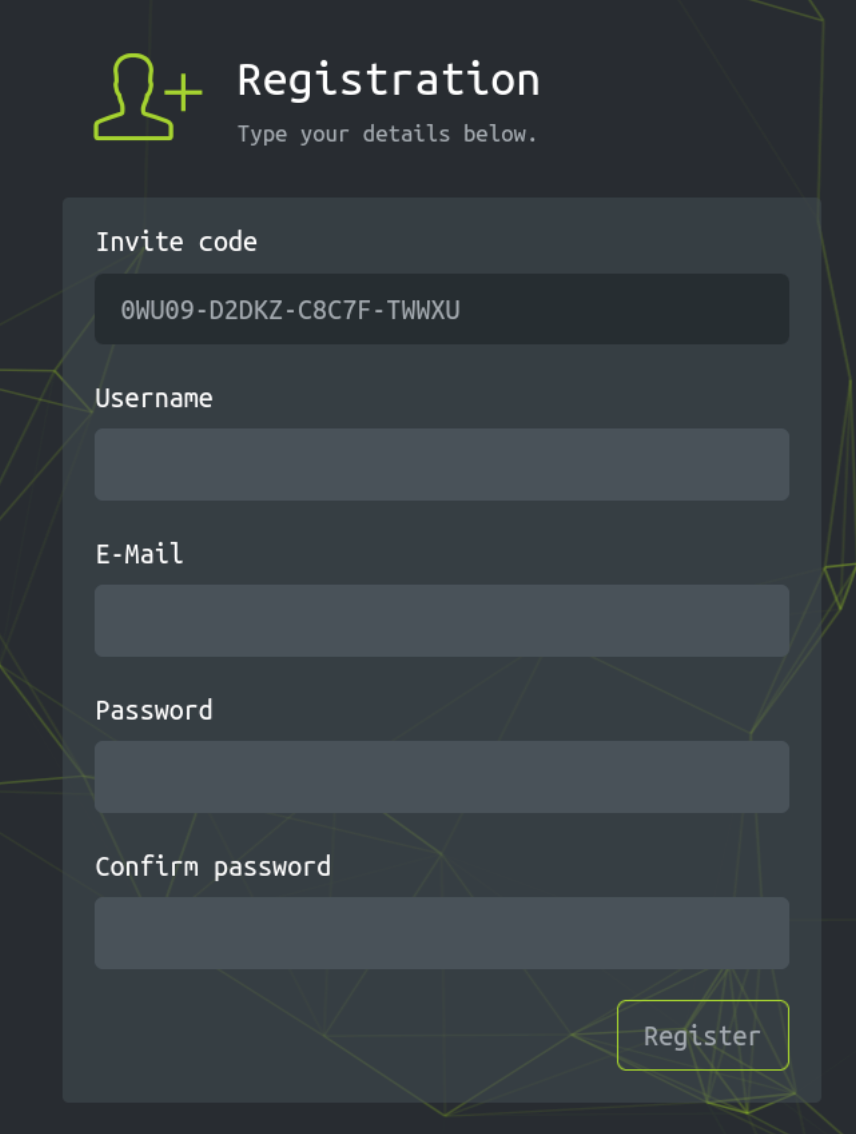
Registering using the password password:
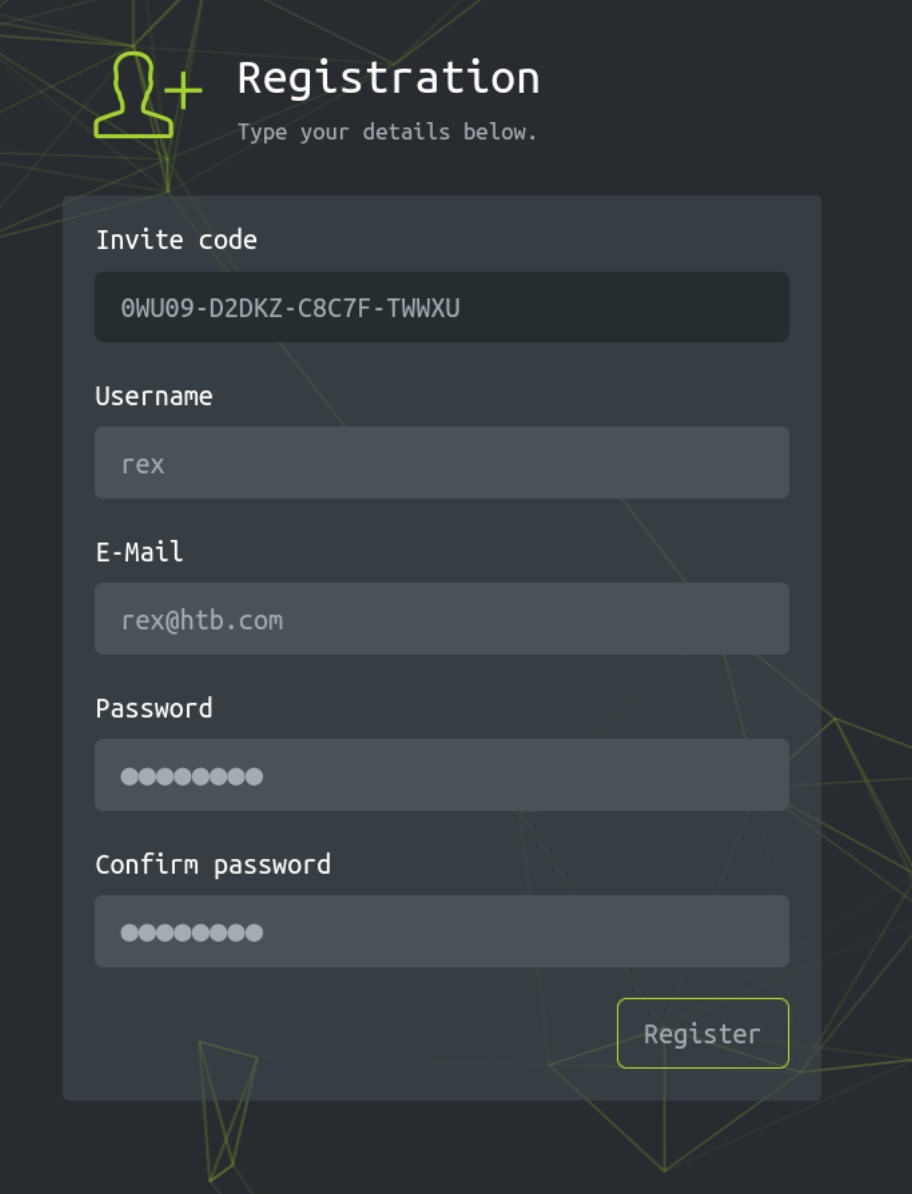
We can then log into the website, and it reveals a dashboard.
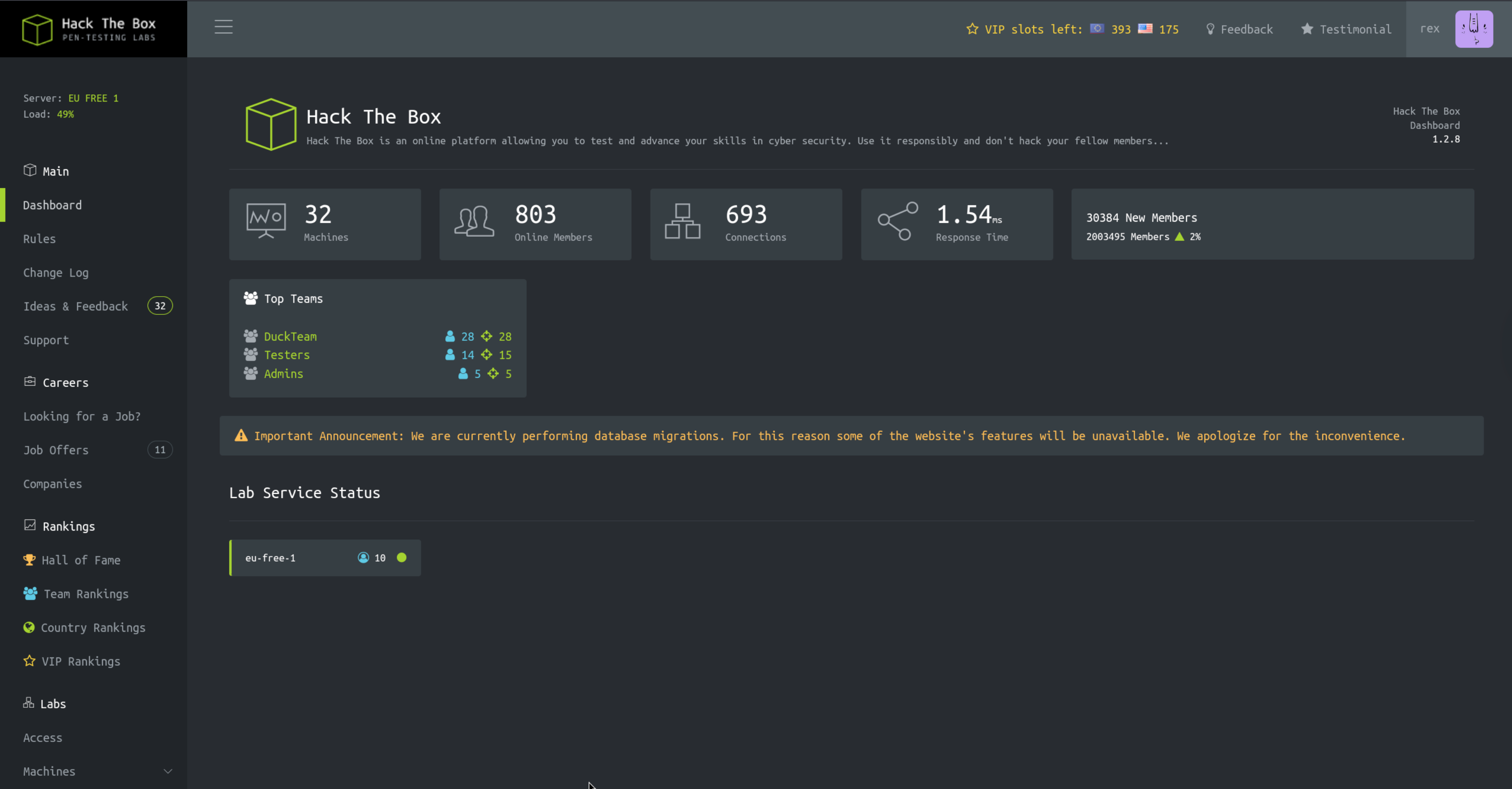
On the web app we only have access to three pages: Rules, Change Log, and Access. Of these, Access is the most interesting.
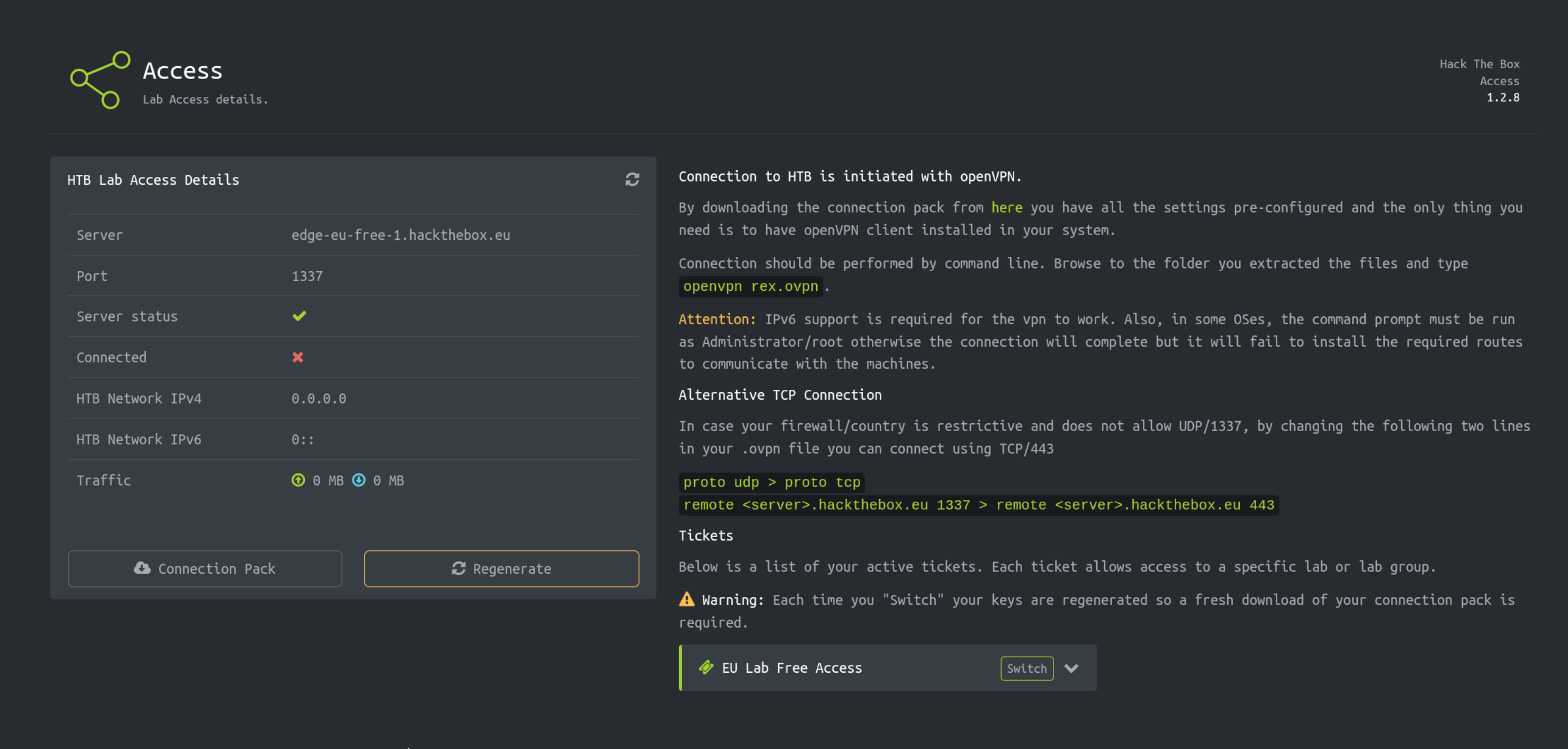
Clicking on the connection pack downloads an OpenVPN config file. Looking inside, it looks like a standard ovpn file.
Looking at the source, we see that it calls an API endpoint:
</div>
                        <div class="panel-footer">
                            <div class="row">
                                <div class="col-md-6">
                                    <a href="/api/v1/user/vpn/generate" class="btn btn-w-md btn-default btn-block"><i class="fa fa-cloud-download"></i> Connection Pack</a>
                                </div>
                                <div class="col-md-6">
                                    <a href="/api/v1/user/vpn/regenerate" class="btn btn-w-md btn-warning btn-block" data-toggle="tooltip" title="Warning: This will revoke your current vpn keys and issue new ones."><i class="fa fa-refresh"></i> Regenerate</a>
                                </div>
                            </div>
                        </div>
                    </div>
                </div>
/api/v1/user/vpn/generate is interesting.
We try fuzzing /api since it keeps showing up everywhere, but it does not reveal anything, so we investigate it using Burp Suite.
Sending a GET request for /api in Burp Suite, we get some details.
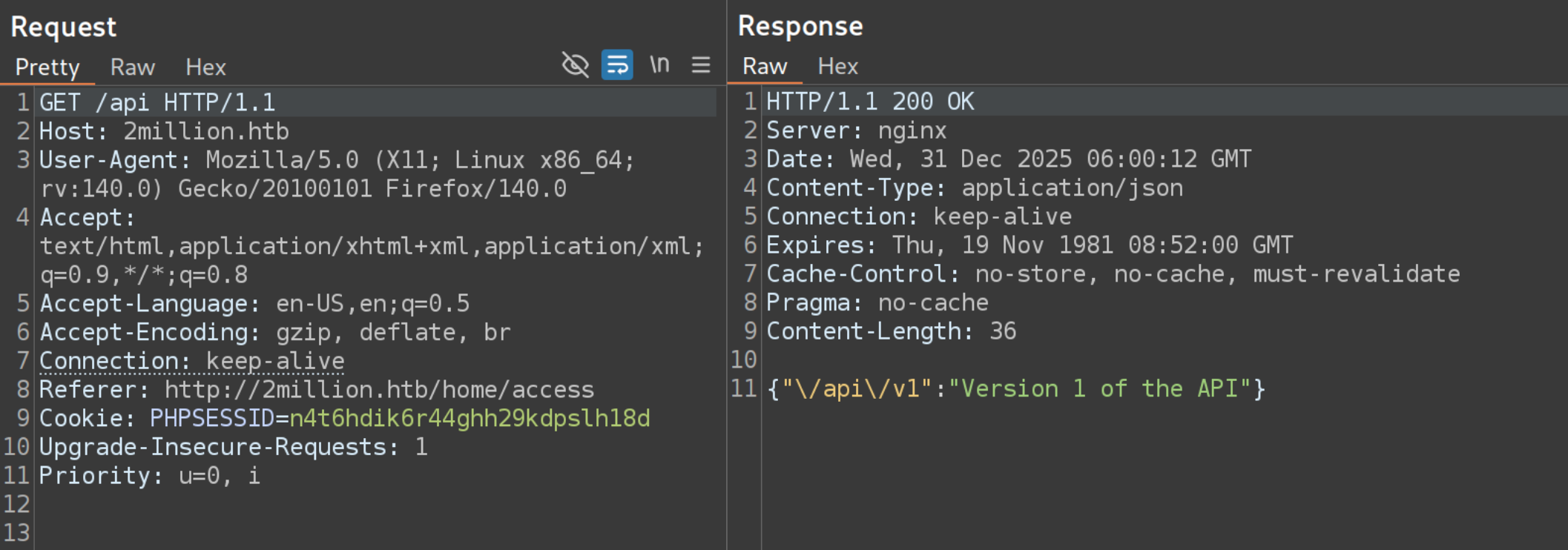
Let's see what /api/v1 looks like.
We get some interesting data back, but it is hard to read like this, so let's beautify it.
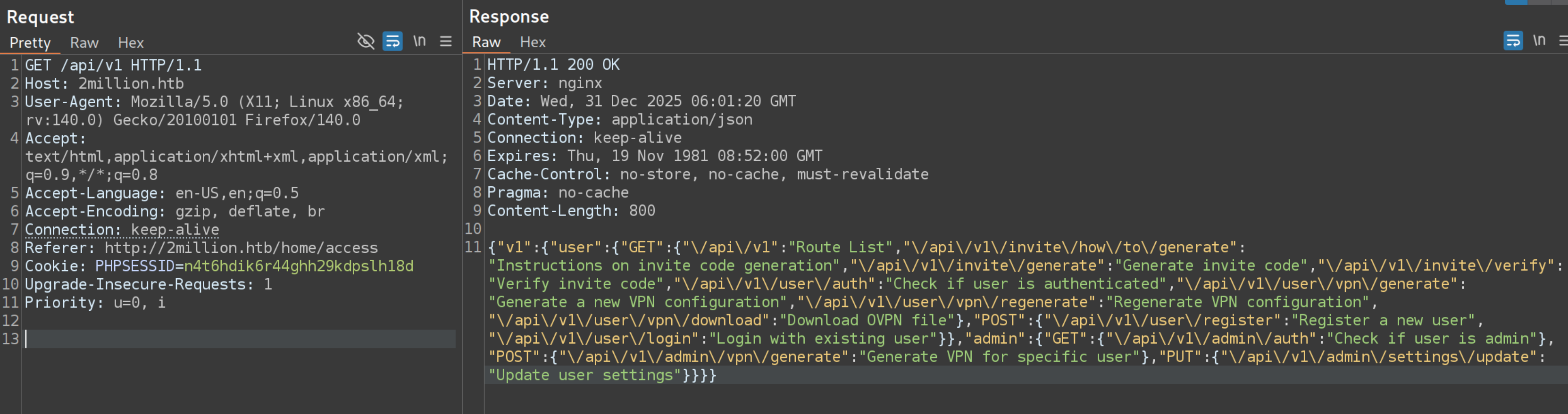
The code reveals a new endpoint, admin, so let's enumerate further.
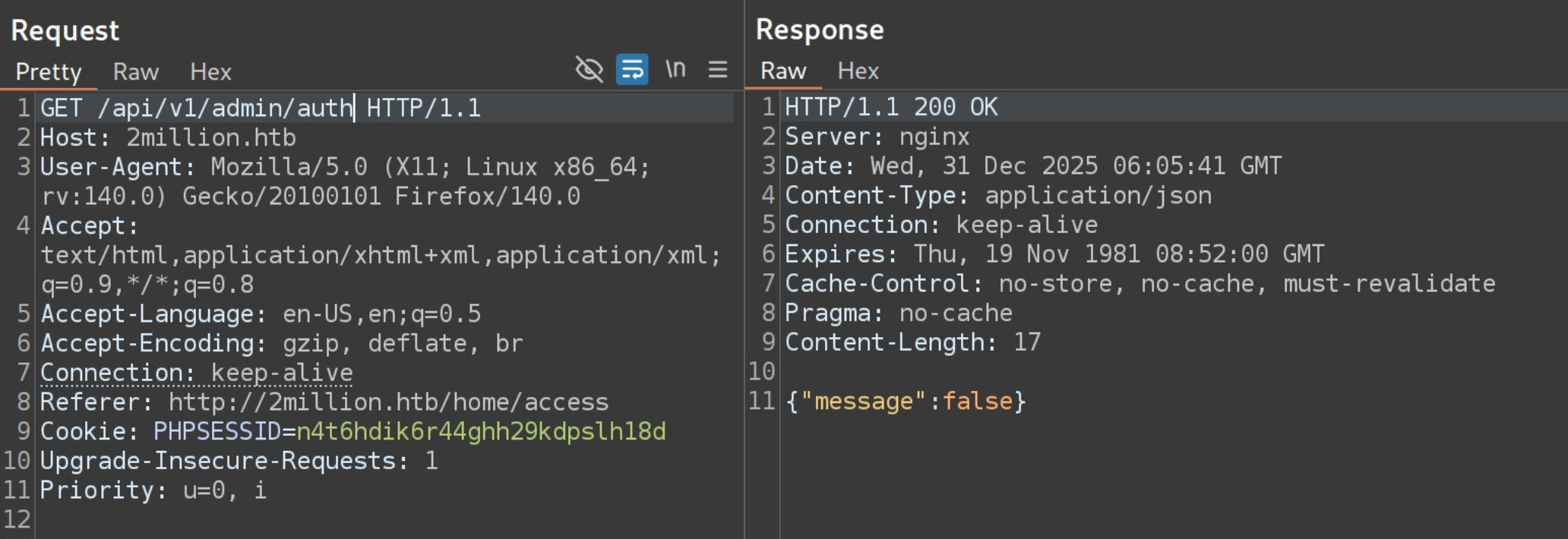
The first GET request does not do anything.
Using Burp Suite to make a POST request to /admin/vpn/generate:
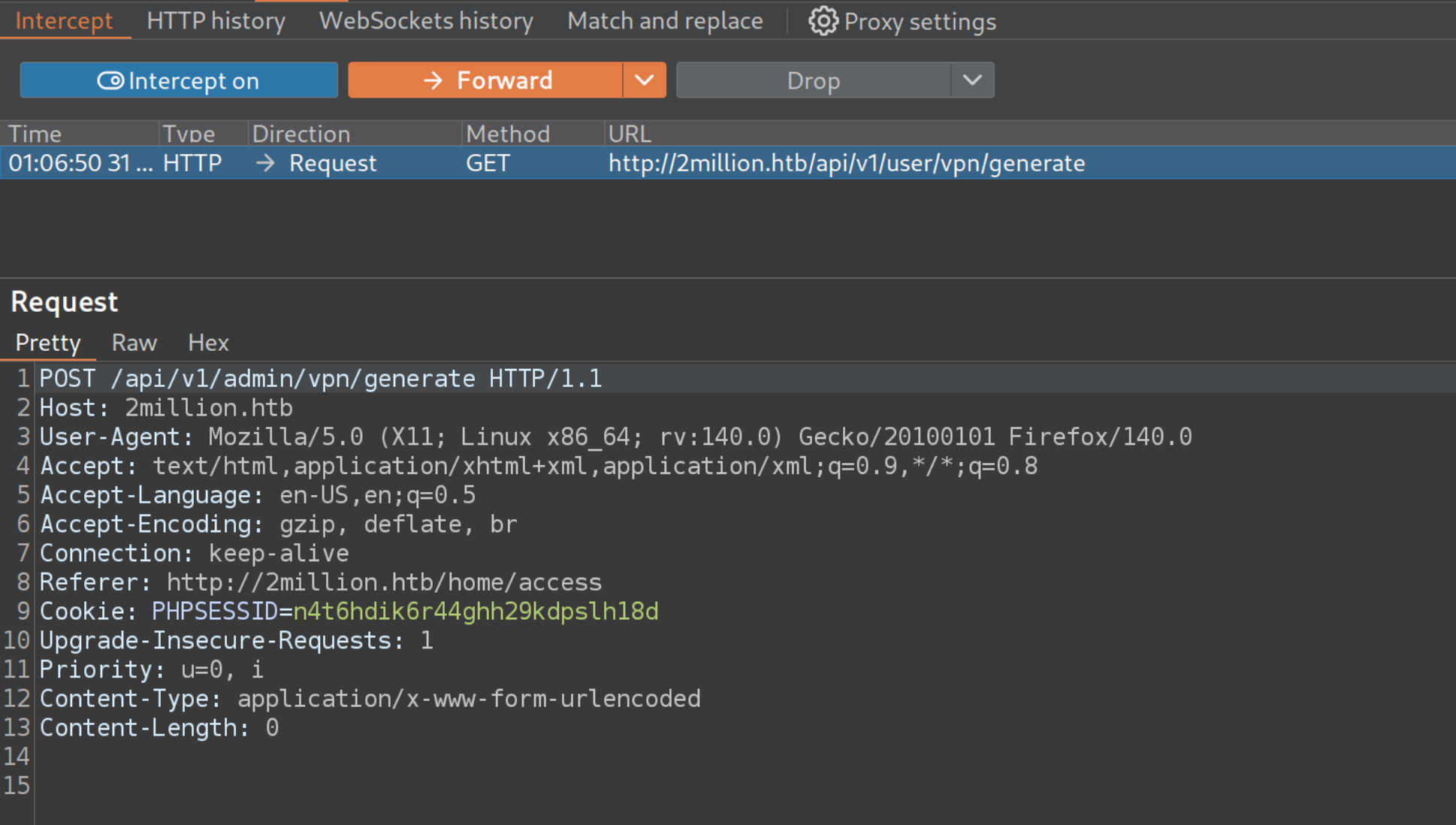
We just get a 401 unauthorized.
The PUT request does something different though.
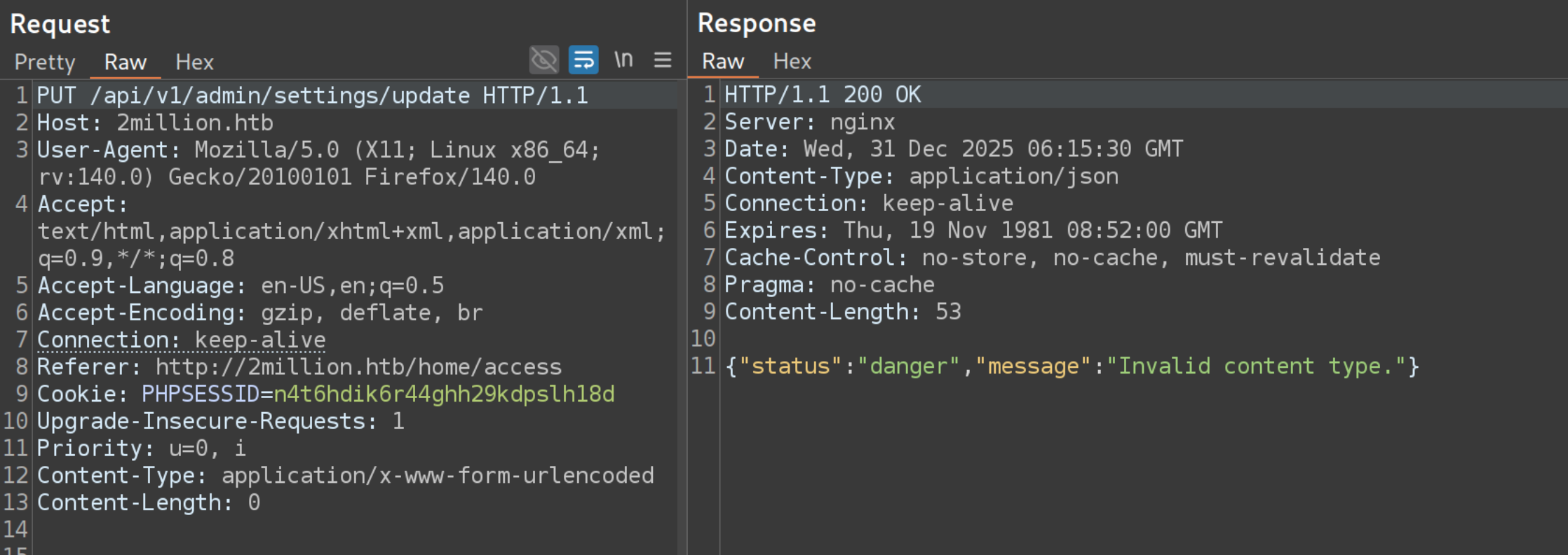
This looks like the endpoint to enumerate further.
The error says that the Content-Type is incorrect.
Looking online for the different kinds of Content-Types, we find this:
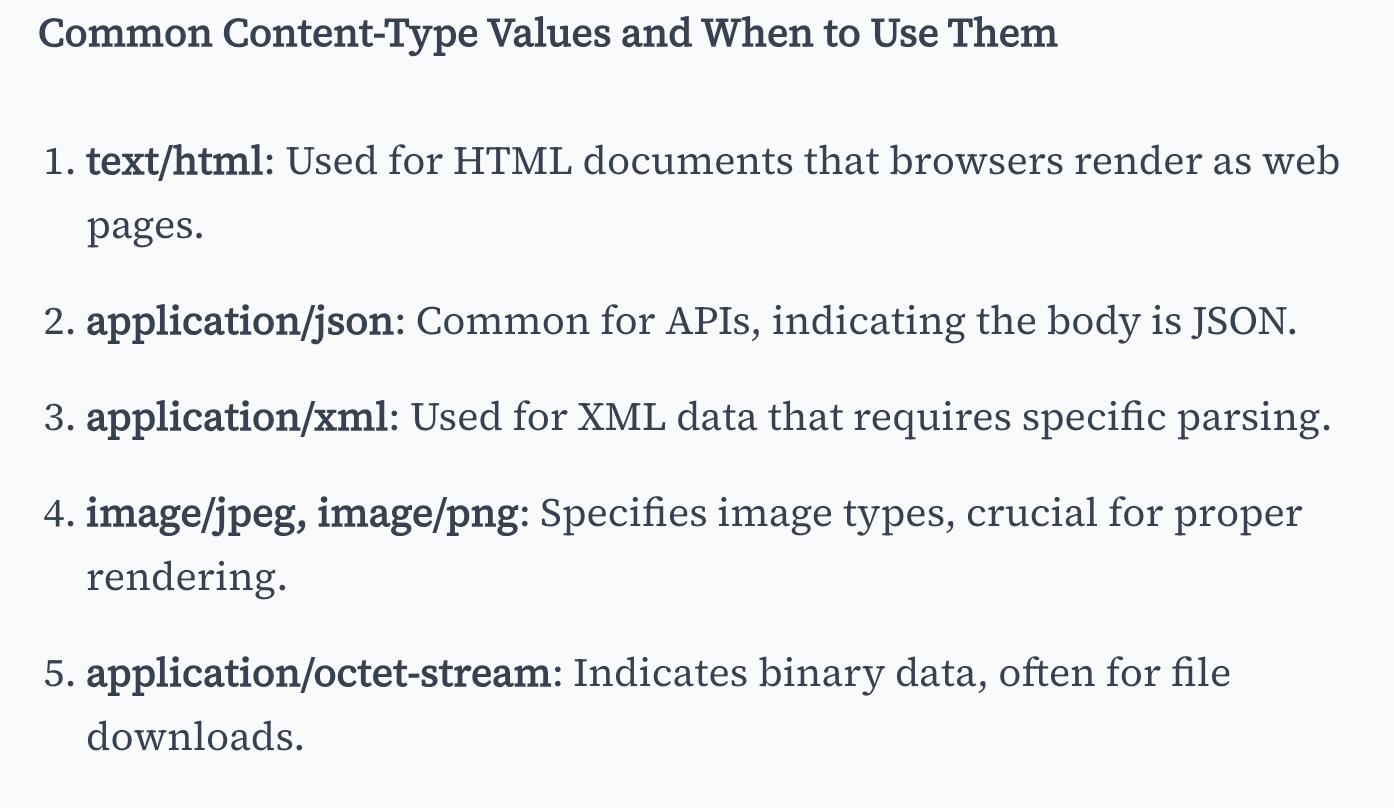
application/json seems best in this case since we have a lot of JSON here.
Changing the Content-Type, we get a new error.
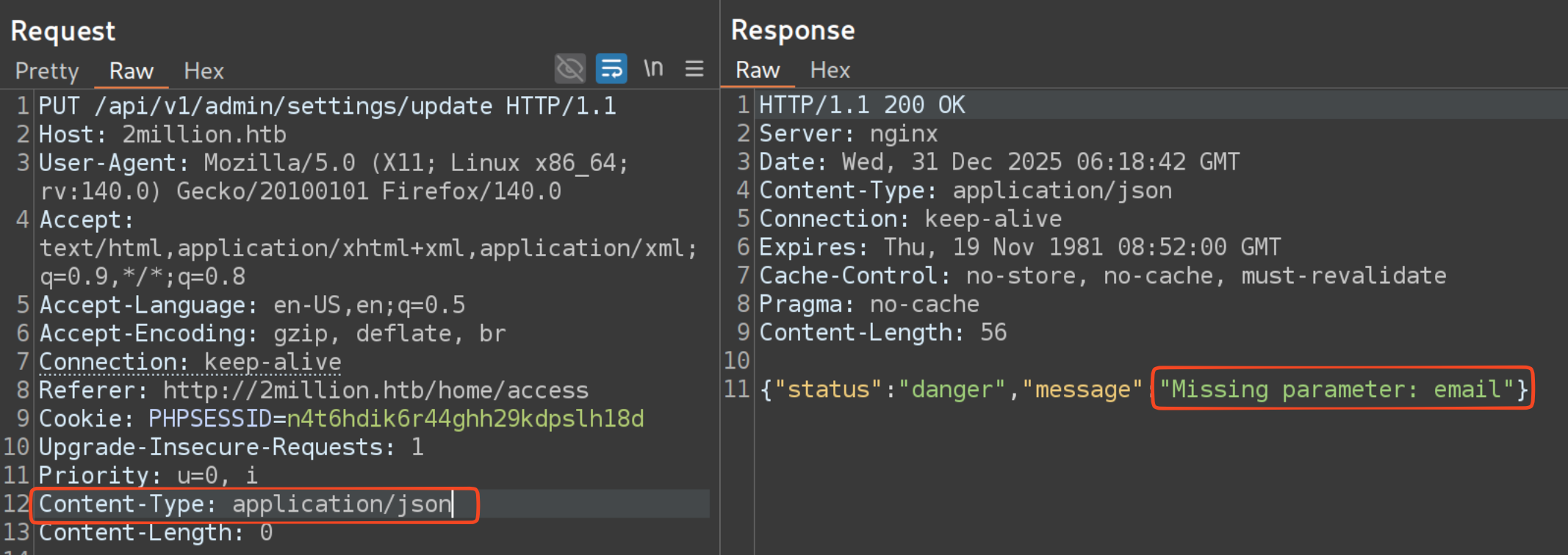
We are not very familiar with JSON, so we research how to do this.
Adding the email parameter in JSON, we get a new error.
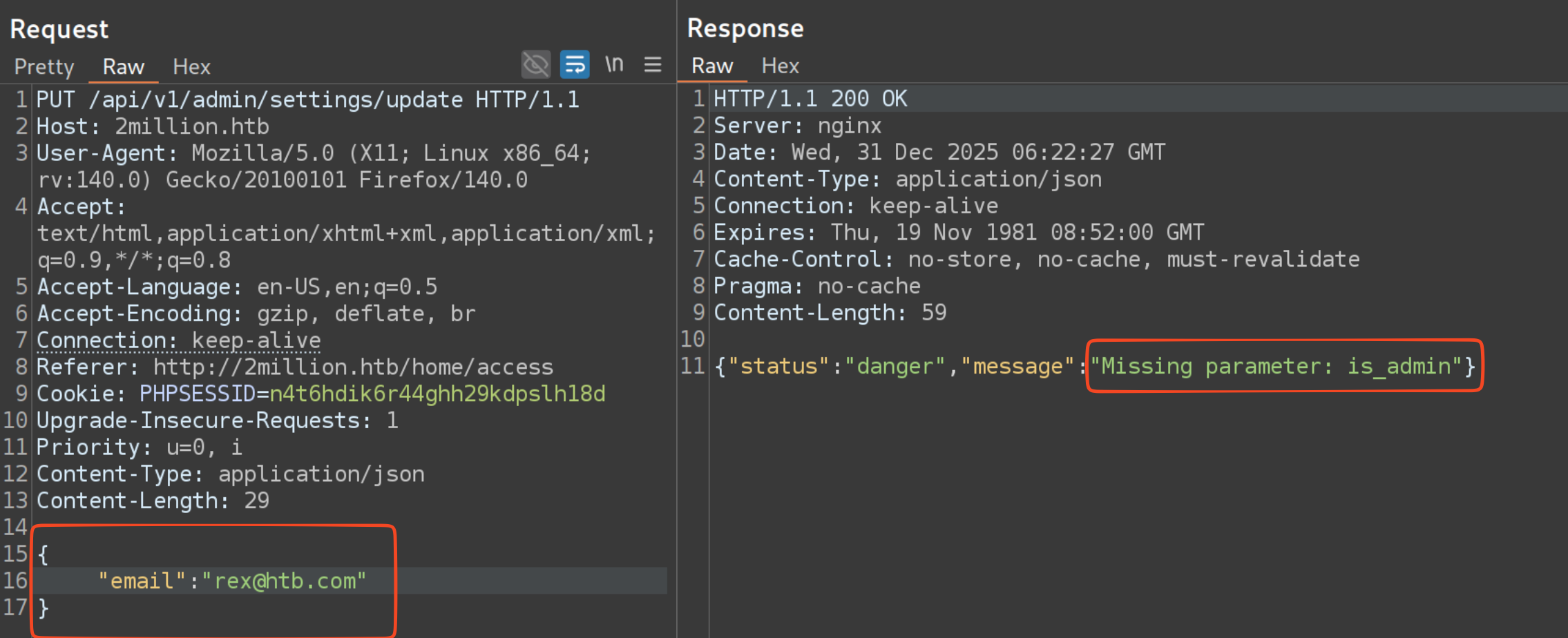
Adding the is_admin parameter, we get yet another error.
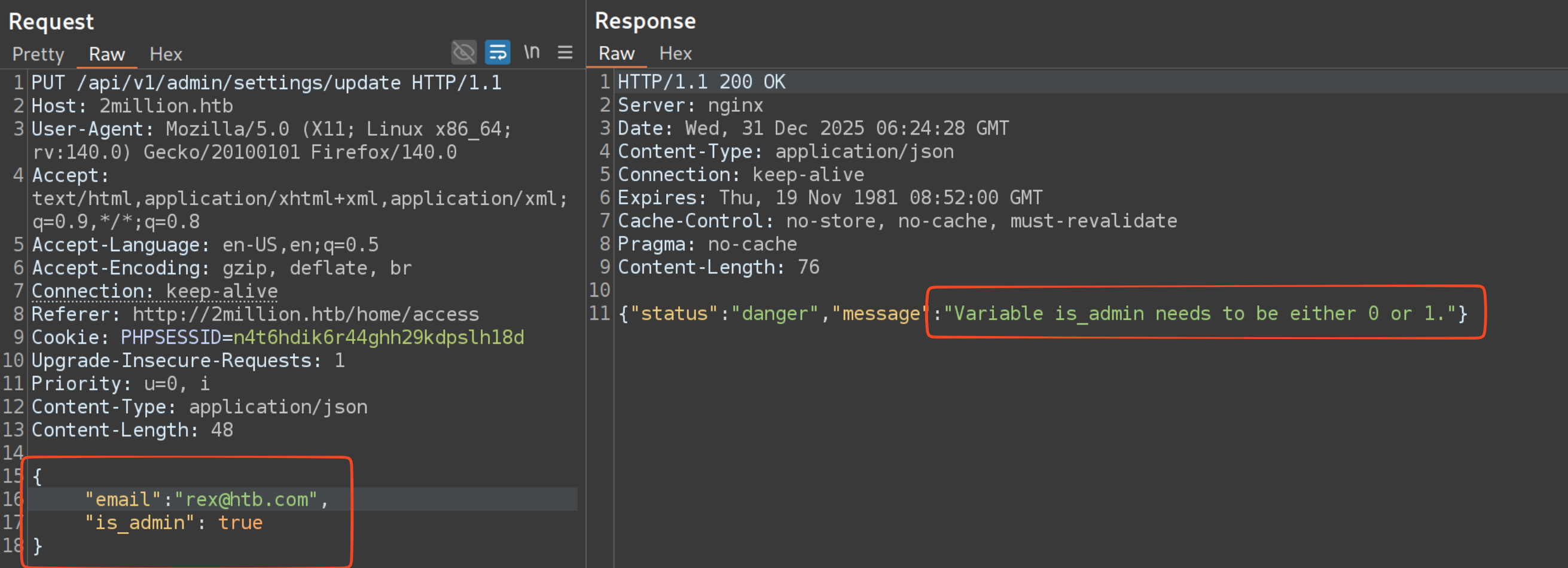
This is an easy fix: we assume 1 is true and 0 is false.
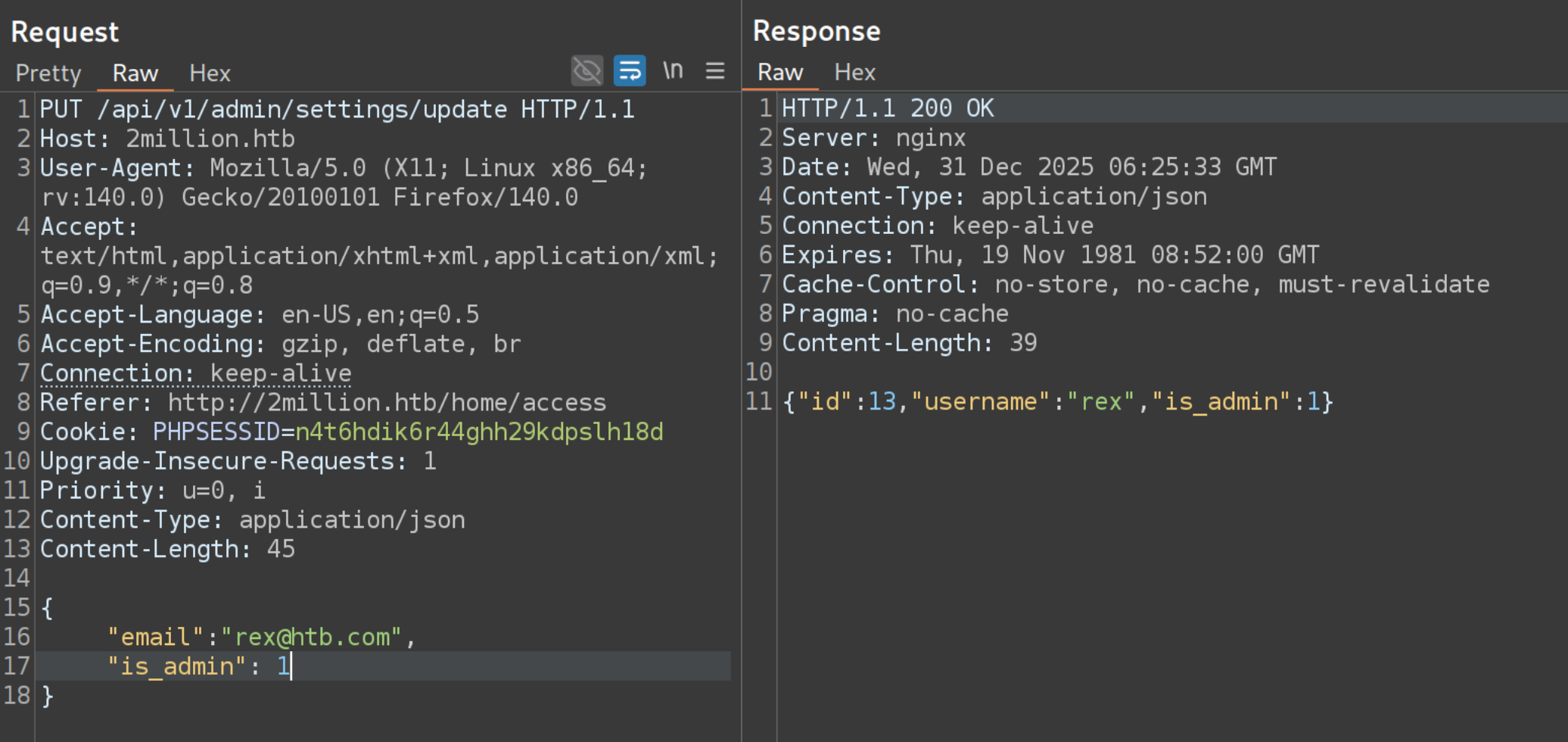
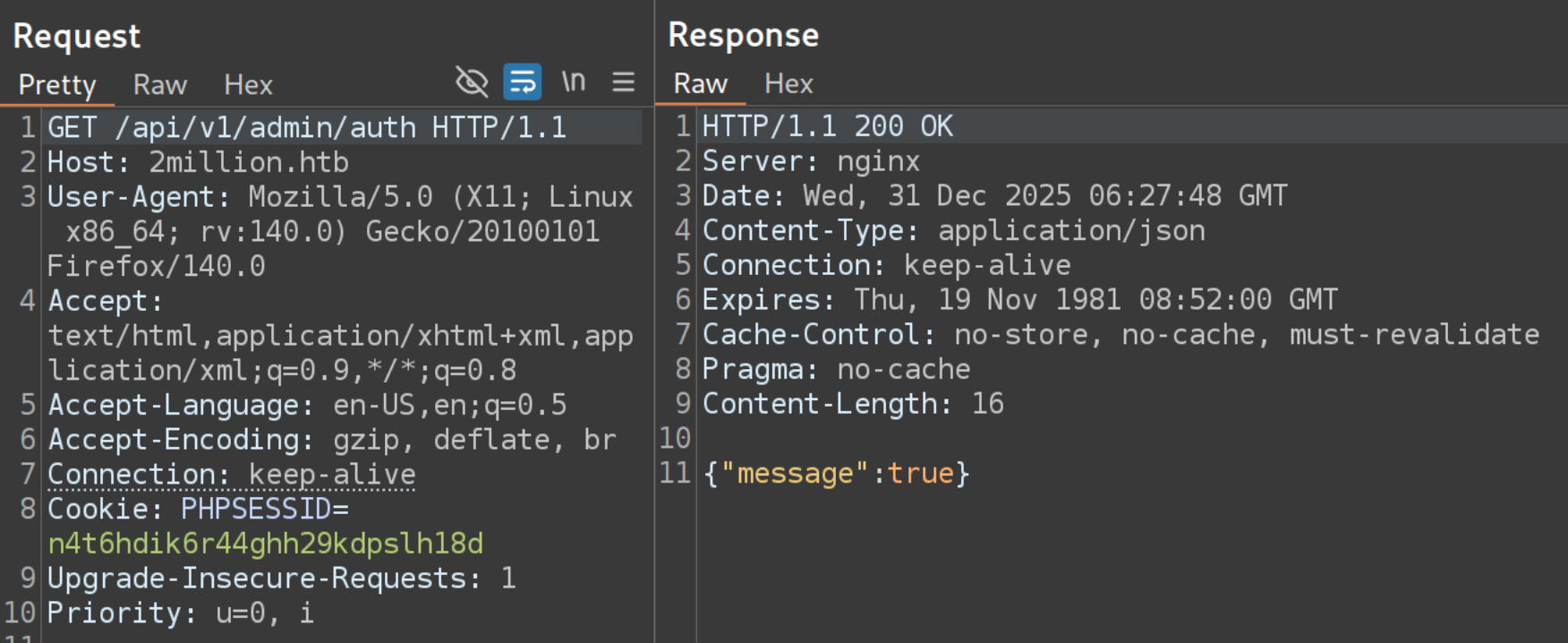
We are now admin.
To verify, we can use /admin/auth:
Shell as www-data
Now that we are admin, we should look at the POST request as well to see if something has changed.
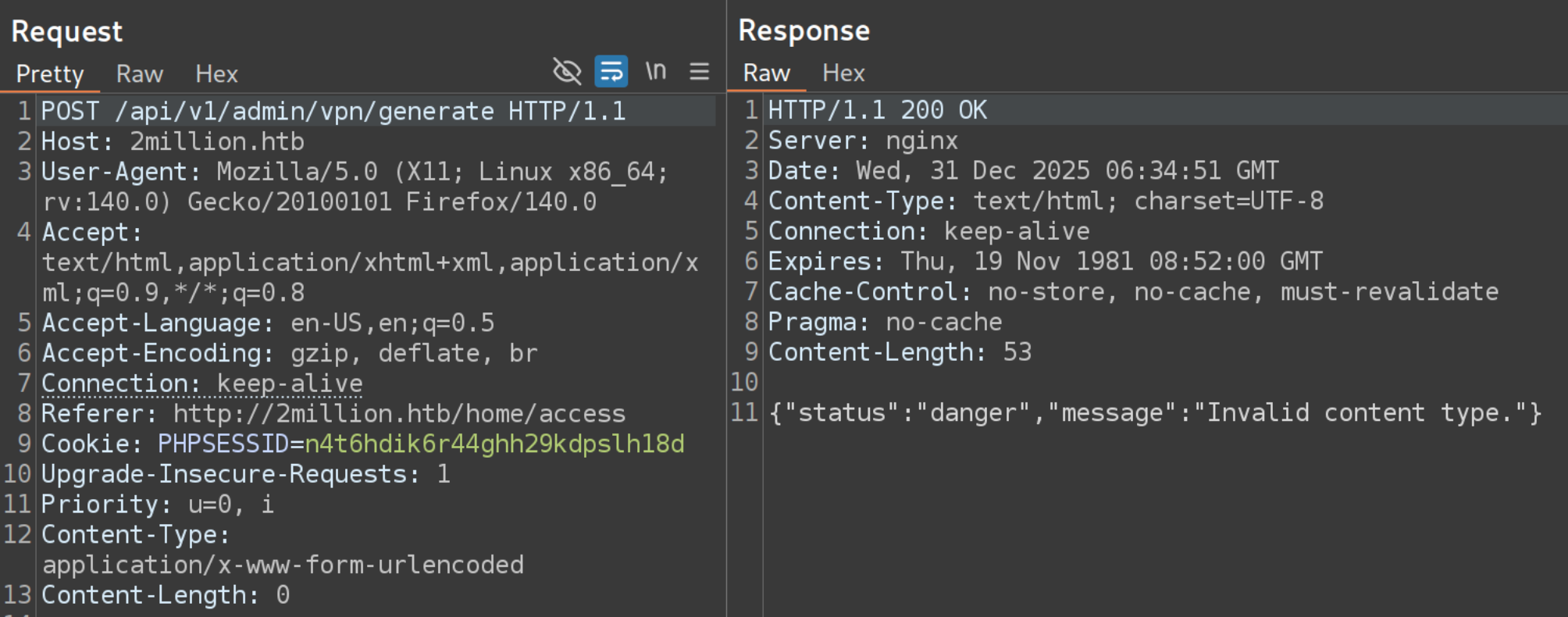
Changing the Content-Type, we get this:
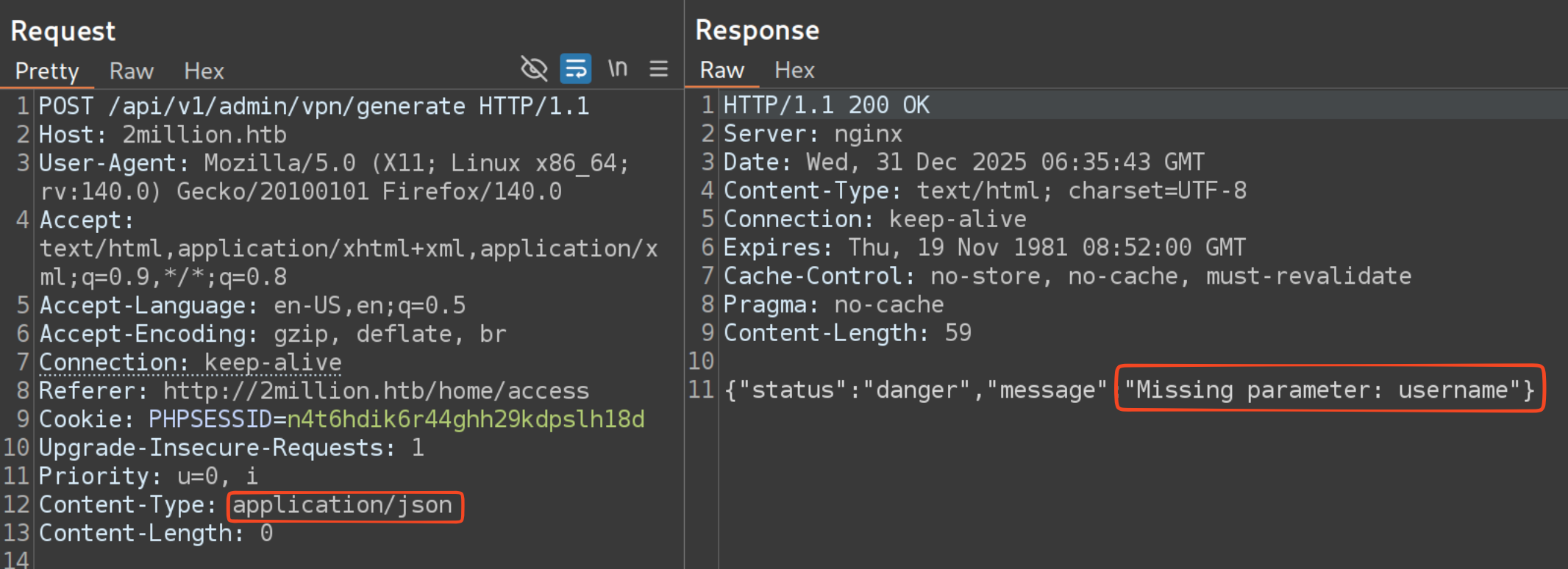
Let's add the username parameter.
Adding the username parameter generates the VPN key.
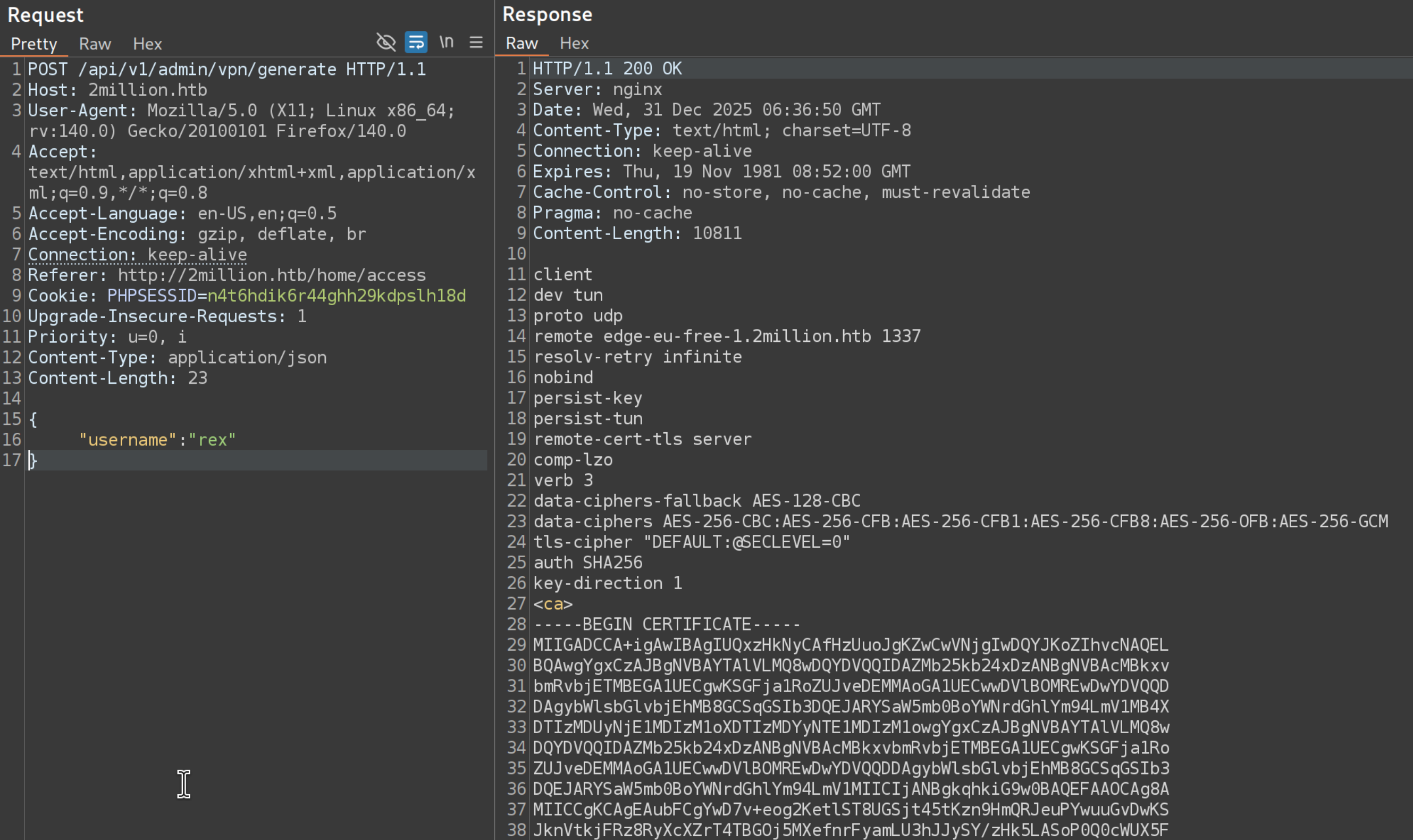
Even if we use any other username, it still generates a file.
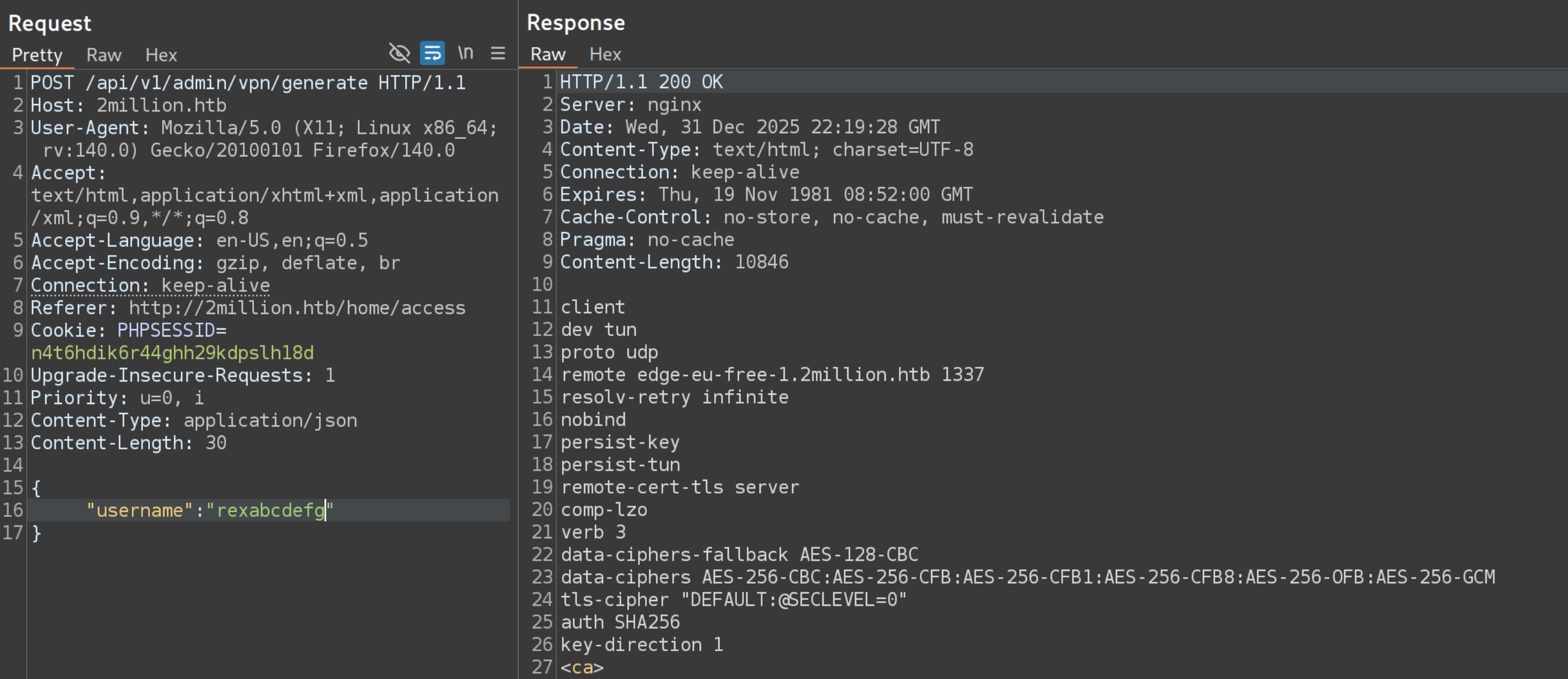
This is something new to us, so after some research, we find we can use parameter injection here.
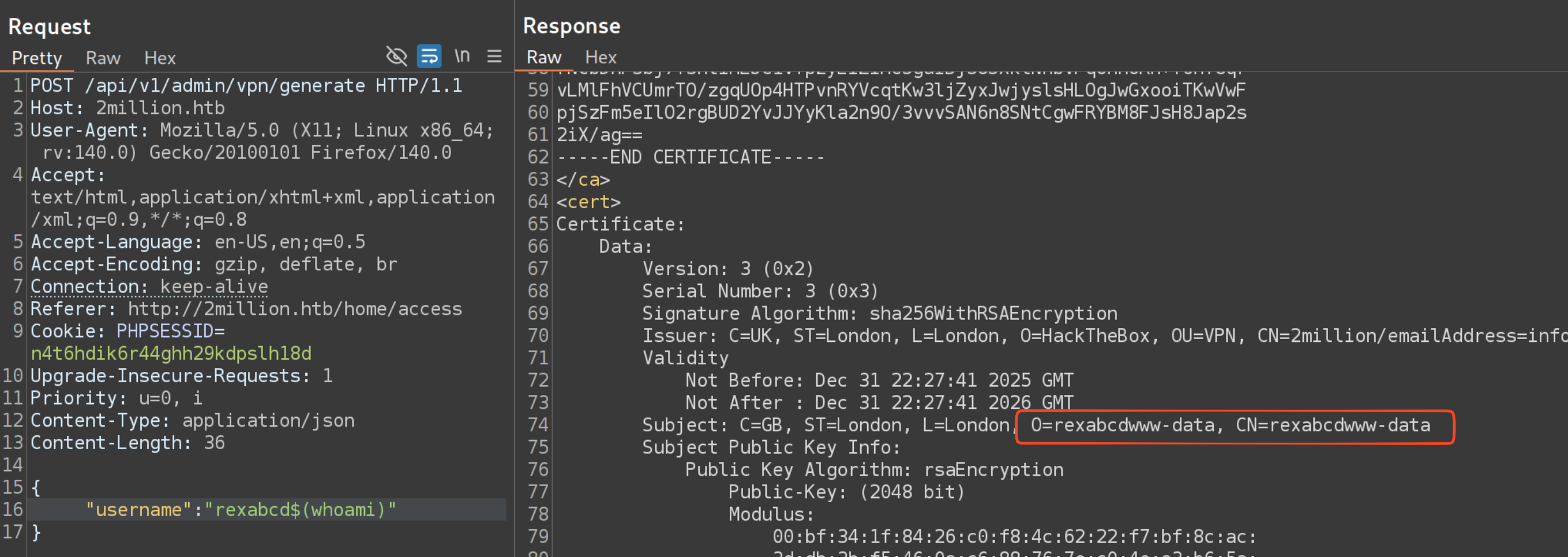
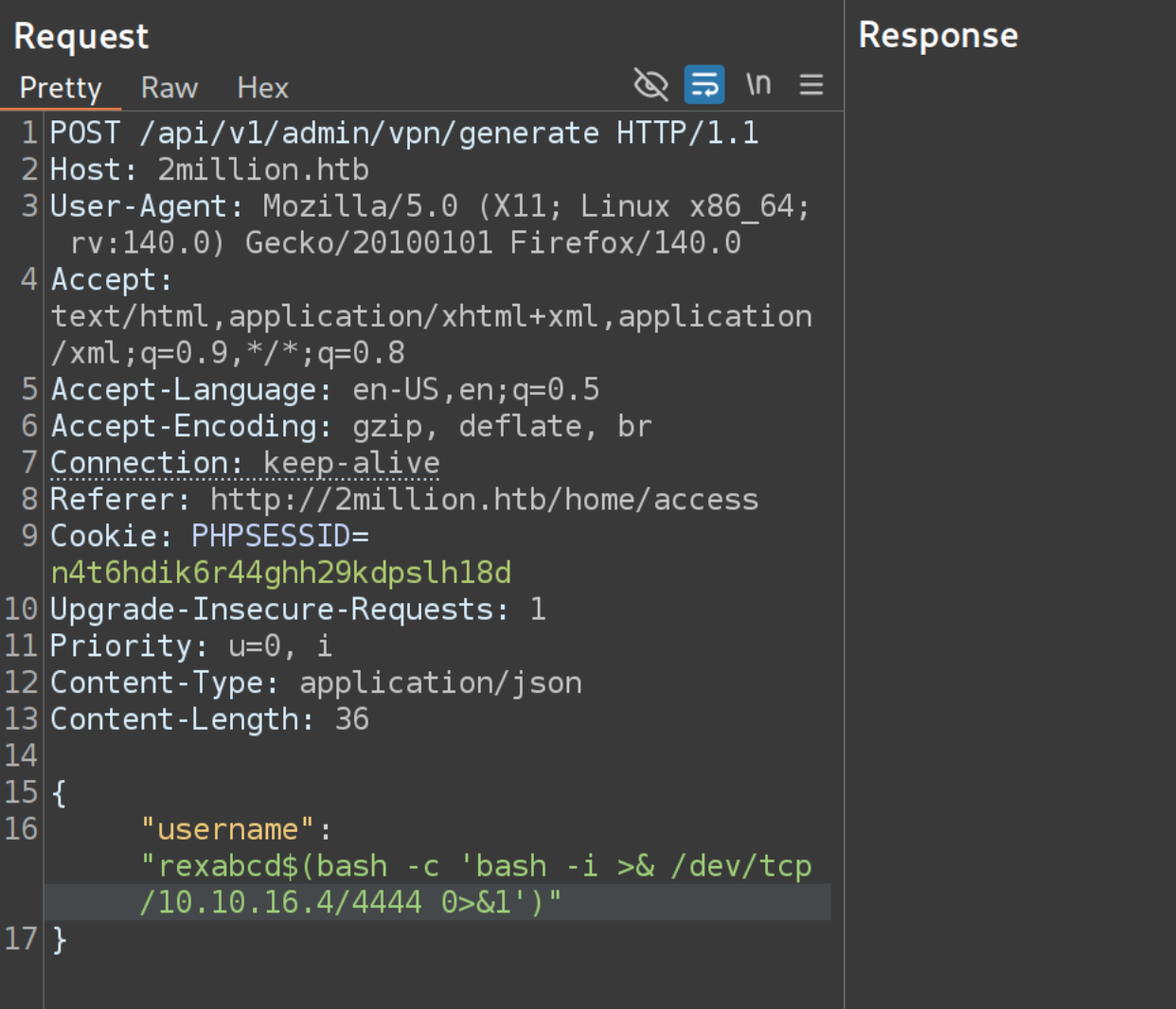
We have command injection, so we can get a reverse shell using this.
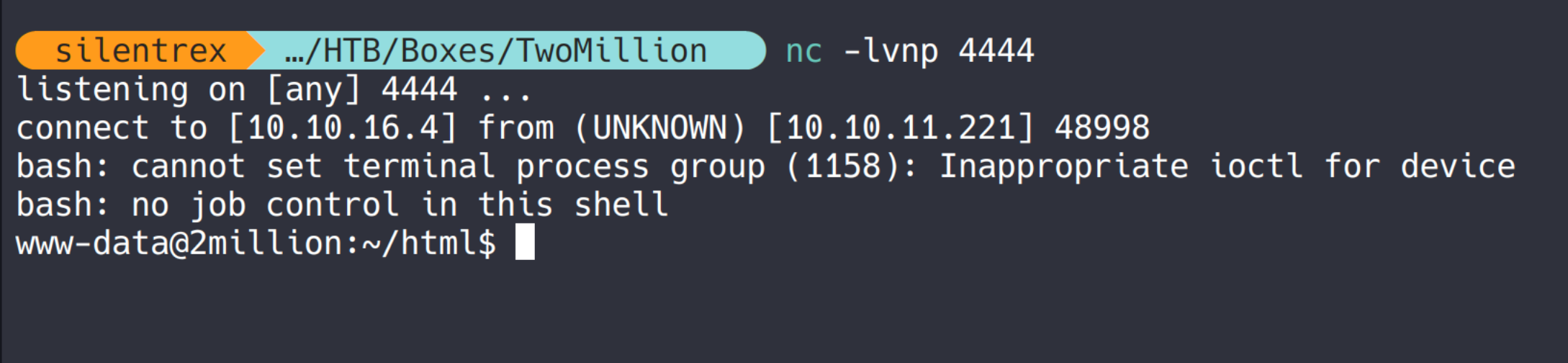
It hangs.
And we have a shell as www-data.
Privilege Escalation
We upgrade the shell.
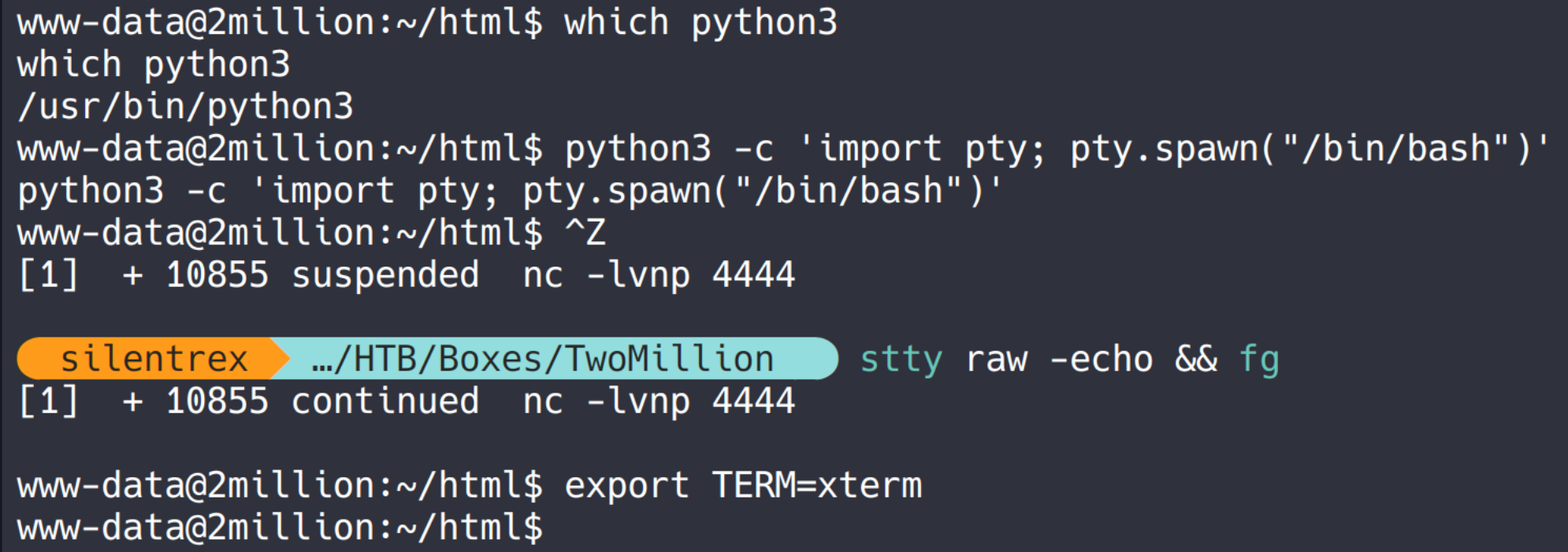
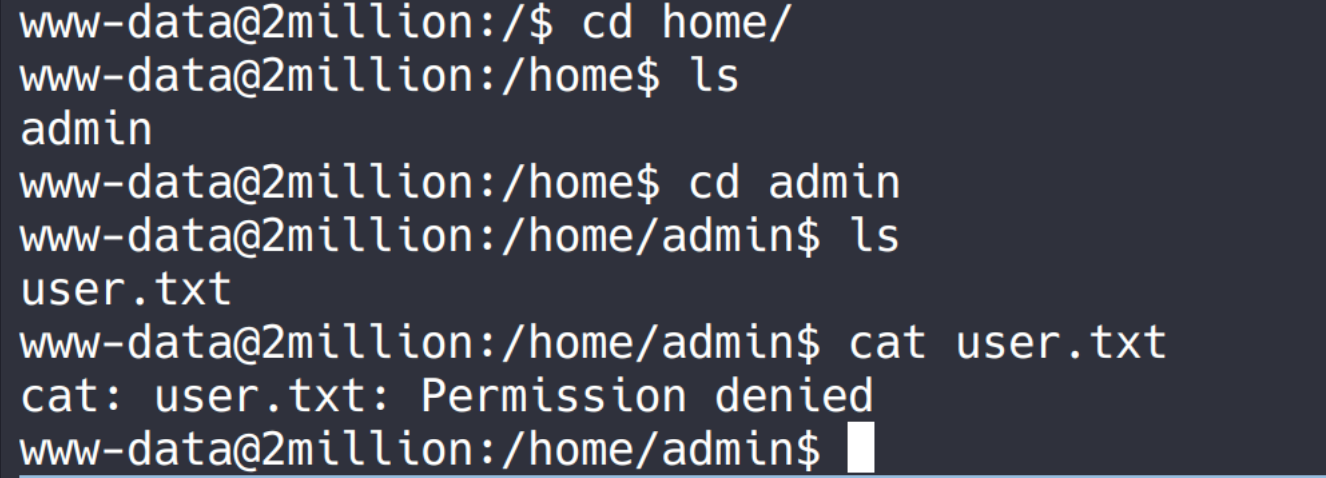
We do not have the user flag yet, so we need to escalate privileges.
In the home directory of www-data, Database.php:
cat Database.php
<?php
class Database
{
    private $host;
    private $user;
    private $pass;
    private $dbName;
    private static $database = null;
    private $mysql;
    public function __construct($host, $user, $pass, $dbName)
    {
        $this->host     = $host;
        $this->user     = $user;
        $this->pass     = $pass;
        $this->dbName   = $dbName;
        self::$database = $this;
    }
    public static function getDatabase(): Database
    {
        return self::$database;
    }
    public function connect()
    {
        $this->mysql = new mysqli($this->host, $this->user, $this->pass, $this->dbName);
    }
    public function query($query, $params = [], $return = true)
    {
        $types = "";
        $finalParams = [];
        foreach ($params as $key => $value)
        {
            $types .= str_repeat($key, count($value));
            $finalParams = array_merge($finalParams, $value);
        }
        $stmt = $this->mysql->prepare($query);
        $stmt->bind_param($types, ...$finalParams);
        if (!$stmt->execute())
        {
                    return false;
        }
        if (!$return)
        {
            return true;
        }
        return $stmt->get_result() ?? false;
    }
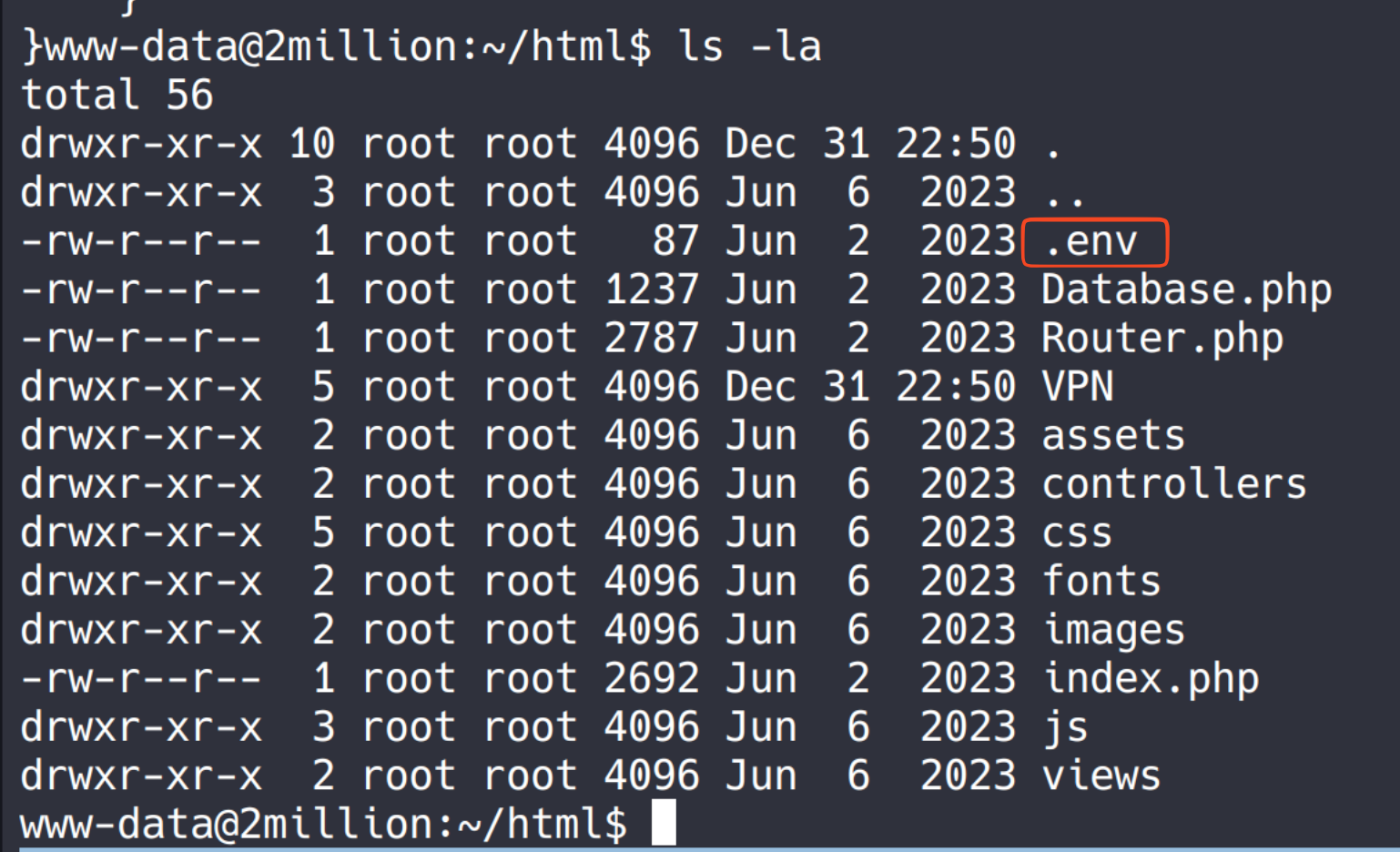
These are stored in variables. We checked all the environment variables and did not find anything, then we noticed a file we had missed earlier in the home directory.
We get a database password.
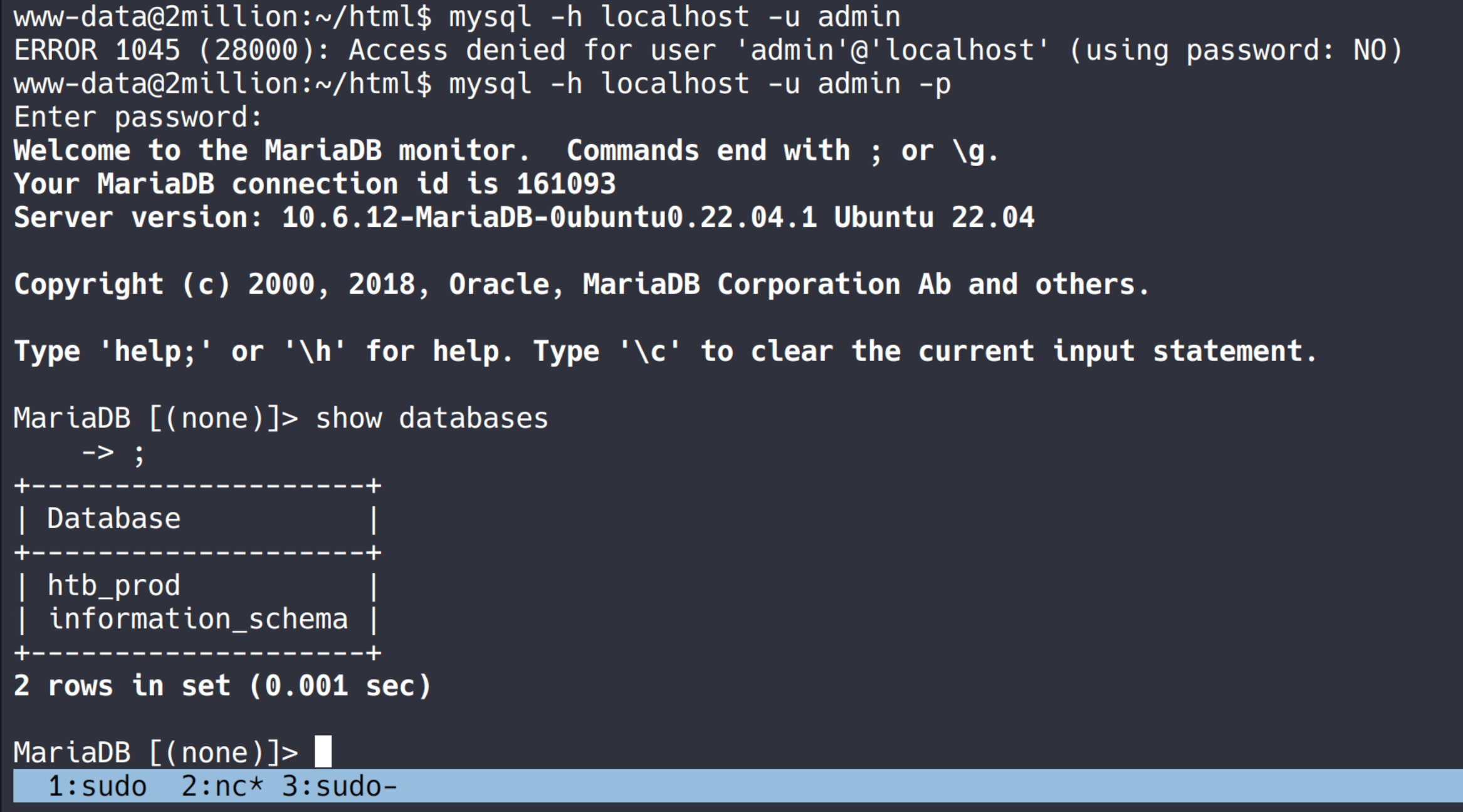
Looking in the database, we get hashes:
We tried cracking the passwords, but it did not work.

SSHing into the box using the credentials for admin, we get an interesting banner.

Looking online for where mail is stored, we learn it is in the /var directory.
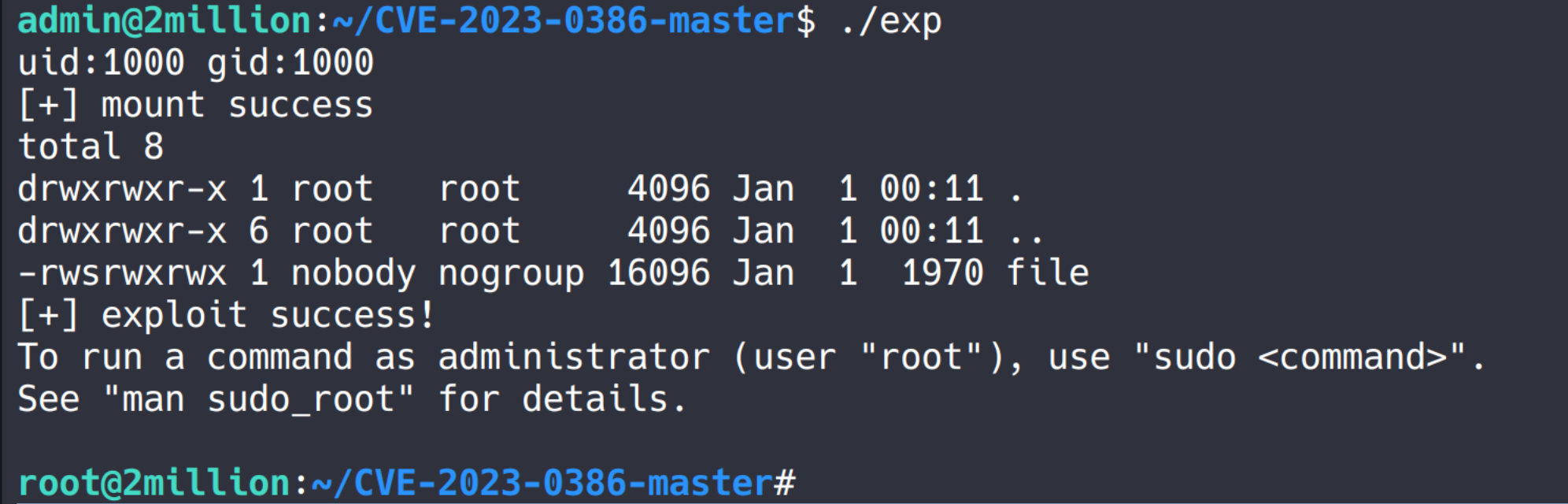
This email talks about a CVE for OverlayFS and FUSE. Looking online, we find this CVE.
The CVE needs two terminals, which is easy to do with SSH.
We download the CVE as a zip and then use wget to transfer it to the victim machine:
Then we follow the directions in the PoC.
Step 1: Compile the exploit.
Step 2: In the first terminal, execute the following:
Step 3: In the second terminal, execute the following command: